


Wedding website builder that builds itself

Your wedding website comes back in your colors, fonts and brand.

No logo yet? Create a logo, then turn it into your wedding site.

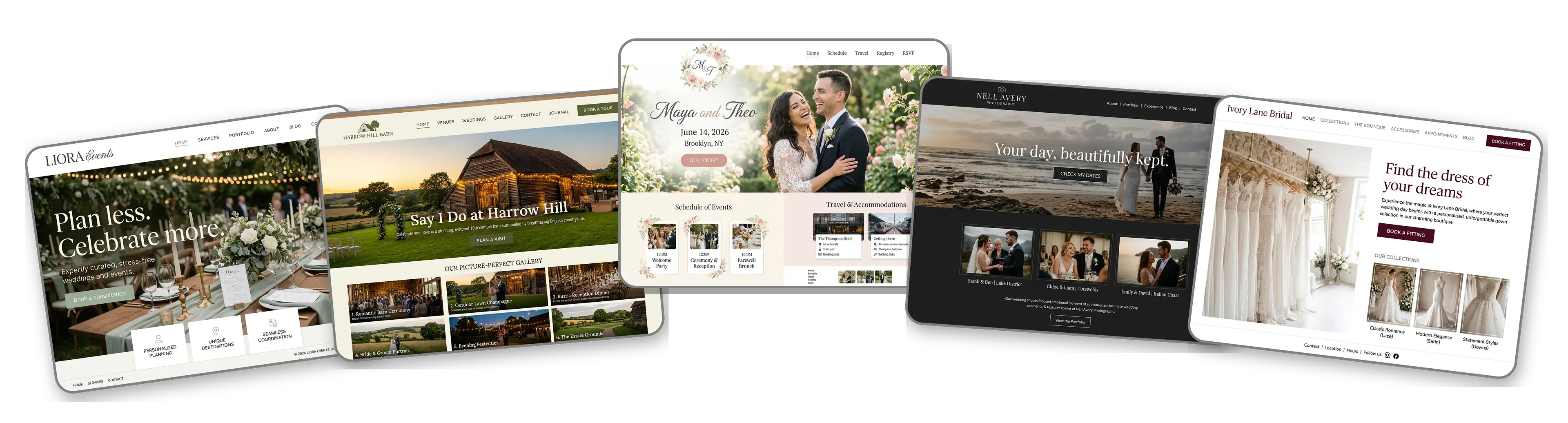
Five wedding websites built with LOGO.com from a logo upload: a wedding planner, a barn wedding venue, a couple's wedding website, a wedding photographer and a bridal boutique

Featured in

msnyahoobusiness insider

How to make a wedding website with LOGO.com in three steps.

Upload your logo or monogram

Use the monogram from your invitations or the logo on your business cards, as a PNG, JPG, SVG or WebP file. The builder picks up its colors, its font and its style. No logo? Create a logo first, it only takes a few minutes.
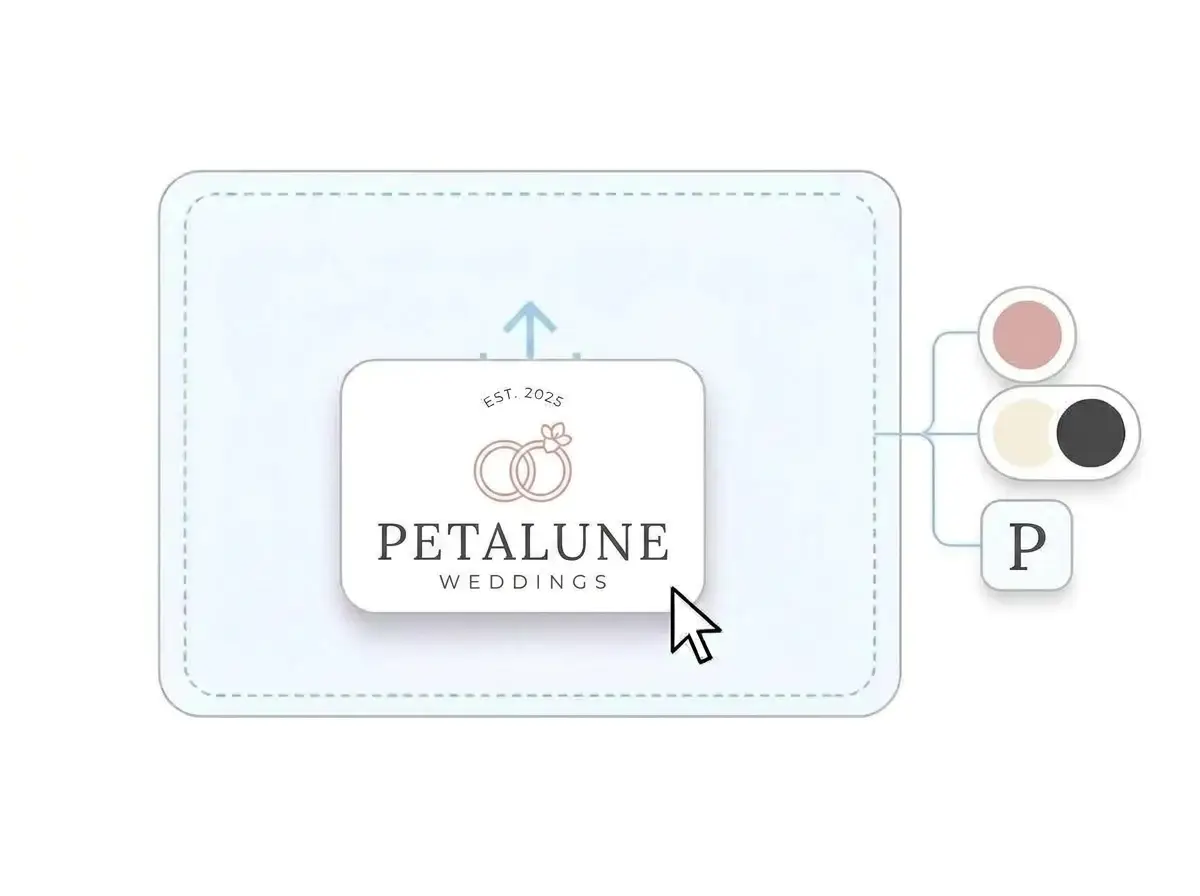
Petalune Weddings logo dropped into the LOGO.com upload box, with its blush pink, ivory and charcoal colors and serif letter picked out

Your whole wedding site, ready

About a minute later the site is built: your logo at the top, a hero photo, an About section for your story, a schedule, a contact form and the venue on a map, all in the colors of your invitations or your studio.

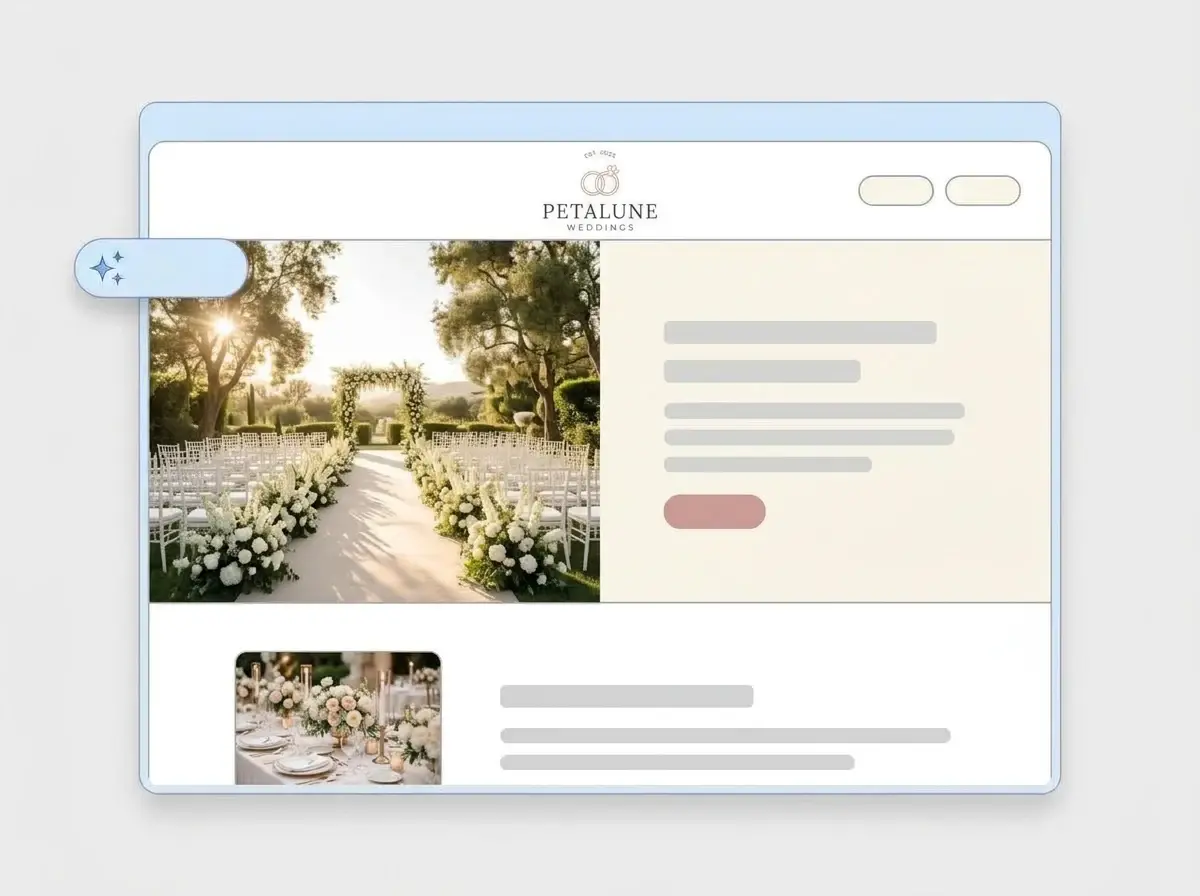
Finished Petalune Weddings website built by LOGO.com from the uploaded logo, with a flower lined ceremony aisle in the hero and a reception table thumbnail

Add your photos and share the link

Swap in your own photos, add the date, the venue and the links guests need, then press Publish. Print the address on your save the dates, or connect a domain of your own when you are ready.

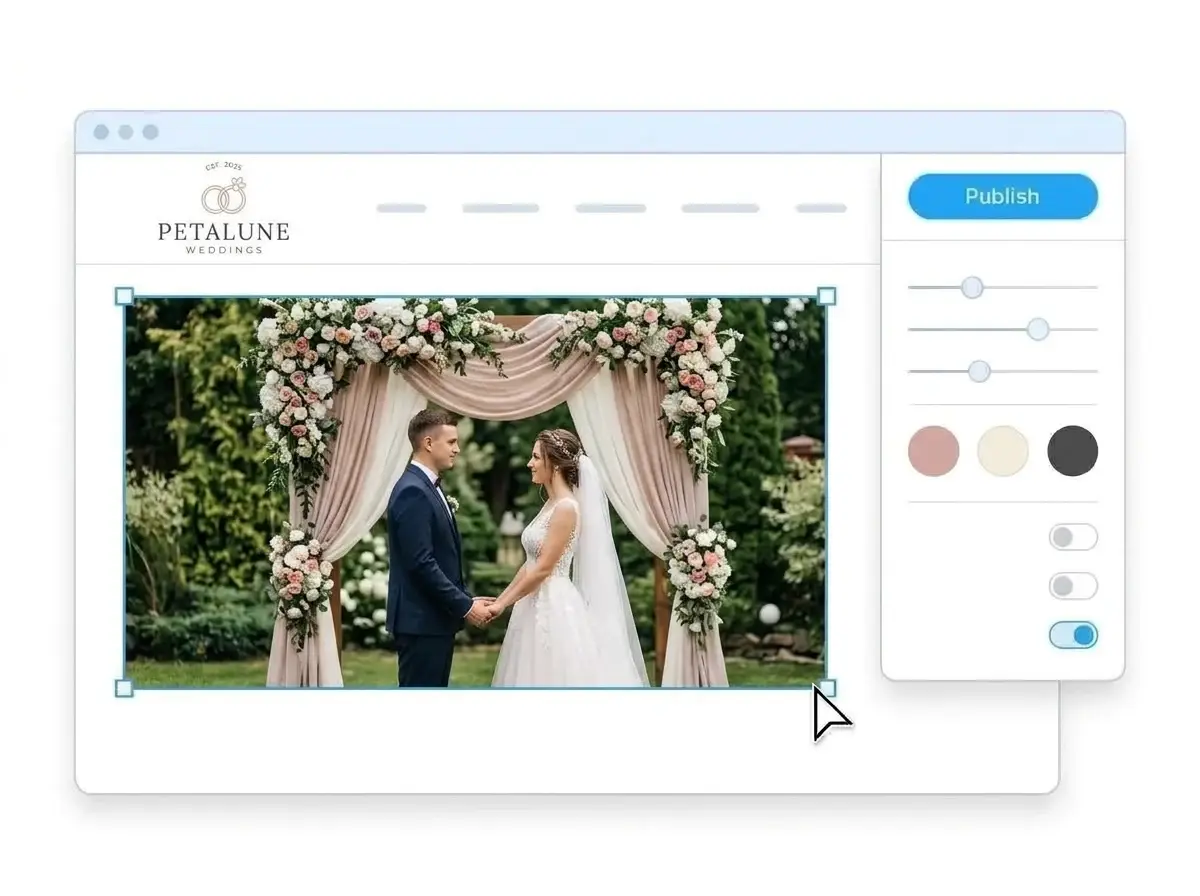
Editing the Petalune Weddings website with a photo of a couple under a floral arch selected, the style panel open and the Publish button ready

What is a wedding website builder?

A wedding website builder is a tool that creates a complete website for a wedding or a wedding business, with the pages guests and clients open first: who you are, when and where, what to expect and how to get in touch. You start from a finished site rather than a blank page. LOGO.com builds that site from your logo or monogram instead of a template, so it already matches your invitations, signage and business cards.

  1. How LOGO.com builds a wedding website

    The builder reads the colors, font and style of your logo, then writes and lays out a full site around them: header, hero, About, services or schedule, contact form and venue address. According to LOGO.com data, 61% of the people who built a wedding brand on LOGO.com in the past 12 months named a specific service, such as planning, a venue, photography, an officiant or bridal wear. Every line of the first draft is yours to edit.

  2. What goes into a wedding logo

    Wedding brands tend to keep one symbol close. According to LOGO.com data, a wedding ring was the icon idea wedding brands described most often in the past 12 months, usually paired with flowers, a wreath or a pair of hearts. The builder carries that mark from the header to the last section of the site.

  3. Couples, planners, venues and photographers

    A couple's wedding website answers the guest questions: the date, the ceremony and reception times, where to stay and what to wear. A planner site shows past weddings and makes it easy to ask for a consultation. A venue site leads with the space and a tour request. A photographer site lets the photos do the talking and asks for the date. One upload is enough for any of them.

  4. A web address guests can type

    Pick a Brand theme, which takes its colors straight from your logo, or switch to dark, light or colorful in one click and every section follows. To print a short address on your save the dates, connect a custom domain you already own, or buy a new one inside LOGO.com on the Brand Plan.

What makes LOGO.com the best website builder for weddings

1.Your monogram does the setup

Upload the monogram from your invitations or the logo from your studio sign. The builder takes the colors, the font and the overall style and arranges a complete wedding website around them, with no prompt to write and no theme to pick first.

2.Matches your invitations and signage

Guests see your colors on the save the date, the invitation, the welcome sign and the website. When all of them come from one logo, the whole wedding feels planned to the last detail. According to LOGO.com data, 43% of the colors in the palettes wedding brands picked in the past 12 months were white, black or gray, and pink led the accents, chosen more than twice as often as brown. The builder lifts your exact palette from the logo file.

3.Copy drafted for weddings

A welcome line, an About section that tells your story and short blurbs for the schedule or your services, all written for a wedding. Change any line that does not sound like the two of you, or like your studio, in a click.

4.Photos that tell the story

Add your engagement photos, your venue at golden hour or last season's weddings to image sections, so guests and clients see the day before they arrive.

5.Wedding website templates

Rather start from a finished design? Pick a template and swap in your monogram. Your colors, fonts and names take over, and the design soon looks made for your day.

6.Nine section types

Nine section types cover a wedding: Welcome for the hero photo, About for how you met, Services for the schedule or your packages, Contact, Links to your registry and hotel block, Promotion for a save the date, Testimonial for kind words from couples, Call to Action and FAQ for dress code and parking. Use them all, or make a single link in bio page for your wedding hashtag or your studio Instagram.

7.Put the big day first

Move the schedule above your story, hide the travel section until the hotel block opens, bring the RSVP link to the top a month out. Drag sections into place and the preview updates while you work.

8.Easy to read on a phone

Guests check the ceremony time and the address on their phones, often from the car, so a mobile friendly website matters. A phone and desktop toggle lets you check every section on a small screen before anyone sees it.

9.Questions in one place

A contact form gives guests one place to ask about plus ones, kids or the shuttle, and gives couples one place to ask a planner or a venue about dates. Already use an online booking system for consultations or tours? Link to it in one tap.

10.Your venue on a live map

Pin the ceremony and the reception on a Google Map so guests get directions in one tap. Wedding businesses can match the address to their Google Business Profile so local SEO works for them.

11.An address guests remember

Start on a yourname.hi.link address, then move to a domain you already own or buy one inside LOGO.com on the Brand Plan, so the link on the invitation is short and personal.

12.No watermark, only your names

On the Brand Plan the LOGO.com watermark comes off, so guests and clients see only your names and your logo.

13.Found when guests look you up

Guests often search your names and the wedding date to find the site. Set the title and description Google shows, and the preview image that appears when the link is shared with the bridal party.

14.See who is visiting

Watch the visits climb after the invitations go out. Free sites show the last seven days, and the Brand Plan keeps thirty days, ninety days and all time, with a download.

15.Garden party or black tie

Editorial, minimal, sunset, sage, neon, mocha: choose a style and the whole site restyles, from garden party softness to a black tie evening. According to LOGO.com data, serif lettering made up 22% of the fonts in logos wedding brands created in the past 12 months, and the builder keeps whichever font your logo uses.

16.Stationery that matches the site

The upload also gives you a brand kit with your colors, fonts, social templates and business cards, so the welcome sign, the menu cards and your Instagram posts match the website.

17.No monogram yet

No monogram yet? Design one in the free logo maker, choose the one you both like and the builder starts your site from it.

18.Live before the save the dates

Hit the blue Publish button and the site goes online. No developer, no code and no waiting.

19.Rebuild after a rebrand

Changed the colors, the venue or the studio name? Rebuild the site from a new logo in a click. Guests keep seeing the current site until you publish the new one.

20.Site and stationery, one plan

The Brand Plan covers your wedding website, your domain, your logo files, the brand kit and 1,200+ branded templates, with the site and the stationery under one subscription.

21.Help with the wording

The AI stays on after the first build. Ask the assistant to shorten your love story, rewrite the travel notes or redo a section in your own voice, right inside the editor.

Start for free with a live wedding website.

Trusted by millions of small businesses.

Adrian Frese

"I am not a designer, but creating my brand identity through LOGO.com was delightfully easy and cost-effective. I am very pleased with the outcome, and I couldn't have achieved the same standard on my own. I highly recommend this to any start-up business looking to set up its brand identity or any established business looking to get its brand an upgrade!"

Adrian Frese

Albina Consulting

David Tuffy

"After forming an LLC, I didn't know where to go to create a logo and assets for my website. Then I found LOGO.com. They created a selection of logos for me to choose from in all the sizes I needed. In addition, LOGO.com provided me with a set of branding materials for my website and social media presence. The process is easy, fast, and requires no processional design experience."

David Tuffy

The Product Levers, LLC

Todd Salzsieder

"I have never attempted developing a logo or other marketing products, and am no expert at navigating new computer software. That being said, I not only found the software easy to navigate and learn, but the end product was more than I had hoped for. The help team at logo.com was highly responsive and willing to help with any questions I had in a clear and rapid manner. I am very pleased with the team at logo.com and the products I created. I highly recommend their service!"

Todd Salzsieder

Boise Behavioral Medicine PLLC

Marvin Younan

"LOGO.com is an amazing resource. It helped me create a professional-looking logo for my business that received more praise than logos I've paid designers to create for me in the past. The site is very easy to use, walks you through every step, and gives you control over the entire creation process."

Marvin Younan

Your Modern Lender

Wedding website builder FAQs