


Retail website builder that builds itself

Your retail website comes back in your colors, your fonts and brand.

No logo yet? Create a logo, then turn it into your shop site.

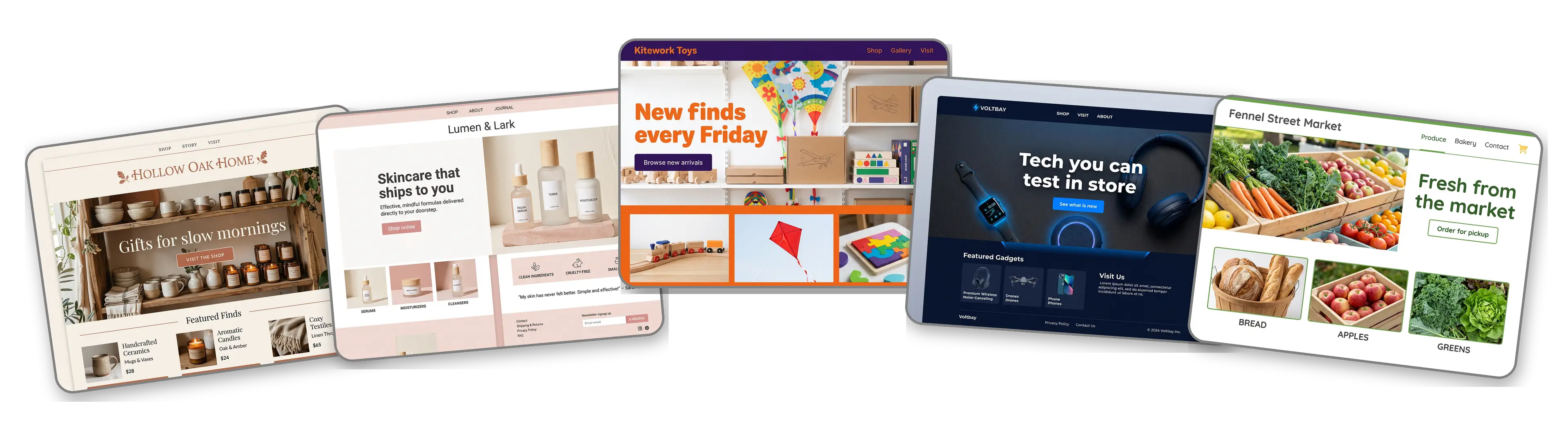
Five retail websites built with LOGO.com from a logo upload: a home goods boutique, an online skincare store, a toy and hobby shop, an electronics store and a neighborhood grocery market

Featured in

msnyahoobusiness insider

How to make a retail website with LOGO.com in three steps.

Upload the logo on your shopping bags

Grab the logo from your shop sign, your tissue paper stickers or your packing slips, as a PNG, JPG, SVG or WebP. The builder pulls out its colors, its lettering and its attitude. No logo? Make one free and bring it straight back.
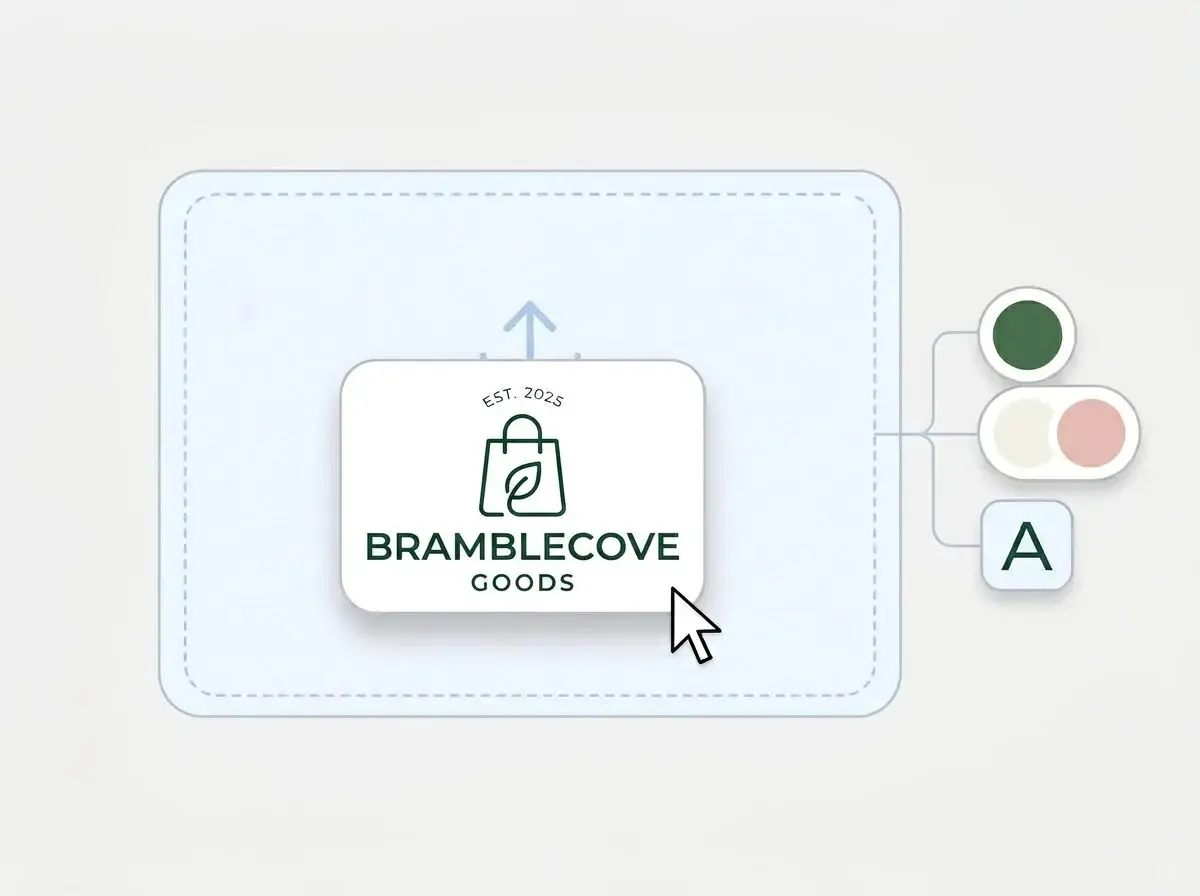
Bramblecove Goods logo dropped into the LOGO.com upload box, with its forest green shopping bag mark and its off white and blush pink colors picked out

A storefront that opens itself

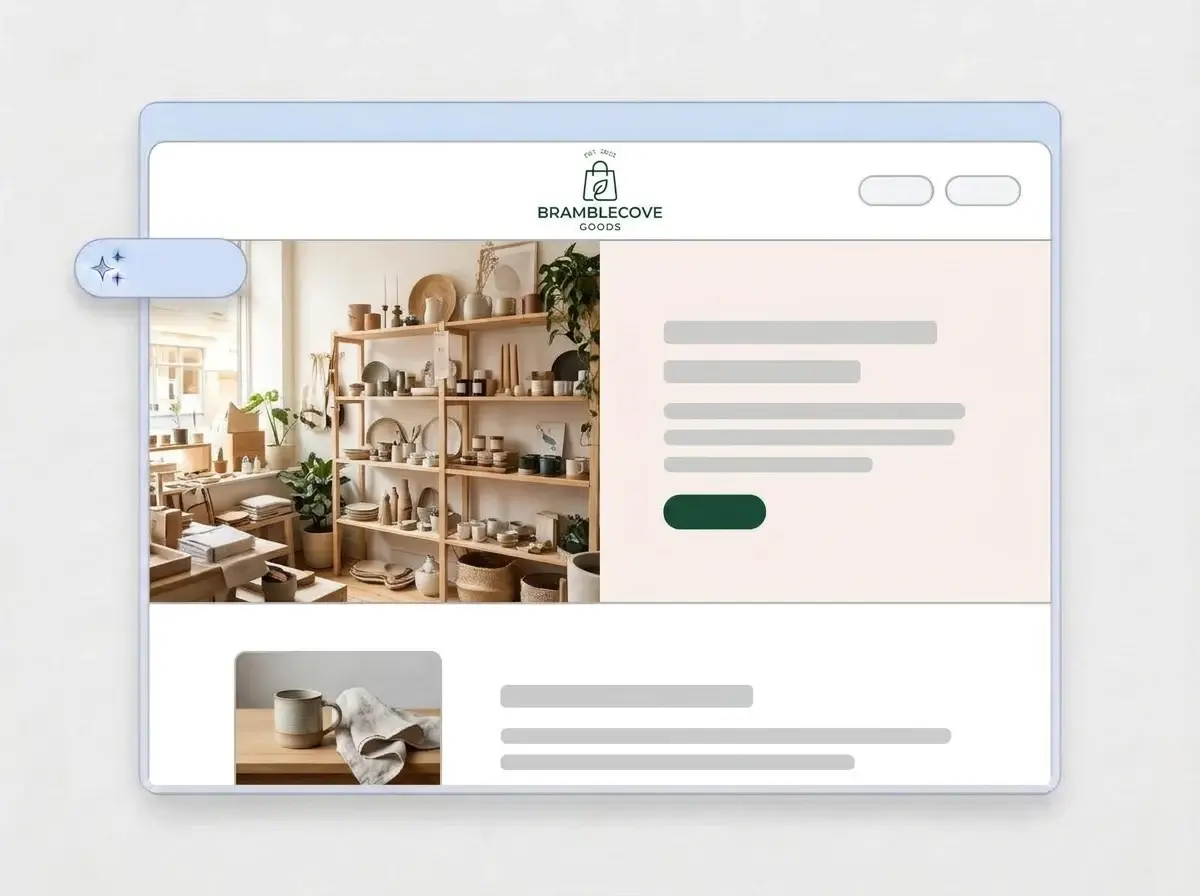
A minute or so later the shop has a complete site: your logo up top, a hero photo of the shelves or the latest drop, an About section for how the shop started, a section for what you stock, a contact form and your address, all in your brand colors.

Finished Bramblecove Goods retail website built by LOGO.com from the uploaded logo, with shelves of ceramics and plants in the hero and a mug and linen thumbnail

Add your products and a Shop online link

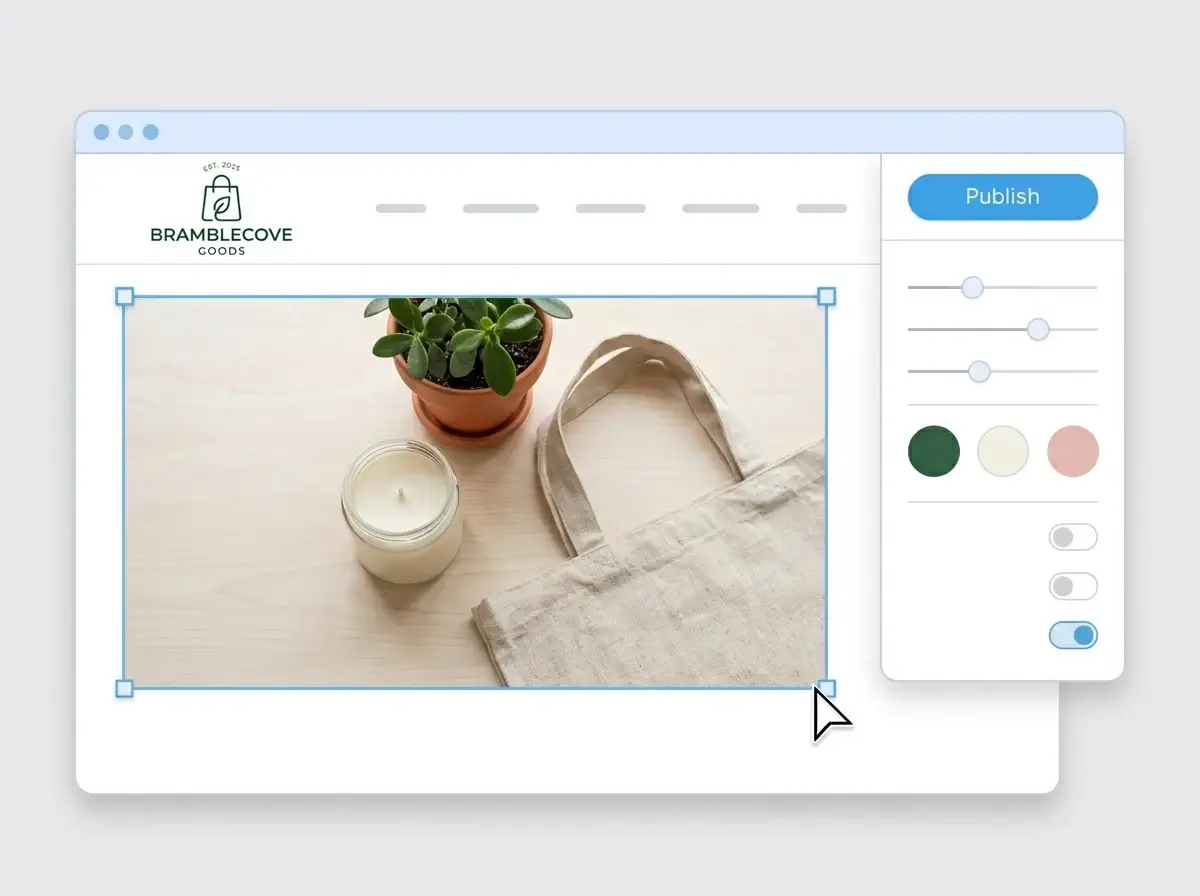
Drop in your own product shots and point the Shop online button at the store where orders happen, such as Shopify, Etsy or Amazon, then press Publish. The link is ready for your receipts, your shop window and your Instagram bio the same day.

Editing the Bramblecove Goods website with a candle, plant and tote bag product photo selected, the style panel open and the Publish button ready

What is a retail website builder?

A retail website builder is a tool that makes a complete website for a shop, a store or an online brand, with what shoppers check before they visit or buy: what you sell, where you are, when you are open and where to order. You start from a finished site and edit it instead of designing pages. LOGO.com builds that site from your logo rather than a template, so it already looks like your storefront and your packaging.

  1. How LOGO.com builds a retail website

    The builder reads the colors, font and style of your logo, then lays out a full site around them: header, hero, About, what you stock, contact form and address. According to LOGO.com data, 85% of the businesses that chose a retail or ecommerce label when they built a brand on LOGO.com in the past 12 months picked ecommerce or online retail over plain retail. The site serves both, as the home of the brand that sends people to wherever they buy.

  2. What a shop logo has to carry

    A shop logo lives on the sign above the door, the swing tag, the tissue sticker and the parcel label, so it has to read at a glance. According to LOGO.com data, 47% of the custom icons retail and ecommerce brands generated on LOGO.com in the past 12 months asked for a shopping bag, a cart, a basket or a parcel. The builder repeats your mark from header to footer, so the site feels like the shop floor.

  3. Boutique, online store, grocery or specialty shop

    A boutique website sells the edit and the feeling of walking in. An online store site leads with best sellers and a clear Shop online button. A grocery store website answers hours, pickup and this week's specials. According to LOGO.com data, 87% of the shops that described themselves as a store on LOGO.com in the past 12 months named what they sell, and clothing, jewelry, collectibles and electronics stores came up most.

  4. Your shop, at your own address

    Brand themes pull their colors straight from your logo, and a dark, light or colorful look is one click away with every section following along. For a web address that matches the name on your bags, connect a custom domain you already own or register one inside LOGO.com with the Brand Plan.

What makes LOGO.com the best website builder for retail stores

1.Your logo opens the shop

Upload the logo from your sign or your shopping bags. The builder takes its colors, lettering and style and builds a whole retail website around them, with no prompt to write and no theme gallery to scroll.

2.Matches the bag they carry home

Customers see your brand on the window, the receipt, the tissue sticker and now the website, and the shop starts to feel bigger than one room. According to LOGO.com data, white, black and gray made up more than half of the colors retail and ecommerce brands picked for their palettes in the past 12 months, green led the accents ahead of blue, and pink topped the accents for online retailers. Your own colors come across from the logo file as they are.

3.Copy written for shoppers

A welcome line, an About section for how the shop began and short descriptions of what you stock and why people come back, all drafted for customers. Rewrite anything that does not sound like the person behind the counter.

4.Product photos up front

People buy what they can see. Add shots of best sellers, new arrivals and the shop floor to image sections, so shoppers know what is on the shelf before they make the trip.

5.Retail website templates

Prefer to pick a look first? Choose a template and drop in your logo. Your colors, fonts and name replace the placeholders and the layout starts to look like your shop.

6.Nine section types

Welcome for this season's window, About for your story, Services for what you stock, gift wrapping or repairs, Contact, Links to your online store and marketplace listings, Promotion for a sale or a new drop, Testimonial for customer reviews, Call to Action and FAQ for returns, shipping and parking. Or keep it to one link in bio page for the shop Instagram.

7.Move the holiday gifts up

Bring the gift guide to the top in December, hide the sale section when it ends and lift customer reviews above the product range. Drag sections into place and the preview follows.

8.Built for shoppers on phones

Shoppers look you up on their phones from the parking lot or the sidewalk, so a mobile friendly website matters. Switch between phone and desktop views to check that every product photo and the Shop online button are easy to tap.

9.Orders stay where they are

Point the Shop online button at the online store you already run, from Shopify to Etsy or a marketplace listing, so orders, stock and payments stay in the system you know. A contact form handles wholesale requests, custom orders and questions about stock.

10.Show the way to the door

Put the shop on a live Google Map so walk ins find the entrance and the parking. Keep the address the same as your Google Business Profile so local SEO can point nearby shoppers your way.

11.An address for your receipts

Start on a yourname.hi.link address, then move to a domain you own or buy one inside LOGO.com on the Brand Plan, so the web address on every receipt and parcel label is the shop name.

12.Your name, no watermark

On the Brand Plan the LOGO.com watermark comes off, and shoppers see only your shop name and your logo.

13.Found when shoppers search

People search a shop by name before they drive over, often just to check the hours. Set the title and description Google shows, and the preview image that appears when someone shares your link in a group chat.

14.Watch a sale bring people in

See how many people visit during a sale, a launch or the holidays. Free sites keep the last seven days, and the Brand Plan keeps thirty days, ninety days and all time, with a download for your records.

15.Pick the mood of the shop floor

Editorial, minimal, sunset, sage, neon, mocha: choose a style and the whole site changes, from a calm concept store to a loud streetwear drop. The builder keeps whichever font your logo already uses.

16.Tags, cards and posts to match

The same upload unlocks a brand kit with your colors, fonts, social templates and business cards, so the loyalty card, the sale poster and your Instagram posts match the website.

17.No logo? Start there

Make one in the free logo maker, pick the version you want on the sign, and the builder turns it into the site.

18.Live before opening time

Press the blue Publish button and the retail website is live. No agency, no code and no developer to wait on between deliveries.

19.Rebrand without closing

New name, new owner or a refreshed logo for the second location? One click rebuilds the site from the new file, and shoppers keep seeing the current version until you publish.

20.One plan for the whole brand

The Brand Plan covers your retail website, your domain, your logo files, the brand kit and 1,200+ branded templates, so the site, the shelf tags and the social posts sit under one subscription.

21.An assistant behind the counter

The AI keeps working after the build. Ask the assistant to shorten a product blurb, rewrite the returns policy or redo a section in the voice of your shop, right in the editor.

Start for free with a live retail website.

Every plan uses the same builder, editor and templates, and every site starts from your logo. Cancel when you like.

Trusted by millions of small businesses.

Adrian Frese

"I am not a designer, but creating my brand identity through LOGO.com was delightfully easy and cost-effective. I am very pleased with the outcome, and I couldn't have achieved the same standard on my own. I highly recommend this to any start-up business looking to set up its brand identity or any established business looking to get its brand an upgrade!"

Adrian Frese

Albina Consulting

David Tuffy

"After forming an LLC, I didn't know where to go to create a logo and assets for my website. Then I found LOGO.com. They created a selection of logos for me to choose from in all the sizes I needed. In addition, LOGO.com provided me with a set of branding materials for my website and social media presence. The process is easy, fast, and requires no processional design experience."

David Tuffy

The Product Levers, LLC

Todd Salzsieder

"I have never attempted developing a logo or other marketing products, and am no expert at navigating new computer software. That being said, I not only found the software easy to navigate and learn, but the end product was more than I had hoped for. The help team at logo.com was highly responsive and willing to help with any questions I had in a clear and rapid manner. I am very pleased with the team at logo.com and the products I created. I highly recommend their service!"

Todd Salzsieder

Boise Behavioral Medicine PLLC

Marvin Younan

"LOGO.com is an amazing resource. It helped me create a professional-looking logo for my business that received more praise than logos I've paid designers to create for me in the past. The site is very easy to use, walks you through every step, and gives you control over the entire creation process."

Marvin Younan

Your Modern Lender

Retail website builder FAQs