


Author website builder that builds itself

Your author website comes back in your colors, your fonts and brand.

No logo yet? Create a logo, then turn it into your author site.

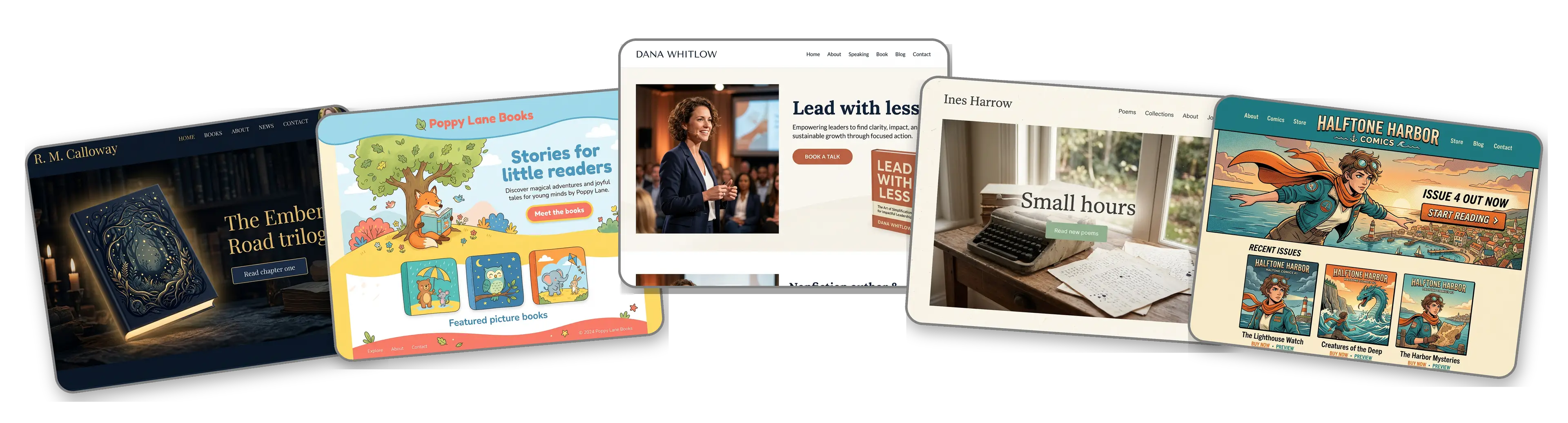
Five author websites built with LOGO.com from a logo upload: a fantasy novelist, a children's book author, a nonfiction author and speaker, a poet and an indie comic creator

Featured in

msnyahoobusiness insider

How to make an author website with LOGO.com in three steps.

Upload the logo from your spine or bookmark

Use the press mark from your book spine, your bookmarks or your newsletter header: PNG, JPG, SVG or WebP. The builder reads its colors, its lettering and how literary or playful it feels. Publishing your first book without a logo? Create a logo for your pen name, then upload it.
Quillfern Press logo, an open book curling into a fern in ink blue and saddle brown, dropped into the LOGO.com upload box with its colors picked out

An author site before launch day

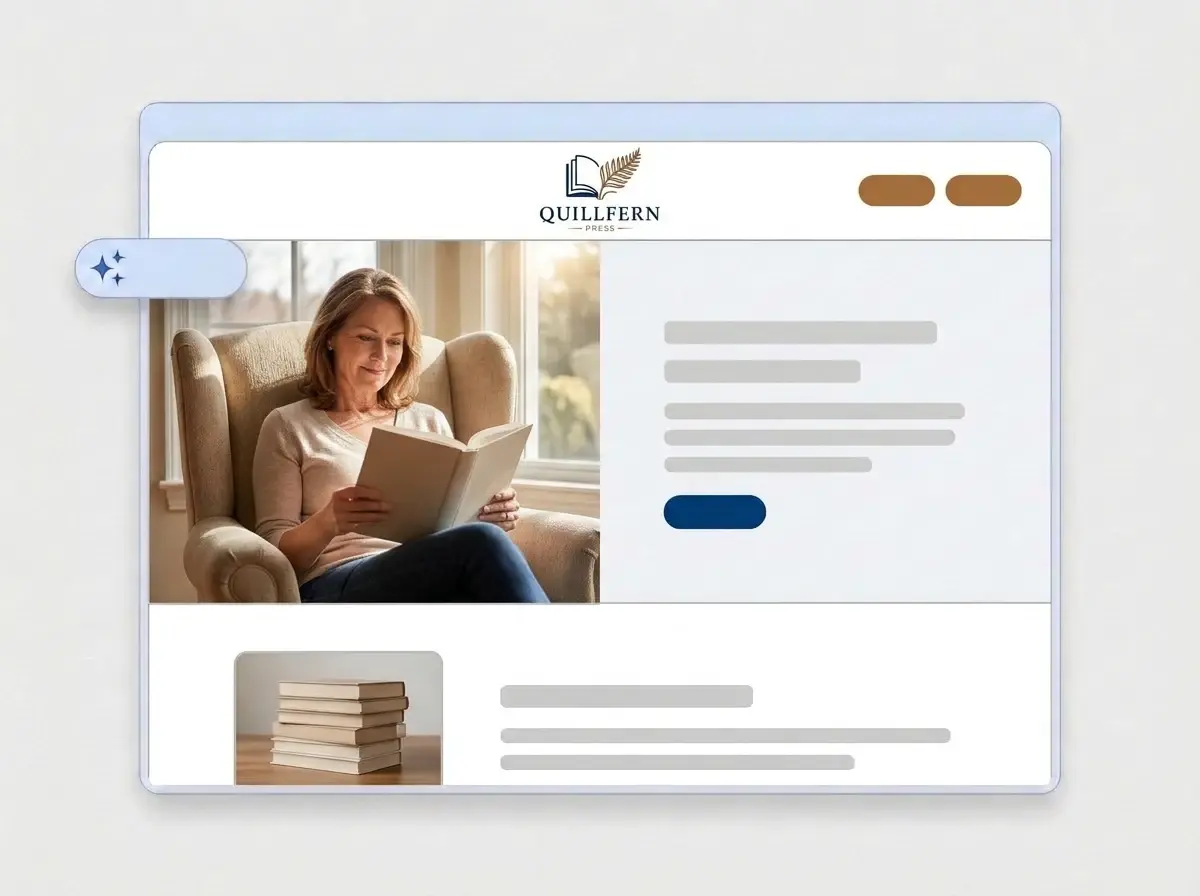
About a minute later you have a full website: your logo in the header, a reading photo across the top, an About section for your bio, your books, a contact form for readers, agents and event hosts, all in the colors of your covers.

Finished Quillfern Press author website built by LOGO.com from the uploaded logo, with a reader in an armchair in the hero and a stack of books thumbnail

Add your books, then publish

Swap the sample images for your covers and an author photo, add a short blurb for each title with links to where readers can buy it, then press Publish. Put the link in your back matter, your bio and your newsletter footer.

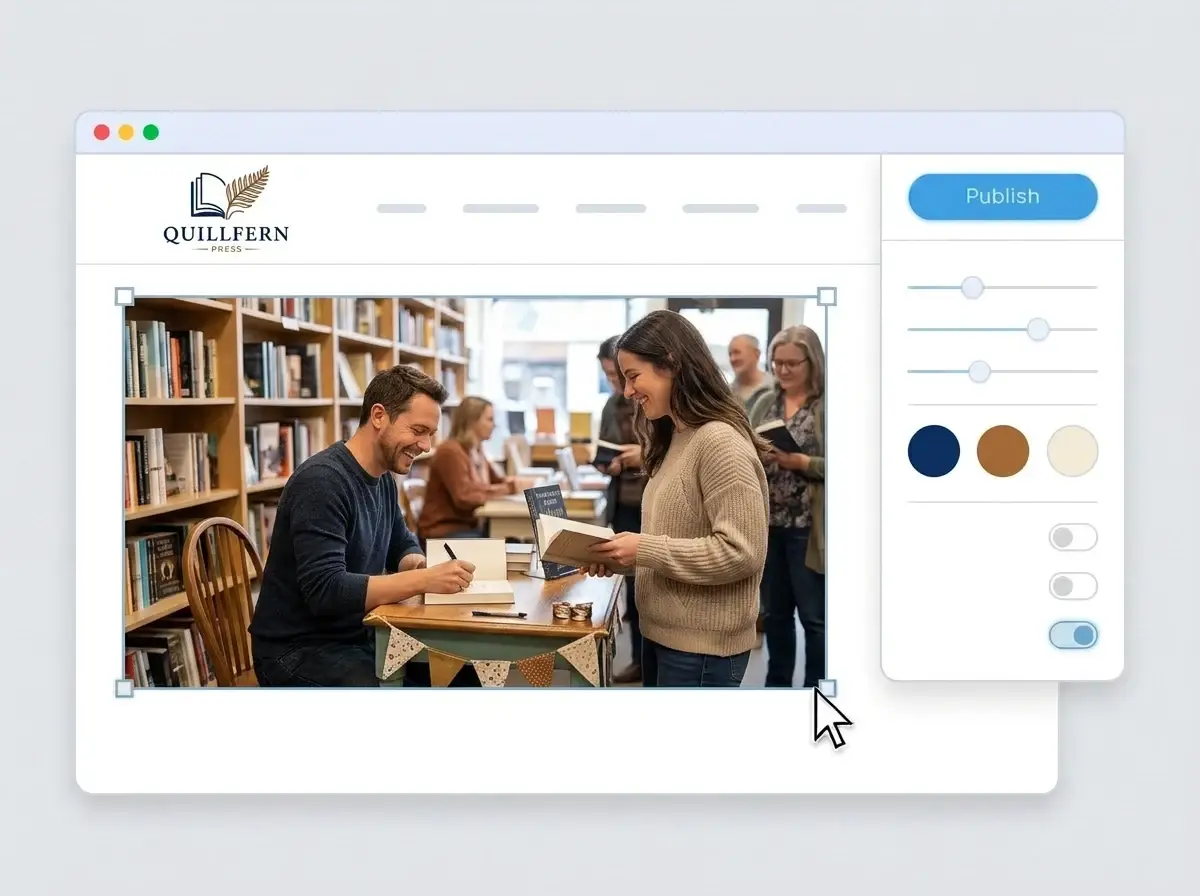
Editing the Quillfern Press website with a photo of an author signing books selected, the style panel open and the Publish button ready

What is an author website builder?

An author website builder is a tool that creates a complete website for a novelist, a nonfiction writer, a poet, an illustrator or a small press, covering what a reader, agent or event host looks for: your books, where to buy them, who you are, what you are working on and how to get in touch. You edit a finished site instead of building one page by page. LOGO.com starts from your logo rather than a template, so the site matches your covers and bookmarks.

  1. How LOGO.com builds the site

    The builder reads the colors, font and voice of your logo and lays out a full site around them: header, hero, About, a section for your books, a contact form and your social links. Each section arrives with copy written for an author, ready for you to rewrite in your own style.

  2. Your books, front and center

    An author website exists to move a curious reader to a book. Give each title its own image with the cover, a two line hook and buttons to the stores that sell it, and keep the newest release at the top of the page.

  3. Novelist, nonfiction author or small press

    A novelist leads with the series and the world. A nonfiction author leads with the big idea and speaking. A small press shows its list. According to LOGO.com data, publishing businesses made up about half of the publishing, book and writing businesses that named their field on LOGO.com in the past 12 months, authors and writers about one in four and book brands about one in five.

  4. An address for your back matter

    Brand themes take their palette from your logo, and picking a dark, light or colorful style repaints the whole site in one step. For an address that fits neatly on a copyright page or a bookmark, connect a custom domain you already own or buy one inside LOGO.com with the Brand Plan.

What makes LOGO.com the best website builder for authors

1.Your logo sets the voice

Upload the logo from your book spine or bookmarks. The builder takes its colors, lettering and voice and builds a complete author website around them, with no prompt to write and no theme shelf to browse between drafts.

2.Colors that match your covers

Readers meet your colors on covers, spines and bookmarks before they visit the site. According to LOGO.com data, blue was the accent color publishing, book and writing businesses picked most on LOGO.com in the past 12 months, and brown turned up about three quarters more often than it does across all LOGO.com palettes. Your exact shades come from your logo file.

3.Copy written for readers

A welcome line, an About section for your bio and short descriptions of each book, drafted for a reader deciding what to pick up next. Rewrite anything that does not sound like your narrator.

4.Covers, author photo, events

Readers want to see the book they are about to buy and the person who wrote it. Add your covers, an author photo and pictures from signings to image sections.

5.Author website templates

Want a layout to begin with? Choose a template and drop in your logo. Your colors, fonts and pen name fill the placeholders, so the page reads like your books from the first click.

6.Nine section types

Welcome for your hook, About for your bio, Services for school visits, workshops or editing, Contact, Links to stores and your newsletter, Promotion for a new release, Testimonial for reviews and blurbs, Call to Action and FAQ for events, rights and reading order. Or keep it to a single link in bio page for Instagram and TikTok.

7.New release on top

Move the new book to the top on launch day, push a preorder up the month before and hide an event once the signing is done. Reorder sections by dragging, and the preview shows the change at once.

8.Read on a phone after the last page

Plenty of readers look you up on a phone right after finishing a book. A mobile friendly website matters for that moment, so check the phone view and keep your next book and newsletter link near the top.

9.Mail from readers and agents

A contact form gives readers, agents, librarians and event hosts one place to reach you, so requests for interviews, school visits and rights inquiries stop scattering across your inboxes.

10.Events on the map

Running a launch at a local bookstore or a reading at the library? Add the address and a live Google Map to an event section, and keep your name and details consistent with any Google Business Profile your press runs, because matching details help local SEO.

11.An address for the copyright page

Start on a yourname.hi.link address, then connect a domain you own or buy one inside LOGO.com on the Brand Plan, so the address in your back matter is your own pen name.

12.Only your name on the page

With the Brand Plan the LOGO.com watermark comes off, so readers see your name and logo and nothing else.

13.Found by new readers

Readers search by author name, series and genre. Write the title and description Google shows, and choose the preview image that appears when someone shares your link in a book club chat.

14.See launch week land

Watch visits climb around release day, a podcast interview or a festival. Free sites keep seven days of visitor stats, and the Brand Plan keeps thirty days, ninety days and all time, with a download for your launch notes.

15.Literary, playful or bold

Editorial, minimal, sunset, sage, neon, mocha: pick a style and the whole site follows, from a quiet poetry collection to a loud comic series. According to LOGO.com data, serif fonts made up close to one in five font picks in publishing, book and writing logos made on LOGO.com in the past 12 months, a little above the rate across all logos. Your logo keeps its own font either way.

16.Bookmarks and posts that match

The same upload opens a brand kit with your colors, fonts, social templates and business cards, so bookmarks, launch graphics and your social posts all match the site.

17.No logo for your pen name yet

Make one in the free logo maker, choose the version that would sit well on a spine, and the builder turns it into your author site.

18.Live before the next chapter

One press of the blue Publish button and your author site is online. No web designer, no code and no writing day lost.

19.New series, new logo, same site

Starting a new series, switching genres or refreshing the press mark? Rebuild the site from the new file in a single click, and readers keep seeing the current version until you publish.

20.One plan for your author brand

The Brand Plan covers the author website, your domain, your logo files, the brand kit and 1,200+ branded templates, so the site, the bookmarks and the launch posts sit under one subscription.

21.An assistant for back cover copy

The AI is still on hand after launch. Ask the assistant in the editor to tighten a book blurb, shorten your bio for an event program or rework a description into a punchy hook.

Start for free with a live author website.

Trusted by millions of small businesses.

Adrian Frese

"I am not a designer, but creating my brand identity through LOGO.com was delightfully easy and cost-effective. I am very pleased with the outcome, and I couldn't have achieved the same standard on my own. I highly recommend this to any start-up business looking to set up its brand identity or any established business looking to get its brand an upgrade!"

Adrian Frese

Albina Consulting

David Tuffy

"After forming an LLC, I didn't know where to go to create a logo and assets for my website. Then I found LOGO.com. They created a selection of logos for me to choose from in all the sizes I needed. In addition, LOGO.com provided me with a set of branding materials for my website and social media presence. The process is easy, fast, and requires no processional design experience."

David Tuffy

The Product Levers, LLC

Todd Salzsieder

"I have never attempted developing a logo or other marketing products, and am no expert at navigating new computer software. That being said, I not only found the software easy to navigate and learn, but the end product was more than I had hoped for. The help team at logo.com was highly responsive and willing to help with any questions I had in a clear and rapid manner. I am very pleased with the team at logo.com and the products I created. I highly recommend their service!"

Todd Salzsieder

Boise Behavioral Medicine PLLC

Marvin Younan

"LOGO.com is an amazing resource. It helped me create a professional-looking logo for my business that received more praise than logos I've paid designers to create for me in the past. The site is very easy to use, walks you through every step, and gives you control over the entire creation process."

Marvin Younan

Your Modern Lender

Author website builder FAQs