


Hotel website builder that builds itself

Your hotel website comes back in your colors, fonts and brand.

No logo yet? Create a logo, then turn it into your hotel site.

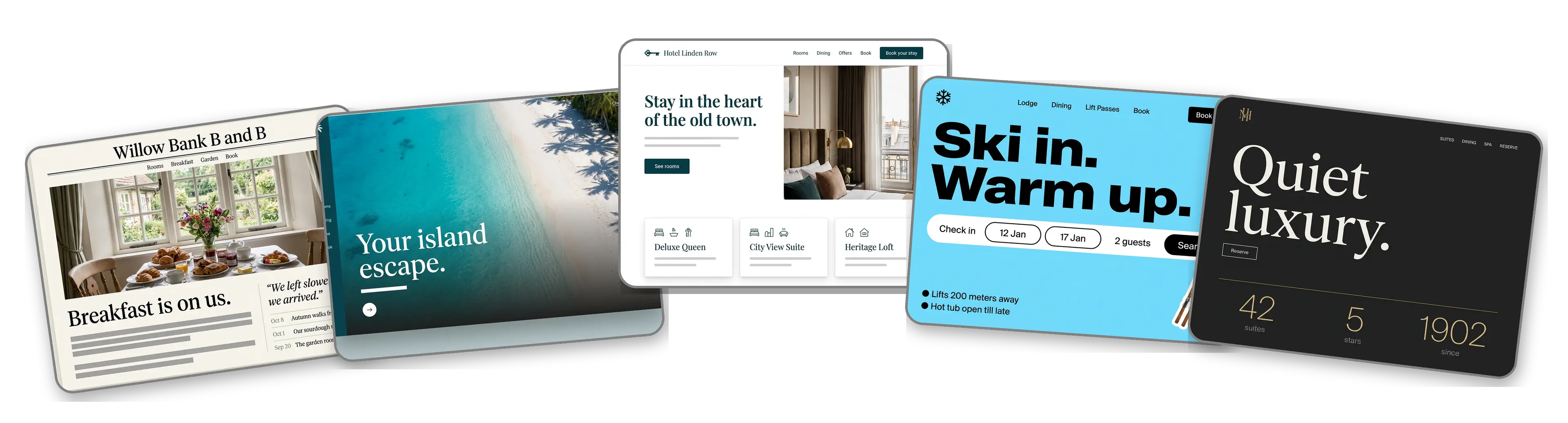
Five hotel websites built with LOGO.com from a logo upload: a countryside bed and breakfast, a beach resort, a boutique city hotel, a ski lodge and a luxury hotel

Featured in

msnyahoobusiness insider

How to make a hotel website with LOGO.com in three steps.

Upload the logo from your key card

Use the logo on your key cards, your front desk sign or your welcome letter, as a PNG, JPG, SVG or WebP. The builder takes in its colors, its lettering and its manner. No logo? Create a logo before the next check in.
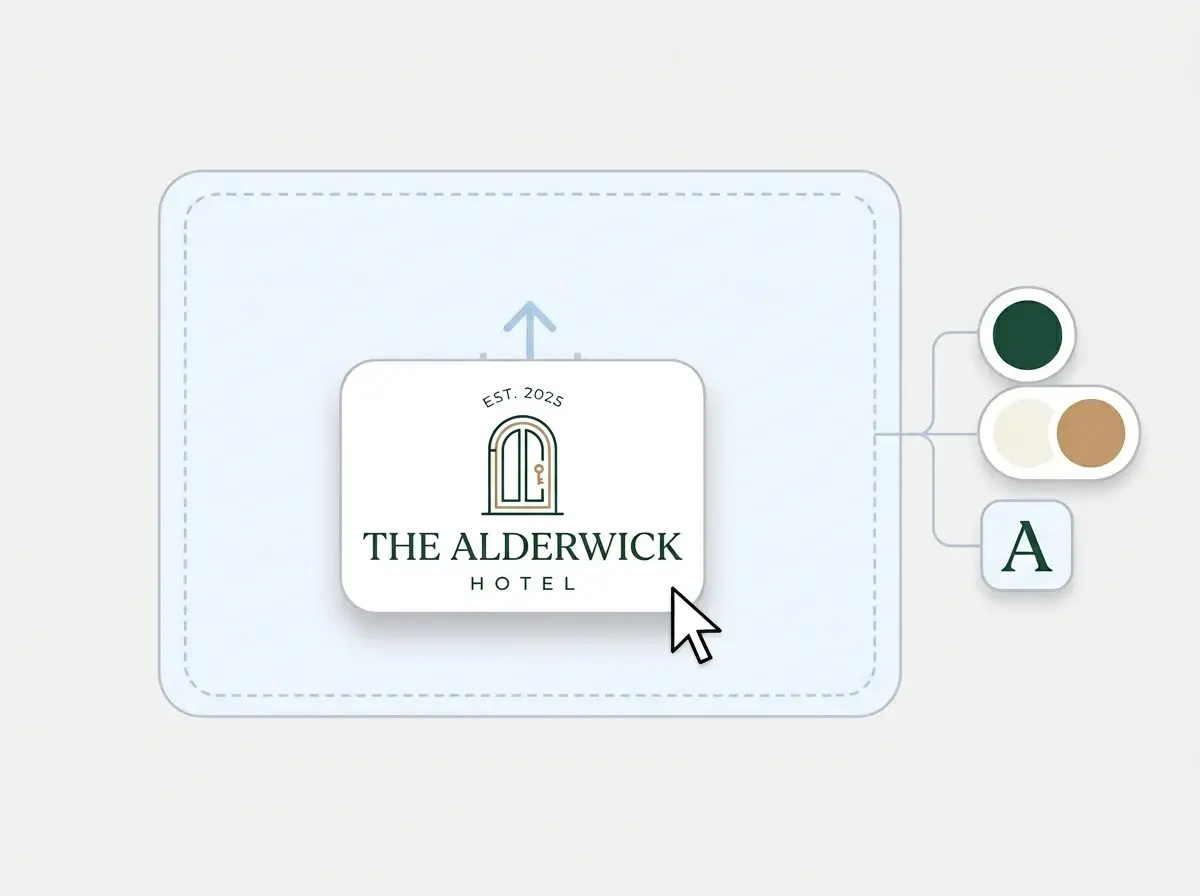
The Alderwick Hotel logo dropped into the LOGO.com upload box, with its deep green, ivory and warm tan colors and serif letter picked out

A lobby on the web

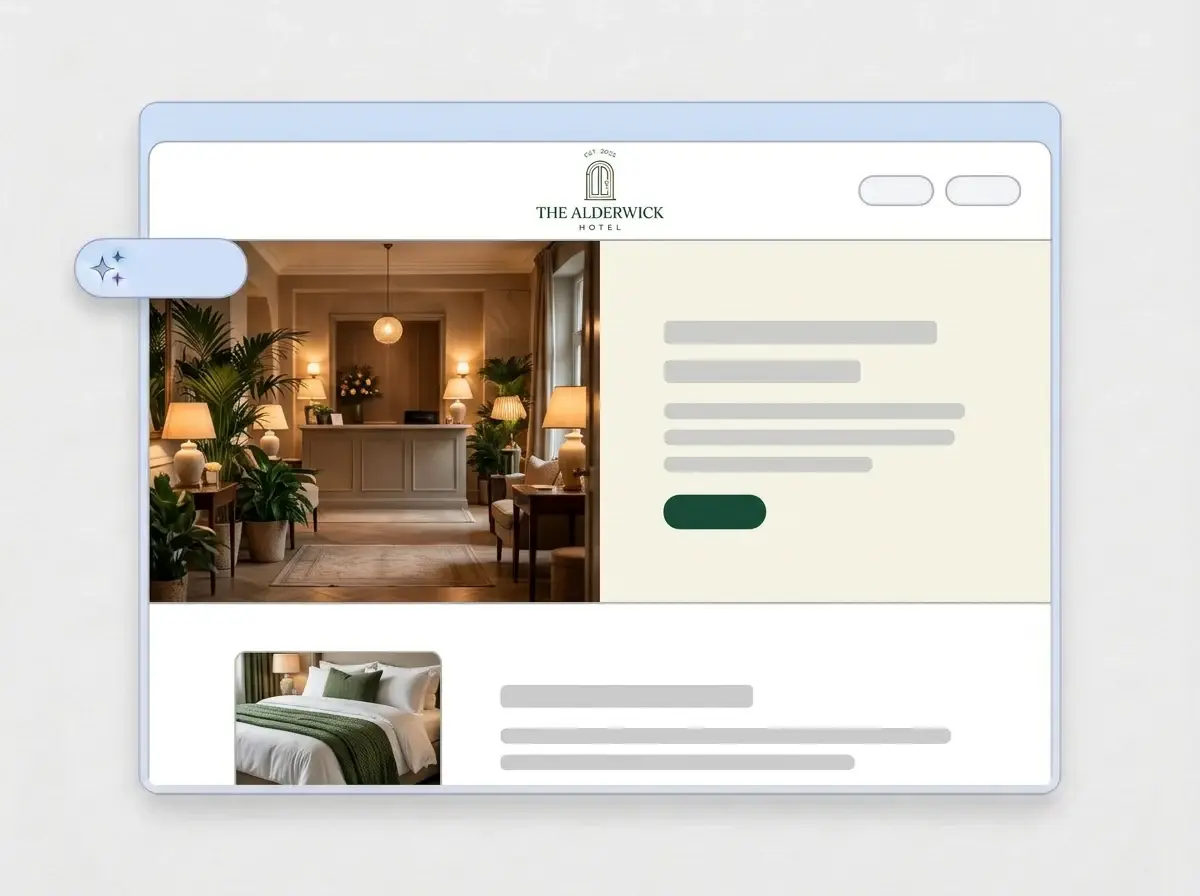
Within a minute the property has a full site: your logo in the header, a hero photo of the lobby or the view, an About section for the story of the house, your rooms, a contact form and your address on a map, all in your colors.

Finished Alderwick Hotel website built by LOGO.com from the uploaded logo, with a warm boutique lobby in the hero and a made bed thumbnail

Add your rooms and a Book direct link

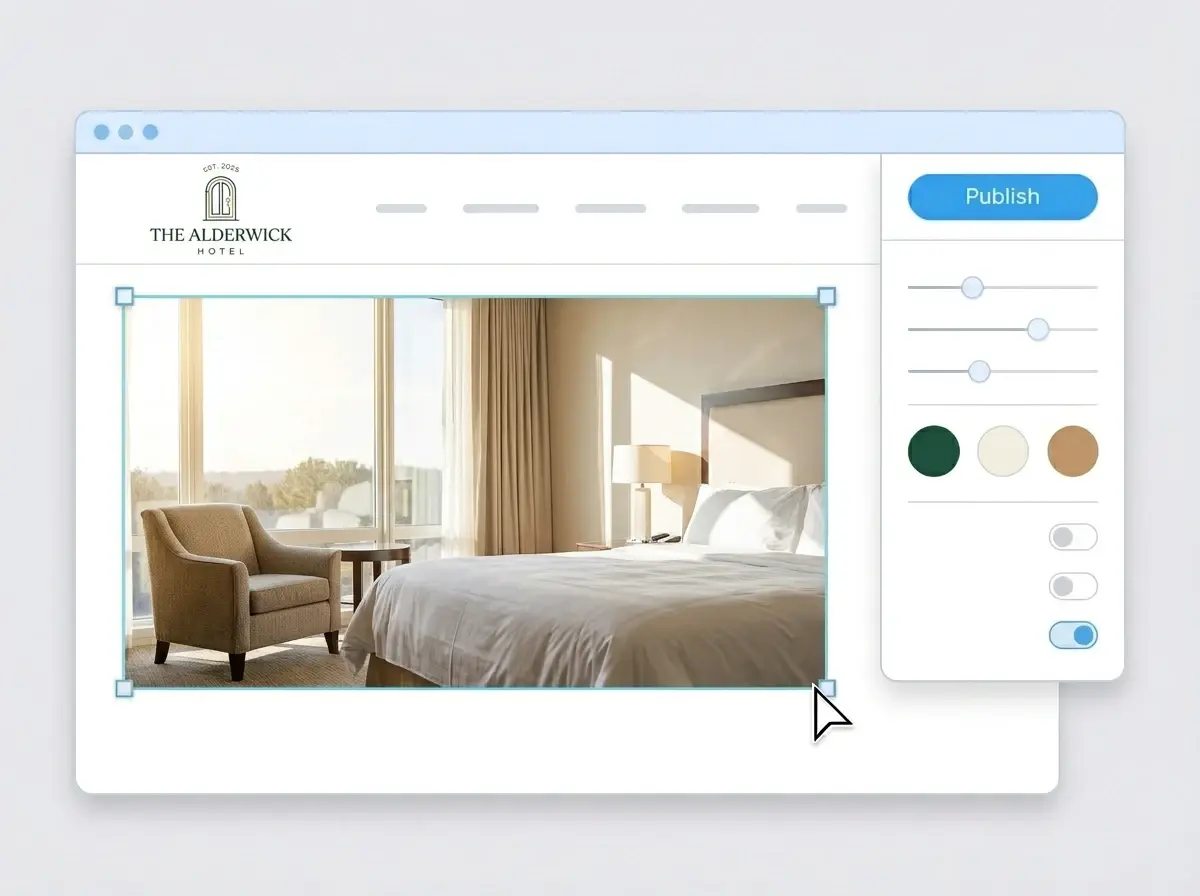
Replace the sample shots with your own rooms and views, point the Book direct button at your booking engine, then press Publish. The link can go in your confirmation emails today, with your own domain to follow.

Editing the Alderwick Hotel website with a bright guest room photo selected, the style panel open and the Publish button ready

What is a hotel website builder?

A hotel website builder is a tool that creates a complete site for a hotel, resort, inn or bed and breakfast, with what travelers check before they book: the rooms, the photos, the location, what is nearby and how to reserve. You begin from a finished site and edit it rather than design one. LOGO.com builds that site from your logo instead of a template, so it already matches the sign over your entrance and the stationery in every room.

  1. How LOGO.com builds a hotel website

    The builder reads the colors, font and style of your logo, then writes and lays out a full site around them: header, hero, About, rooms, amenities, contact form and address. According to LOGO.com data, luxury was the word hotels used most often to describe themselves when they built a brand on LOGO.com in the past 12 months, ahead of boutique. The draft copy can match either, and every line is yours to change.

  2. What a hotel logo carries

    A hotel logo sits on the key card, the robe, the menu and the sign by the road, so it has to feel like the stay itself. Many properties choose a crest, an arch, a key or a simple monogram for that reason. The builder repeats your mark from the header to the footer, so the website feels like the next room in the building.

  3. Boutique hotel, resort, B&B or lodge

    A boutique hotel website sells the design and the neighborhood. A resort site leads with the pool, the spa and the dining. A bed and breakfast website is personal: the hosts, the breakfast table and the garden. A ski or mountain lodge site answers the season questions, from lift distance to boot rooms. The same logo upload makes each of them.

  4. Found at your own name

    Brand themes take their colors straight from your logo, and dark, light or colorful looks are one click away with every section following. So guests can book with you instead of a booking site, connect a custom domain you already own or register one inside LOGO.com on the Brand Plan.

What makes LOGO.com the best website builder for hotels

1.The logo checks it in

Upload the logo from your key card or front desk sign. The builder takes its colors, its lettering and its style and lays out a complete hotel website around them, with no prompt to write and no theme library to scroll.

2.Feels like the property

Guests meet your brand on the booking confirmation, the key card, the room folder and now the website, and the stay starts to feel consistent before they arrive. According to LOGO.com data, 60% of the colors hotels and resorts picked for their palettes in the past 12 months were white, black or gray, and green led the accents with warm browns close behind. Your own palette comes across from the logo file untouched.

3.Copy written for guests

A welcome line, an About section for the story of the property and short descriptions of rooms, dining and the local area, all drafted for travelers. Rewrite anything that does not sound like your front desk in a click.

4.Rooms that sell themselves

Guests book the room they can picture. Add photos of every room type, the view from the balcony and the breakfast spread to image sections, so the choice is made before they open a booking site.

5.Hotel website templates

Rather start with a finished look? Pick a template and drop in your logo. Your colors, fonts and name replace the placeholders and the design soon reads like your property.

6.Nine section types

Nine section types cover a hotel: Welcome for the hero view, About for the story of the house, Services for rooms and amenities, Contact, Links to your booking engine and reviews, Promotion for a midweek offer, Testimonial for guest reviews, Call to Action and FAQ for check in, parking and pets. Or keep it to a single link in bio page for the hotel Instagram.

7.Arrange it by the season

Bring the ski packages to the top in winter, hide the pool section until May, move guest reviews above the rooms. Drag sections into place and the preview keeps pace.

8.Easy to book from a phone

Travelers compare places on their phones, often from another hotel, so a mobile friendly website counts. Toggle between phone and desktop views to make sure every room photo and the Book direct button read clearly on a small screen.

9.Direct bookings, your way

Point the Book direct button at the online booking system or booking engine you already run, so reservations land in the calendar your front desk uses. A contact form catches group inquiries, event requests and questions about late check in.

10.A map to the front door

Show the property on a live Google Map so guests find the entrance and the parking. Keep the address identical to your Google Business Profile so local SEO helps nearby travelers find you.

11.An address for the confirmation email

Launch on a yourname.hi.link address, then move to a domain you own or buy one inside LOGO.com on the Brand Plan, so the address in every confirmation email is the hotel name.

12.Your name, no watermark

The Brand Plan removes the LOGO.com watermark, so guests see the hotel name and logo and nothing else.

13.Found when guests search

Travelers search the hotel name before they book, often to compare the price on a booking site. Set the title and description Google shows and the preview image that appears when someone shares your link in the trip chat.

14.Watch the season build

See how many people visit as the busy months approach. Free sites keep the last seven days, and the Brand Plan keeps thirty days, ninety days and all time, with a download for the owners.

15.Choose the mood of the stay

Editorial, minimal, sunset, sage, neon, mocha: choose a style and the whole site changes, from a hushed luxury lobby to a bright surf hotel. According to LOGO.com data, serif lettering made up 26% of the fonts in logos hotels and resorts created in the past 12 months, and the builder keeps whichever font your logo uses.

16.Room folders to match

The same upload gives you a brand kit with your colors, fonts, social templates and business cards, so the welcome card, the breakfast menu and your Instagram posts match the website.

17.No logo? Start there

Create one in the free logo maker, choose the design you want over the entrance and the builder makes the site from it.

18.Open before the next arrival

Press the blue Publish button and the hotel website is live. No agency, no code and no waiting for a developer between guests.

19.Refresh after a renovation

New owners, a new name or a refreshed logo after the renovation? One click rebuilds the site from the new file. Guests keep seeing the current version until you publish.

20.The whole property brand, one plan

The Brand Plan covers your hotel website, your domain, your logo files, the brand kit and 1,200+ branded templates, so the site, the room cards and the social posts share one subscription.

21.A concierge for your copy

The AI stays on call after the build. Ask the assistant to shorten a room description, rewrite the local guide or redo a section in the voice of your property, right in the editor.

Start for free with a live hotel website.

Trusted by millions of small businesses.

Adrian Frese

"I am not a designer, but creating my brand identity through LOGO.com was delightfully easy and cost-effective. I am very pleased with the outcome, and I couldn't have achieved the same standard on my own. I highly recommend this to any start-up business looking to set up its brand identity or any established business looking to get its brand an upgrade!"

Adrian Frese

Albina Consulting

David Tuffy

"After forming an LLC, I didn't know where to go to create a logo and assets for my website. Then I found LOGO.com. They created a selection of logos for me to choose from in all the sizes I needed. In addition, LOGO.com provided me with a set of branding materials for my website and social media presence. The process is easy, fast, and requires no processional design experience."

David Tuffy

The Product Levers, LLC

Todd Salzsieder

"I have never attempted developing a logo or other marketing products, and am no expert at navigating new computer software. That being said, I not only found the software easy to navigate and learn, but the end product was more than I had hoped for. The help team at logo.com was highly responsive and willing to help with any questions I had in a clear and rapid manner. I am very pleased with the team at logo.com and the products I created. I highly recommend their service!"

Todd Salzsieder

Boise Behavioral Medicine PLLC

Marvin Younan

"LOGO.com is an amazing resource. It helped me create a professional-looking logo for my business that received more praise than logos I've paid designers to create for me in the past. The site is very easy to use, walks you through every step, and gives you control over the entire creation process."

Marvin Younan

Your Modern Lender

Hotel website builder FAQs