


Blog website builder that builds itself

Your blog website comes back in your colors, fonts and brand.

No logo yet? Create a logo, then turn it into your blog site.

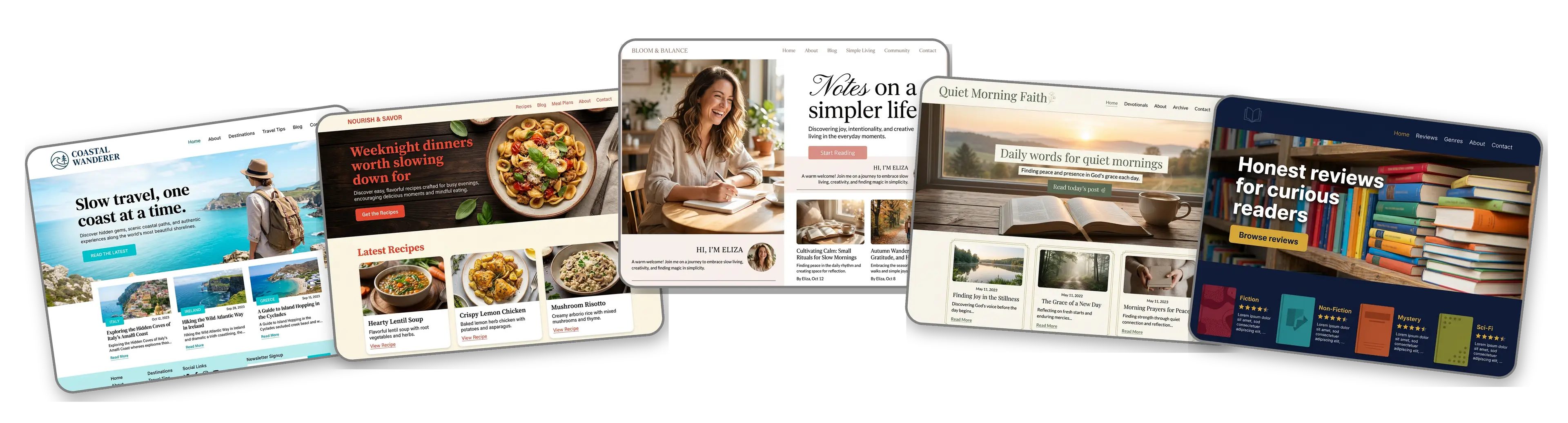
Five blog websites built with LOGO.com from a logo upload: a travel blog, a recipe blog, a personal lifestyle blog, a faith blog and a book review blog

Featured in

msnyahoobusiness insider

How to make a blog website with LOGO.com in three steps.

Upload your blog's logo or masthead

Use the masthead from your header, your profile picture mark or the stamp on your media kit: PNG, JPG, SVG or WebP. The builder reads its colors, its lettering and how cozy or sharp it feels. Blogging under a name with no logo yet? Create a logo and come back with it.
Wrenfield Journal logo dropped into the LOGO.com upload box, with its forest green paper plane and notebook mark and its sand and off white colors picked out

A home for the blog in a minute

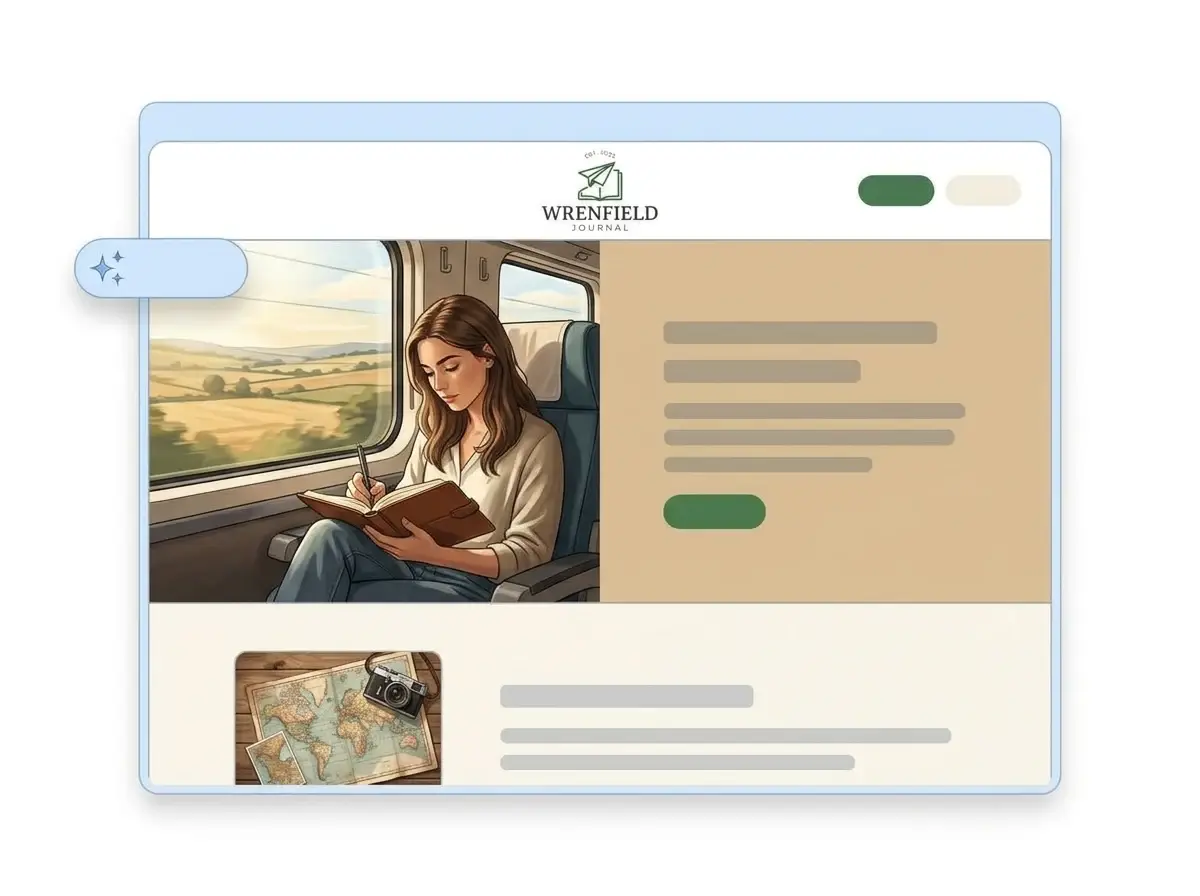
About a minute later the blog has its own website: your logo at the top, a photo that sets the mood, an About section with your story, a row of links to your best posts, a contact form for readers and brands, all in your blog colors.

Finished Wrenfield Journal blog website built by LOGO.com from the uploaded logo, with a writer journaling on a train in the hero and a map and camera thumbnail

Link your posts, then publish

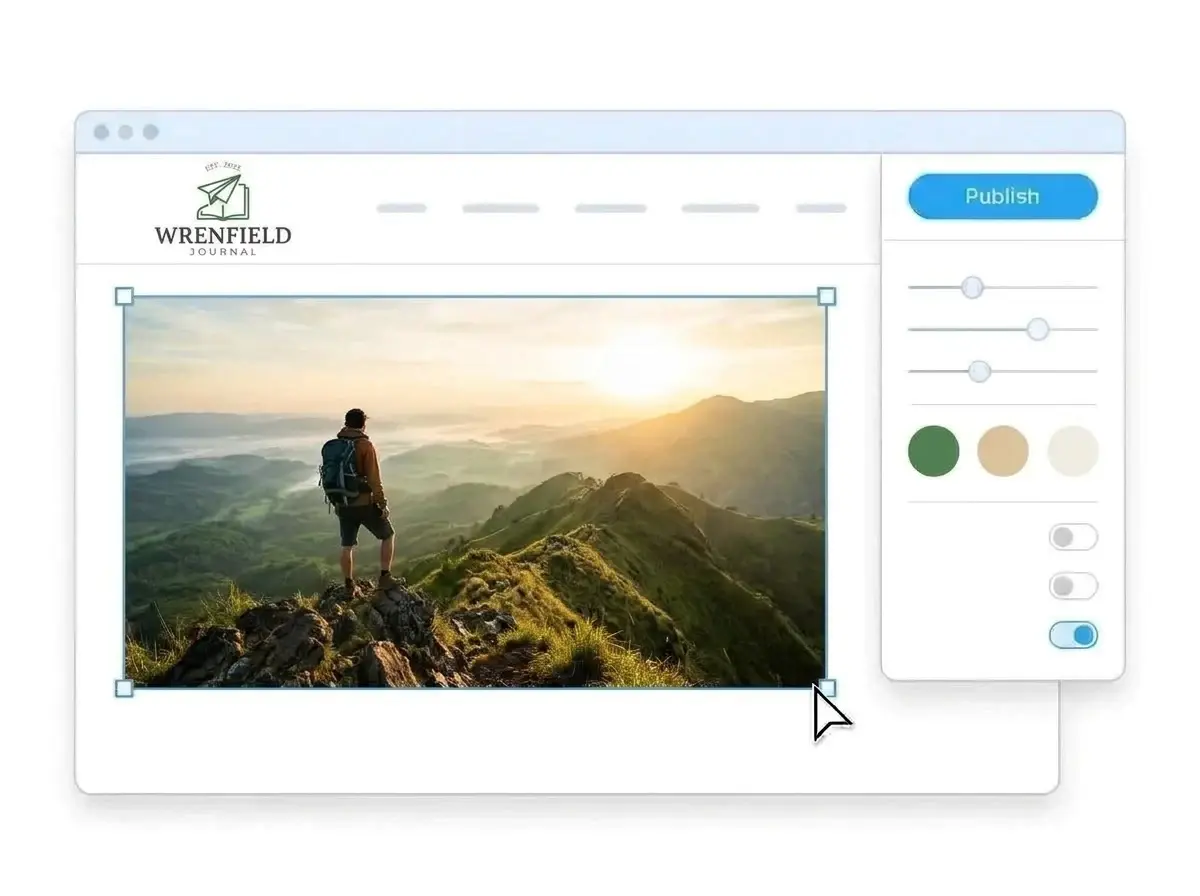
Swap the sample photos for your own, add links to your latest posts and your newsletter, then press Publish. Put the link in your social bios and email signature before your next post goes out.

Editing the Wrenfield Journal website with a photo of a hiker on a misty ridge selected, the style panel open and the Publish button ready

What is a blog website builder?

A blog website builder is a tool that gives a blogger a website readers can land on, with the essentials in one place: who you are, what you write about, where your best posts live and how to get in touch. On LOGO.com that site is a one page website built from your logo rather than a template, so it carries the same look as your masthead and your social profiles, while the posts themselves stay on the platform you blog on.

  1. How LOGO.com builds the site

    The builder reads the colors, font and personality of your logo and lays out a full page around them: header, hero, About, links to your posts, a contact form and your social profiles. Every section arrives with copy written for bloggers, ready for you to rewrite in your own voice.

  2. The symbols bloggers reach for

    A blog logo has to read as a tiny favicon and a big header at the same time. According to LOGO.com data, open books, speech bubbles and pens were among the symbols bloggers asked for most often in their custom icon descriptions on LOGO.com in the past 12 months, alongside a surprising number of magic wands and stars.

  3. Travel, food, faith or personal

    A travel blog site leads with destinations and photos. A recipe blog site points straight to the latest dishes. A writer who also freelances can treat the page as a small portfolio website. According to LOGO.com data, travel was the niche named most often by bloggers who built a brand on LOGO.com in the past 12 months, about one in three of those who named one, ahead of personal, faith, lifestyle and food blogs.

  4. Your blog name as the address

    Brand themes pull their colors from your logo, and moving to a dark, light or colorful style changes every section together. To make the address match the blog name in your bio, connect a custom domain you already own or buy one inside LOGO.com with the Brand Plan.

What makes LOGO.com the best website builder for blogs

1.Your masthead builds the page

Upload the logo from your blog header. The builder pulls its colors, lettering and style and lays out a whole blog website around them, with no prompt to write and no theme marketplace to browse at midnight.

2.Colors readers already know

Readers spot your colors in your header, your pins and your newsletter long before they reach this page. According to LOGO.com data, green made up 33% of the accent colors bloggers picked on LOGO.com in the past 12 months, ahead of blue, once white, black and gray are left out. Your own colors carry over exactly from your file.

3.Copy written for readers

A welcome line, an About section with your story and short intros to what you write about, all drafted for someone deciding whether to subscribe. Change any line that does not sound like your posts.

4.Your photos, your style

Readers stay for the voice and the pictures. Add your own travel shots, dishes or desk photos to image sections, and refresh them whenever a new series starts.

5.Blog website templates

Rather start from a layout? Pick a template and drop in your logo. Your colors, fonts and blog name fill the placeholders, so the page feels like your corner of the internet straight away.

6.Nine section types

Welcome for your tagline, About for your story, Services for writing, coaching or sponsored work, Contact, Links to your latest posts, newsletter and shop, Promotion for a new series, Testimonial for reader notes, Call to Action and FAQ for collaboration terms. Or keep it to one link in bio page for Instagram and Pinterest.

7.Feature this month's series

Move a new series to the top while it runs, push your media kit up during pitching season and hide an old promotion once it closes. Drag sections into a new order and watch the preview follow along.

8.Read on a phone in the queue

Readers usually tap through to your page from a social app on a phone. A mobile friendly website matters, so check the phone view and keep your newest posts and your newsletter link near the top.

9.Brand deals in one inbox

A contact form gives readers, editors and brands one place to reach you, so collaboration offers stop getting buried in comments and direct messages.

10.A map only if you need one

Plenty of blogs never need an address, so leave the map out. Bloggers who also run a local workshop, a cafe or a studio can add a Google Map and keep their details in step with their Google Business Profile.

11.An address that matches your name

Start on a yourname.hi.link address, then connect a domain you own or buy one inside LOGO.com on the Brand Plan, so the address in your bio is your blog name.

12.Your name, not ours

The Brand Plan removes the LOGO.com watermark, so readers and brands see your blog name and logo only.

13.Found when people search your name

Readers and editors search your blog name after they meet a post. Set the title and description Google shows, and choose the preview image that appears when the page is shared.

14.Know when readers show up

See visits rise after a post goes viral or a newsletter goes out. Free sites keep seven days of stats, and the Brand Plan keeps thirty days, ninety days and all time, with a download for your media kit.

15.Cozy, crisp or editorial

Editorial, minimal, sunset, sage, neon, mocha: choose a style and the whole page follows, from a soft lifestyle journal to a sharp tech column. According to LOGO.com data, sans serif made up about three in five font picks in blog logos made on LOGO.com in the past 12 months, with serif and display close to even after it. Your logo keeps its own font.

16.Pins, posts and cards that match

The same upload opens a brand kit with your colors, fonts, social templates and business cards, so your pins, your story covers and your media kit all match the page.

17.No logo for the blog yet

Make one in the free logo maker, choose the version you would put in your header, and the builder turns it into your blog website.

18.Live before your next post

Press the blue Publish button and the page is online. No plugins, no hosting setup and no developer between you and your next draft.

19.Rebrand without rebuilding

Changed the blog name, the niche or the logo? Rebuild the page from the new file in one click, and readers keep seeing the current version until you publish.

20.One plan for the whole blog brand

The Brand Plan covers the blog website, your domain, your logo files, the brand kit and 1,200+ branded templates, so the page, the pins and the posts promoting them come from one subscription.

21.An assistant that edits with you

The AI stays on after the build. Ask the assistant in the editor to tighten your About section, shorten your tagline or rewrite a collaboration note in a friendlier voice.

Start for free with a live blog website.

Trusted by millions of small businesses.

Adrian Frese

"I am not a designer, but creating my brand identity through LOGO.com was delightfully easy and cost-effective. I am very pleased with the outcome, and I couldn't have achieved the same standard on my own. I highly recommend this to any start-up business looking to set up its brand identity or any established business looking to get its brand an upgrade!"

Adrian Frese

Albina Consulting

David Tuffy

"After forming an LLC, I didn't know where to go to create a logo and assets for my website. Then I found LOGO.com. They created a selection of logos for me to choose from in all the sizes I needed. In addition, LOGO.com provided me with a set of branding materials for my website and social media presence. The process is easy, fast, and requires no processional design experience."

David Tuffy

The Product Levers, LLC

Todd Salzsieder

"I have never attempted developing a logo or other marketing products, and am no expert at navigating new computer software. That being said, I not only found the software easy to navigate and learn, but the end product was more than I had hoped for. The help team at logo.com was highly responsive and willing to help with any questions I had in a clear and rapid manner. I am very pleased with the team at logo.com and the products I created. I highly recommend their service!"

Todd Salzsieder

Boise Behavioral Medicine PLLC

Marvin Younan

"LOGO.com is an amazing resource. It helped me create a professional-looking logo for my business that received more praise than logos I've paid designers to create for me in the past. The site is very easy to use, walks you through every step, and gives you control over the entire creation process."

Marvin Younan

Your Modern Lender

Blog website builder FAQs