


Architect website builder that builds itself

Your architecture site comes back in your colors, your fonts and brand.

No logo yet? Create a logo, then turn it into your architecture site.

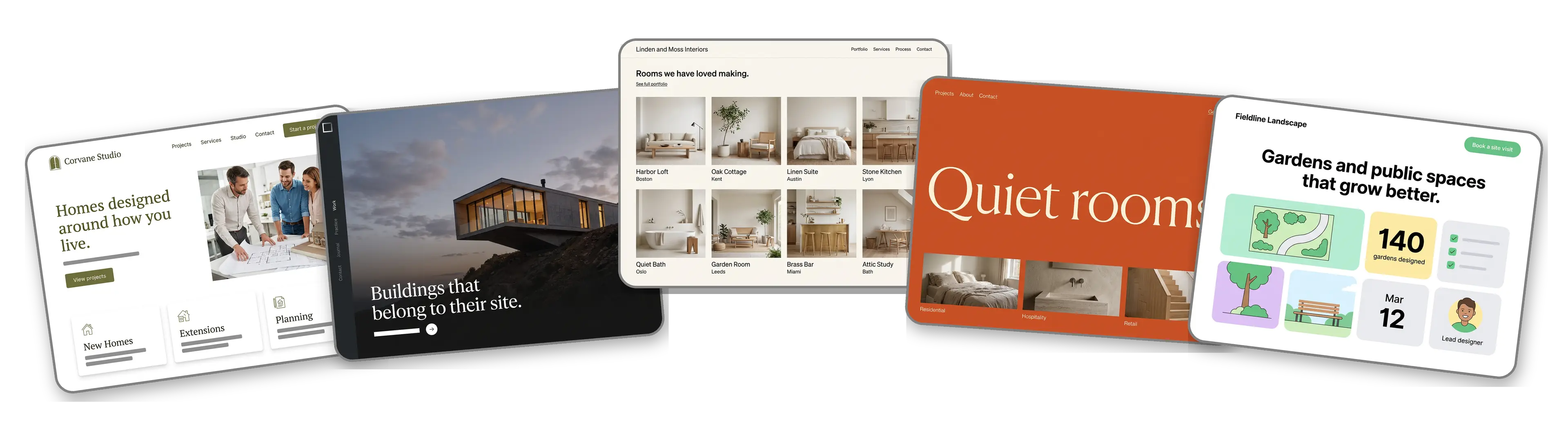
Five architecture and interior design websites built with LOGO.com from a logo upload: a residential architecture firm, a modern architecture studio, an interior design studio, a minimal interior architect and a landscape architecture practice

Featured in

msnyahoobusiness insider

How to make an architecture website with LOGO.com in three steps.

Upload the logo from your title block

Take the file that sits in the corner of your drawings, presentation boards and project signs: PNG, JPG, SVG or WebP. The builder studies its colors and letter spacing and decides whether the studio reads as quiet and minimal or warm and crafted. Practicing under your own name with no mark yet? Make one free and come back with it.
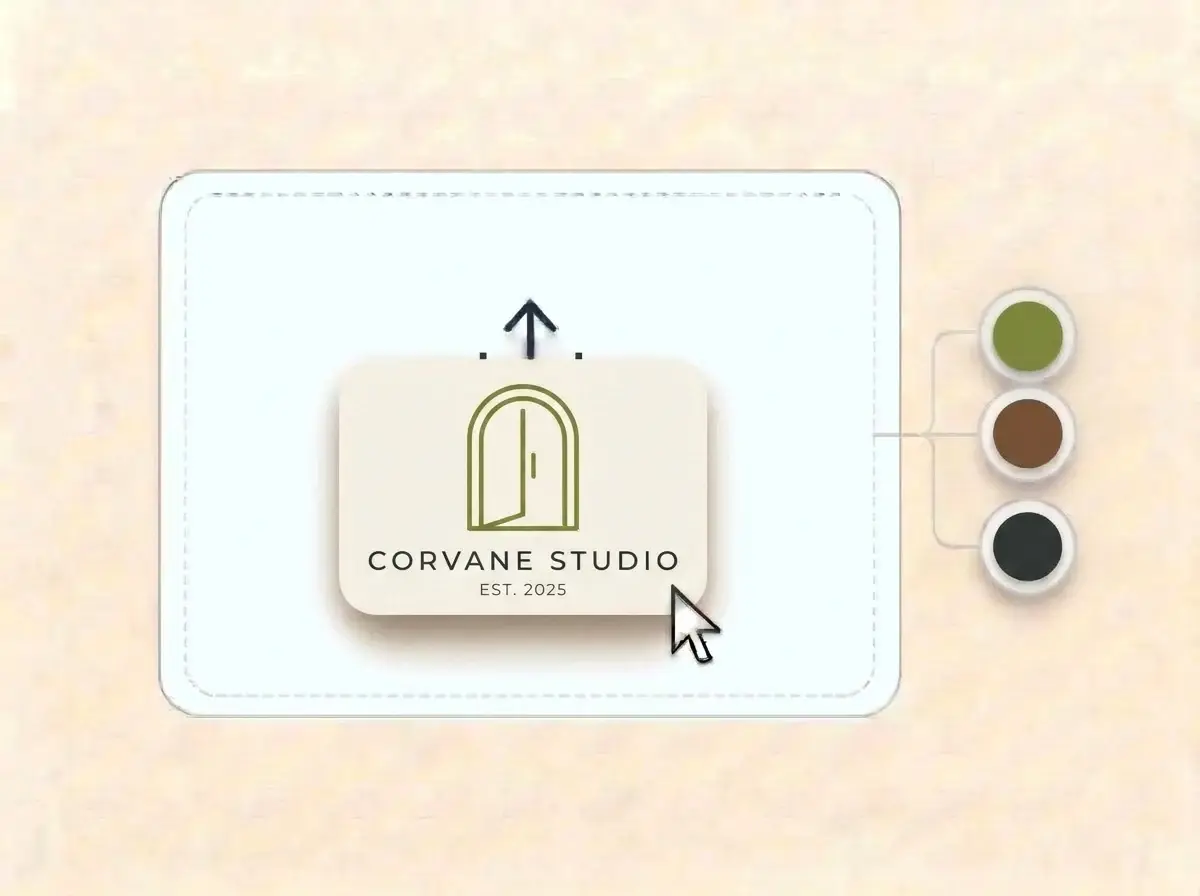
Corvane Studio logo, a thin olive green arched doorway on an off white card, dropped into the LOGO.com upload box with its colors laid out as swatches

A site with room to breathe

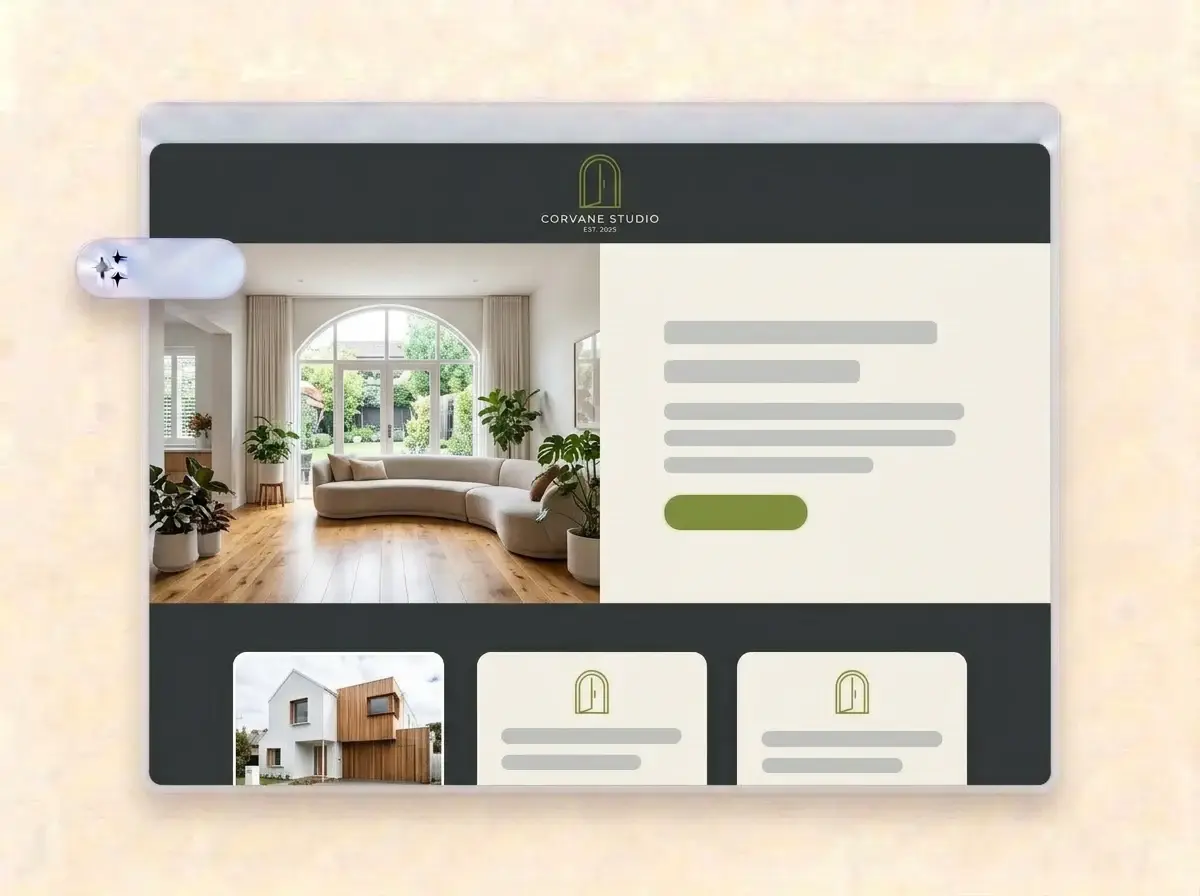
Roughly a minute later the studio has a website: logo at the top, a finished interior in the hero, sections for selected projects, services and how you work, and a contact form for new commissions and consultation requests.

Finished Corvane Studio website built by LOGO.com from the uploaded logo, with a bright living room under an arched window in the hero photo

Add your projects, then publish

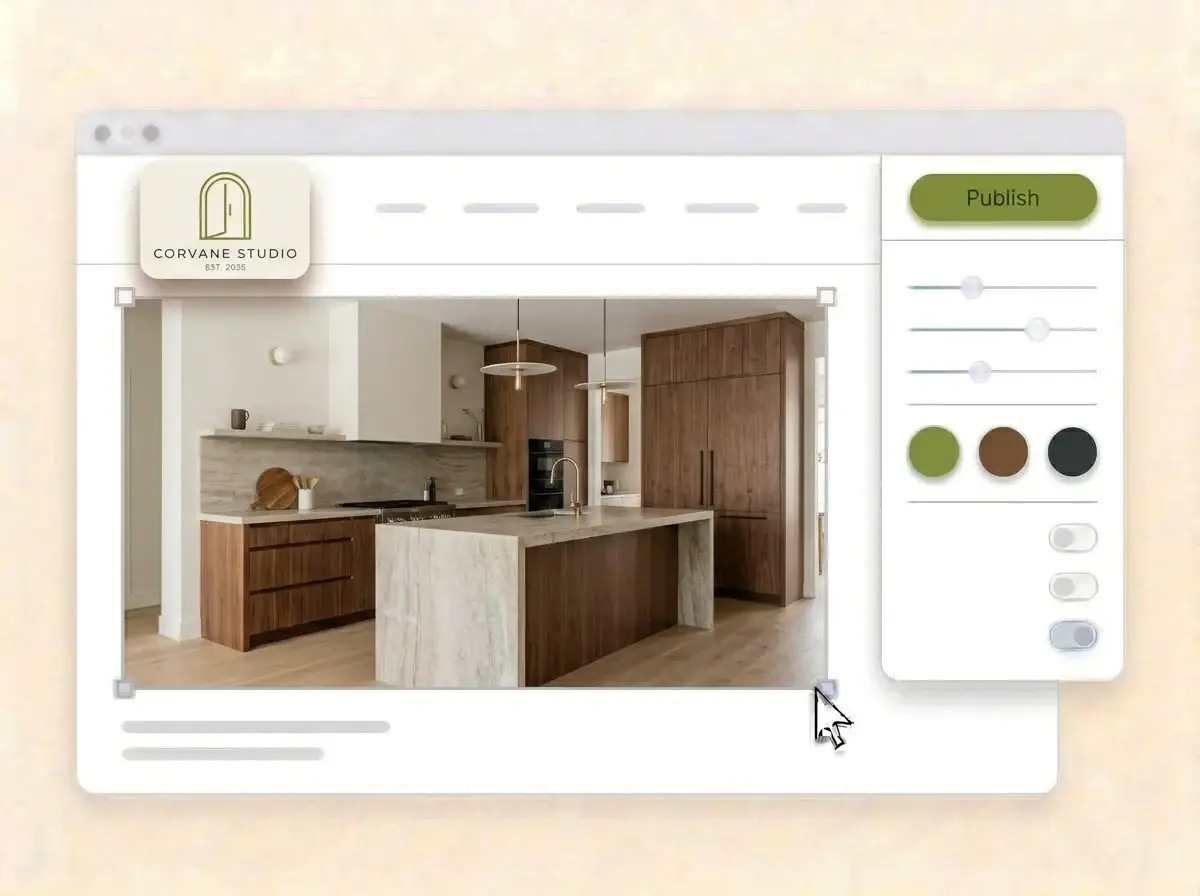
Replace the sample images with photographs and renders of your own projects, write a short line on each one, name the areas you work in, then press Publish. Add the address to your email signature and the last page of every fee proposal.

Editing the Corvane Studio website with a photo of a walnut and stone kitchen selected, the style panel open and the Publish button ready

What is an architect website builder?

An architect website builder is a tool that creates a complete website for an architect, an interior designer or a design studio, without hiring a web agency. A strong architecture website lets the work speak first, explains what the studio does and how a project runs, and makes it simple for a client to ask about a commission. LOGO.com builds that site from your logo, not from a stock portfolio theme.

  1. How your logo becomes a website

    LOGO.com reads the colors, letter spacing and style of your logo, then arranges a header, hero, About, Services, a contact form and links around it. Each section comes with copy written for a design practice, ready to edit until it sounds like your first client meeting.

  2. What clients look for first

    A homeowner planning an extension wants to see houses like theirs. A developer wants proof you can deliver at scale. Both want to know how fees and stages work. Lead with three strong projects, a clear list of services and a short explanation of your process.

  3. Architects, interior designers and landscape studios

    An architect sells a building that suits its site. An interior designer sells rooms that change how a day feels. An interior architect sells both, and a landscape studio sells the space between. According to LOGO.com data, interior designers outnumbered architects by about three to two among design businesses that set up on LOGO.com in the past 12 months.

  4. An address for the project board

    Brand themes draw every color from your logo, and a dark, light or colorful style reworks every section in one click. When the address on your site sign should be the studio name, connect a custom domain you already own or buy one through LOGO.com on the Brand Plan.

What makes LOGO.com the best website builder for architects

1.Your logo sets the proportions

Upload your logo and the builder reads its colors, lettering and restraint, then composes a full architecture website around it. There is no prompt to write and no theme to wrestle into shape.

2.Colors that suit the work

According to LOGO.com data, about three in five of the colors architects and interior designers picked for their brand on LOGO.com in the past 12 months were white, black or gray, and architects reached for green as the accent while interior designers chose brown. Your site takes the exact shades in your logo.

3.Copy written for designers

Practice introductions, an About section on your approach and a welcome line that names the kind of spaces you design. Rewrite anything that sounds more like a brochure than a conversation.

4.Photographs, renders and sketches

A finished facade at golden hour, a render of a scheme still on site, a sketch from the first meeting. Add your own images to the image sections and take out the samples.

5.Architecture website templates

Prefer to begin from a layout? Pick a template and add your logo. Your colors, fonts and studio name fall into place, so the first draft already looks like your practice.

6.Nine section types

Welcome for your design statement, About for the studio and team, Services for architecture, interiors or planning, Contact, Links to press and awards, Promotion for an open studio, Testimonial for client words, Call to Action and FAQ for fees and stages. Or keep a link in bio page for your Instagram project posts.

7.New projects to the front

Bring a newly completed house forward, or move a competition entry up while it is in the news. Drag sections up or down and the live preview shows the order.

8.Viewed on site, on a phone

Clients often open your site on a phone while standing in the space they want to change. A mobile friendly website helps there, so check the phone view and keep your best project and contact button on the first screen.

9.New commissions in one inbox

A contact form gathers project inquiries, consultation requests and press questions in one place. Use the section text to ask about the location, the scope and the budget range.

10.Show the studio address

Add your studio address with a live Google Map and name the cities and regions you take projects in. Match those details on your Google Business Profile, which supports local SEO.

11.The studio name in the address

Start on a yourname.hi.link address, then connect a domain you own or buy one inside LOGO.com on the Brand Plan, so the address on your drawings matches the practice name.

12.A clean frame for your work

The Brand Plan removes the LOGO.com watermark, so a client comparing studios sees your projects and nothing that distracts from them.

13.Found for the work you want

Clients search for the kind of space first, such as a barn conversion architect or a hotel interior designer. Set the title and description Google shows for your site, and choose the preview image that appears when someone shares it.

14.See what an award brings

Watch visits after a feature, an award shortlist or a project post. The free plan shows seven days of visitors, and the Brand Plan covers thirty days, ninety days and all time, ready to download.

15.Minimal, warm or bold

Editorial, minimal, sunset, sage, neon, mocha: choose a look and the whole site follows. According to LOGO.com data, sans serif fonts appeared on about two in three logos architects created on LOGO.com in the past 12 months but on only about half of interior design logos, and your lettering stays the same in every style.

16.Boards, proposals and the site

The same upload opens a brand kit with your colors, fonts, social templates and business cards, so the presentation board, the business card and the website feel like one studio.

17.Starting a new practice?

Shape a logo in the free logo maker, choose the version that sits well in a drawing title block, and the builder turns it into your architecture website.

18.Online before the next pitch

Press Publish once and the studio site is live. No developer, no code and no waiting for a quiet month.

19.A new partner, a new name

Adding a partner to the studio name? Rebuild the site from the new logo in one click, and visitors keep the current version until you publish the new one.

20.One subscription for the practice

The Brand Plan covers the website, your domain, logo files, the brand kit and 1,200+ branded templates, so cards, social posts and the site stay on one plan.

21.An assistant for project text

Ask the assistant in the editor to shorten a project description, explain your fee stages in plain words or rewrite an About section that runs long.

Start for free with a live architecture website.

Trusted by millions of small businesses.

Adrian Frese

"I am not a designer, but creating my brand identity through LOGO.com was delightfully easy and cost-effective. I am very pleased with the outcome, and I couldn't have achieved the same standard on my own. I highly recommend this to any start-up business looking to set up its brand identity or any established business looking to get its brand an upgrade!"

Adrian Frese

Albina Consulting

David Tuffy

"After forming an LLC, I didn't know where to go to create a logo and assets for my website. Then I found LOGO.com. They created a selection of logos for me to choose from in all the sizes I needed. In addition, LOGO.com provided me with a set of branding materials for my website and social media presence. The process is easy, fast, and requires no processional design experience."

David Tuffy

The Product Levers, LLC

Todd Salzsieder

"I have never attempted developing a logo or other marketing products, and am no expert at navigating new computer software. That being said, I not only found the software easy to navigate and learn, but the end product was more than I had hoped for. The help team at logo.com was highly responsive and willing to help with any questions I had in a clear and rapid manner. I am very pleased with the team at logo.com and the products I created. I highly recommend their service!"

Todd Salzsieder

Boise Behavioral Medicine PLLC

Marvin Younan

"LOGO.com is an amazing resource. It helped me create a professional-looking logo for my business that received more praise than logos I've paid designers to create for me in the past. The site is very easy to use, walks you through every step, and gives you control over the entire creation process."

Marvin Younan

Your Modern Lender

Architect website builder FAQs