Website Accessibility for Small Businesses: What to Know and How to Do It
Website accessibility isn’t just the right thing to do—it’s smart branding. Learn simple steps small businesses can take to create inclusive, trustworthy websites.
When you're building a website for your business, how it looks is only part of the picture.
Just as important is how well it works for the people visiting it, especially those who rely on tools like screen readers, keyboard navigation, or visual adjustments to browse online.
Website accessibility makes sure everyone can interact with your website, no matter their ability, device, or situation. You remove barriers so people can read, click, buy, and connect, just like anyone else. And when your website is easier to use, it also becomes more effective for your business.
Let’s take a look at why accessibility matters, and how it shows up in your brand, your customer experience, and your search performance.
What It Means to Have an Accessible Website
Have you ever clicked on a website and couldn’t find what you needed because the text was too small, the buttons didn’t work, or things just didn’t make sense?
For people with disabilities, that’s a common experience.
Designing your website to be accessible means that you’re making sure that everyone can use your website, no matter how they see, hear, move, or interact with a screen. That includes people who use screen readers, can’t use a mouse, or need extra contrast to read your content.
Accessibility sounds like a tech-heavy topic, but it comes down to this: Can everyone who visits your website use it?
To help make accessibility easier to understand, there’s a global standard called the Web Content Accessibility Guidelines (WCAG). It breaks accessibility into four key areas, and each one has simple ways you can apply it to your website.
These are:
- Perceivable: Not everyone experiences your website the same way. Some people can’t see images or hear audio. That’s why it’s important to include things like image descriptions and video captions, so everyone can still understand what you’re sharing, no matter how they access it.
- Operable: Your website should be easy for anyone to use. That means people should be able to move around, click buttons, or watch videos, even if they’re using a keyboard instead of a mouse. A simple, clear layout helps everyone get where they need to go.
- Understandable: Your website should be easy to read and make sense right away. This means that you’re using simple words and designing a website layout that’s easy to follow, so people who process information differently or speak another language can still understand what you’re saying.
- Robust: Your website needs to work with tools like screen readers that help people browse. If your website is built with clean, simple code, those tools can read it properly, so everyone can use it without issues.
People browse in all kinds of ways, and accessibility helps your website keep up. It’s a smart business move that shows you’re paying attention to what people need.
Why Accessibility Matters for Small Business Websites
Website accessibility matters because people matter. Your website should work for anyone who lands on it—no matter how they browse, what device they’re using, or whether they have a disability.
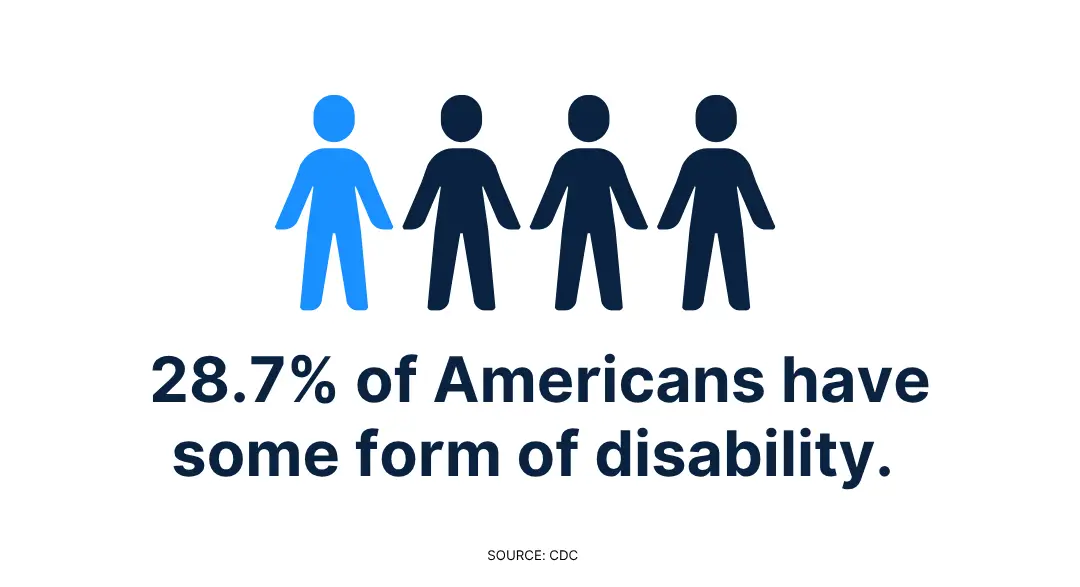
According to the CDC, 28.7% of U.S. adults have a disability. That includes a wide range of needs—from vision and hearing to mobility, neurodivergence, and cognitive processing.
But accessibility also supports people in everyday situations: someone using a screen reader, someone navigating with one hand, someone on a slow internet connection, or someone simply trying to find clear information fast.
When your website is easier to use, more people can connect with what you offer. That’s not just good for business—it’s the right thing to do.
Accessibility affects more than just how your website functions—it influences how people experience your brand. The design choices you make, the structure you use, and the effort you put into clarity all send a message about what kind of business you are.
Here are four reasons why making your website more inclusive supports your visitors and your business.
Good Business Is Inclusive Business
It’s easy to overlook accessibility when you’re busy just getting your website up and running. But if your website isn’t usable for people with disabilities, you could be missing out on customers and sending the wrong message without realizing it.
Some countries like the U.S. and Canada have laws—like the Americans with Disabilities Act (ADA) and the Accessibility for Ontarians with Disabilities Act (AODA)—that require websites to be accessible.
But even if your region doesn’t have specific rules yet, it’s still smart to prioritize accessibility. Ignoring it can lead to legal complaints, frustrated visitors, and damage to your brand’s reputation.
More importantly, accessibility helps every visitor use your website the way you intended. And for a small business, that kind of trust and usability goes a long way.
Accessibility Builds Trust in Your Brand
Your brand isn’t just how your logo looks. It’s how your business feels to the people experiencing it. And for many of them, your website is the first real interaction they’ll have with you.
When your website is easy to navigate, comfortable to read, and welcoming to all kinds of users, it reflects something deeper: that you care about your audience and want to make things easier for them.
A clear, accessible website shows people:
- You’re thoughtful about how you communicate.
- You’ve taken the time to make your content usable for everyone.
- You want your brand to be approachable, not just polished.
Those first impressions matter. Especially when someone’s choosing between you and a competitor, the business that’s easier to interact with often stands out.
Accessibility Reflects What You Stand For
Accessibility shows up in the small details that shape how people experience your website. When your design is clear and consistent, it works better for more people.
For example, if someone is using a screen reader, browsing on a bright phone screen, navigating with one hand, or just trying to find information quickly, your website will be easier to use.
Prioritizing website accessibility signals what kind of business you are. They say you value clarity, care about your audience, and want everyone to feel welcome.
That kind of experience builds trust, and trust builds strong, lasting brands.
Accessibility Boosts Your Search Rankings, Too
Designing for accessibility makes your website more usable and makes it easier for search engines to understand what’s on each page.
When your content is well-structured—with headings that follow a clear hierarchy, alt text that describes images, and navigation that’s easy to follow—search engines can better interpret your content.
That means your website is more likely to show up when someone searches for your products, services, or topics you cover.
Accessible design supports the way real people search, scroll, and interact online. And that overlap between usability and SEO creates a stronger, more effective website, without requiring double the work.
Even the smaller choices you make, like adding clear button labels or improving load times, can contribute to both a better user experience and better search visibility.
Each small improvement makes your website more inclusive and easier to find, which means more people can discover what you do and engage with it.
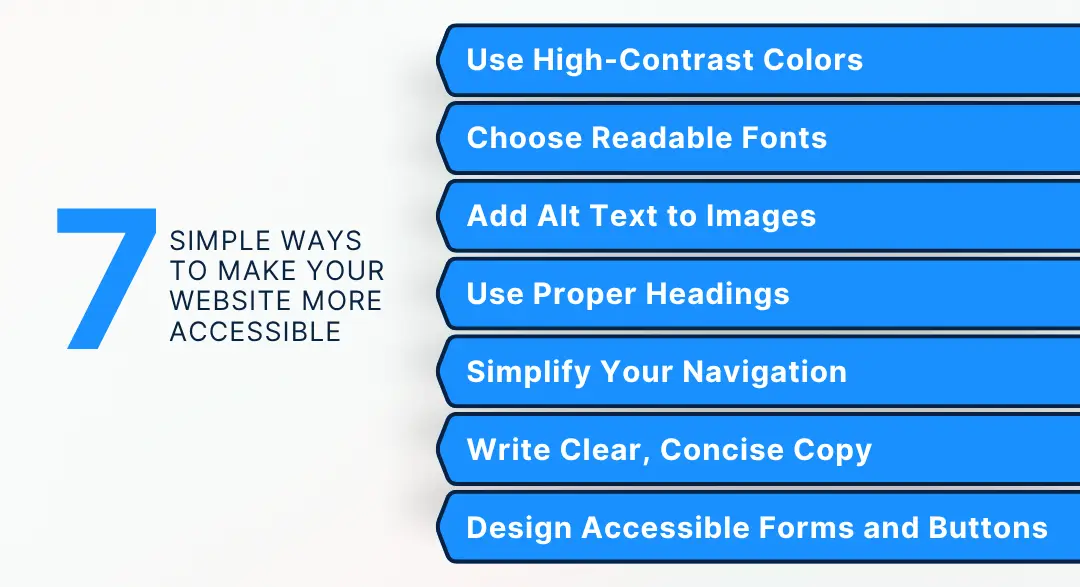
7 Quick Fixes to Make Your Website Accessible for Everyone
You don’t need to overhaul your website to make it more inclusive.
Most accessibility improvements are small adjustments—adding alt text, choosing more readable fonts, improving contrast—that make a real difference in how people experience your content.
1. Use High-Contrast Colors That Everyone Can Read
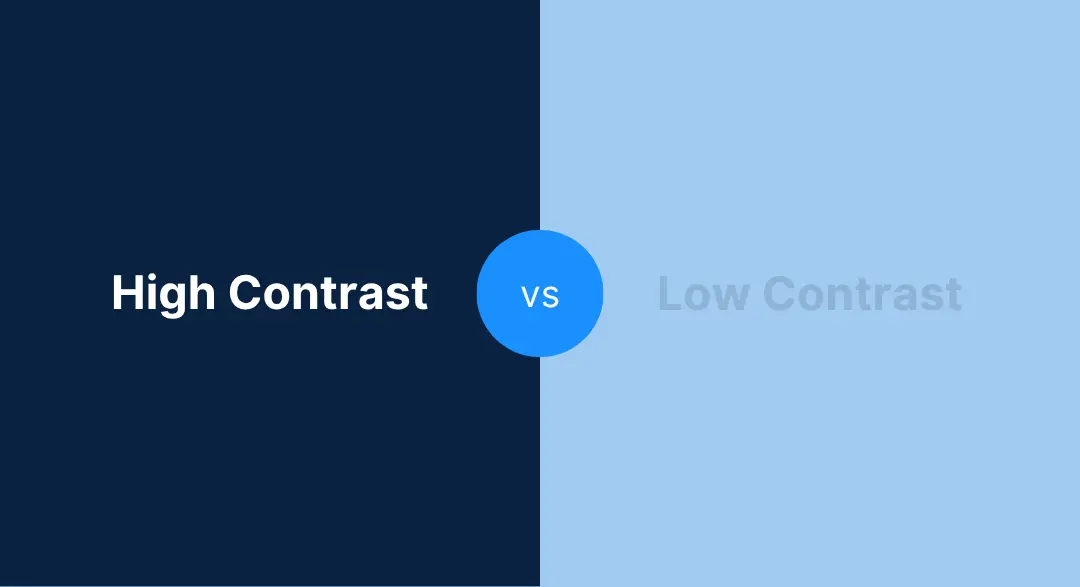
Color plays a big role in how your brand feels, but it also affects how readable your website is. If your text blends into the background, people with vision differences (or just a sunny screen) may have a hard time reading what you wrote.
Good contrast helps everyone. It’s one of the simplest ways to make your website more inclusive and easier to use.
Here’s how to get it right:
- Use dark text on a light background, or light text on a dark one.
- Don’t rely on color alone to communicate something (like using only red or green for error messages).
- Check your contrast with a tool like WebAIM’s Contrast Checker.
If you create your logo with LOGO.com, your brand colors are saved in your brand kit. You can choose high-contrast combinations from the beginning and carry that same accessible, polished look through your website and beyond.
2. Choose Fonts People Can Easily Read
Fonts do more than reflect your brand’s personality. They shape how easily someone can read and understand your content. If your body text is too small, too thin, or too decorative, it can turn people away before they even get your message.
Readable fonts help more visitors stick around, stay engaged, and feel like your website was made with them in mind.
Here’s what helps ensure your fonts are accessible to website visitors:
- Use simple, web-safe fonts like Lato, Open Sans, or Helvetica.
- Keep it consistent. 1 or 2 font families are plenty.
- Set your body text to at least 16px so it’s readable on any device.
If you created your logo with LOGO.com, your brand kit includes your fonts and color palette, so you can carry that same look through your website without sacrificing clarity. That way, your brand feels cohesive and easy to read.
3. Add Alt Text That Describes the Image
Alt text helps people who can’t see your images understand what’s there, whether they’re using a screen reader, browsing with images turned off, or dealing with a slow connection.
It’s not just a technical step in setting up your website. It’s how you include more people in what your brand is sharing, and it also happens to be good for SEO. When search engines read your image descriptions, they get a clearer picture of what your content is about, which helps more people find you.
Here’s how to write alt text that’s helpful:
- Be brief but specific. “Customer sipping coffee from a Cozy Cup mug” says a lot more than just “coffee.”
- Avoid repeating the same phrasing everywhere. If every image says the same thing, that’s not helpful for real people or search engines.
- Don’t say “image of” or “picture of.” Screen readers already announce that it’s an image.
If you have created a website using LOGO.com x Wix and are uploading an image, you’ll automatically get a prompt to add alt text.
Take the extra moment to do it thoughtfully—it’s a small detail that improves the experience for real people.
4. Use Headings to Organize Your Content Clearly
People using screen readers rely on proper heading tags (like H1, H2, H3) to navigate quickly and make sense of what’s on the page. And even for those who aren’t using assistive tools, clear headings make content easier to scan and digest.
Here’s how to keep your content organized and accessible:
- Use a single H1 for your main title—this tells readers and search engines what the page is about.
- Break up sections with H2s, and use H3s when you need to add subpoints or details.
- Don’t bold text just to make it stand out—use actual heading tags so assistive tech can interpret the structure.
Well-structured pages help every visitor move through your content with less friction. It’s a small change that makes a big difference in how your website feels to use.
5. Make Your Navigation Work for Everyone
Your website navigation should feel easy and intuitive, no matter how someone is browsing. That includes people using screen readers, keyboard navigation, voice controls, or even just one hand on a mobile device.
When your menus are consistent and predictable, more people can explore your site with confidence.
Here’s how to make your navigation more inclusive:
- Use familiar, straightforward labels like “Shop,” “About,” or “Contact.”
- Avoid opening links in new tabs unless you give users a heads-up.
- Make sure all links and buttons can be accessed without a mouse.
If you’re using LOGO.com x Wix, you’re already ahead. Wix’s built-in structure supports screen readers and keyboard navigation, so your website works better for more people from the start.
6. Write With Clarity—Because Everyone Processes Information Differently
Not everyone reads the same way. Some visitors use screen readers. Others skim quickly on their phones or rely on translation tools to understand your content.
Writing with clarity helps make your website more inclusive because it removes barriers to understanding.
Here’s how to make your content more accessible:
- Use short, well-structured paragraphs.
- Lead with key information, so your message is easy to grasp.
- Avoid jargon or overly technical language.
- Break up long blocks of text with headings or bullet points.
When your content is easier to read, more people can engage with what you’re offering—and that’s good for your audience and your business.
7. Make Buttons and Forms Easy to Interact With
Your forms and buttons should be easy to find, understand, and use on any device, with any input method.
When someone’s filling out a form with assistive tech, browsing on a phone, or just moving quickly, small design choices can either help them complete the task or stop them in their tracks.
Here’s how to keep your website inclusive and frustration-free:
- Use clear, action-oriented button text like “Send Message” or “Download Now”—not just “Submit.”
- Design buttons that are large enough to tap comfortably on a mobile screen.
- Include visible labels next to each form field so users know exactly what to enter.
And here’s one more thing to keep in mind: avoid relying on placeholder text inside the field. It disappears when someone starts typing, which can be confusing or inaccessible for many users.
Stick with clear, persistent labels instead.
Branding Tools That Make Accessibility Easier
As you build or update your website, your branding choices can either help or make things harder. This is where LOGO.com’s tools can support you.
Building an accessible website starts with a brand that’s easy to recognize and easy to use. When your logo, colors, and fonts are clear and consistent, it becomes much simpler to create content that looks good and works well for all people.
LOGO.com makes that easier from the beginning:
- Logo Maker: Choose fonts and color combinations that are both stylish and readable. If you already have a logo, you can upload it using our new Upload feature.
- Brand Kit: Save your visual elements so you can use them across your website, marketing materials, and social platforms—without starting from scratch each time.
- Templates: Create on-brand graphics in minutes, using layouts designed to work well everywhere you share them.
When your brand is consistent and thoughtful, your website builds on that solid foundation and becomes more inclusive, professional, and user-friendly in the process.
How LOGO.com x Wix Supports Website Accessibility
When you build your website with LOGO.com x Wix, you’re starting with tools that make accessibility easier to achieve. The platform is designed with inclusive features in mind, so your website can work better for more people, right from the beginning.
Here’s what’s built in:
- Alt Text Prompts: Add image descriptions as you upload, so your visuals are more accessible to screen readers and users with slow internet connections.
- Automatic Heading Structure: Use built-in formatting to create a logical, readable flow that helps visitors and search engines alike.
- Keyboard-Friendly Navigation: Menus and links are fully usable without a mouse, supporting people who navigate with a keyboard or assistive tech.
- Color Contrast Guidance: Get suggestions while designing to make sure your text stands out clearly against your background.
- Responsive Layouts: Your website adapts across devices, screen sizes, and zoom levels without any extra setup required.
- ARIA Support: Labels and roles improve how assistive technologies interpret and present your website.
These features don’t guarantee perfect accessibility out of the box, but they give you a strong foundation to build on. And when you combine them with thoughtful design, clear content, and consistent branding, your website becomes more welcoming, more effective, and more reflective of the kind of business you’re building.
A Helpful Checklist to Make Your Website More Accessible
Want to take a meaningful step today? Use this quick checklist to make sure your website is accessible for everyone.
- Your text is large enough to read easily on mobile.
- Your background and text colors have a strong contrast.
- You’ve added alt text to every image to describe what it shows.
- Your headings follow a clear structure (H1, H2, H3…), so everything’s easy to follow.
- Your website can be navigated with just a keyboard—no mouse needed.
- Your buttons and forms are clearly labeled and simple to use.
- Your copy is clear, helpful, and free of confusing jargon.
Each of these helps real people have a better experience on your website. If you’re not there yet, that’s okay—every improvement you make strengthens your brand and helps more people connect with your business.
You’ve got this!
Build a Brand That’s Accessible for Everyone
An accessible website helps real people use and enjoy what you’ve built.
It means people using screen readers can explore your content with ease. People with vision differences can comfortably read your text. And people who rely on a keyboard can move through your website without frustration.
That kind of care goes a long way.
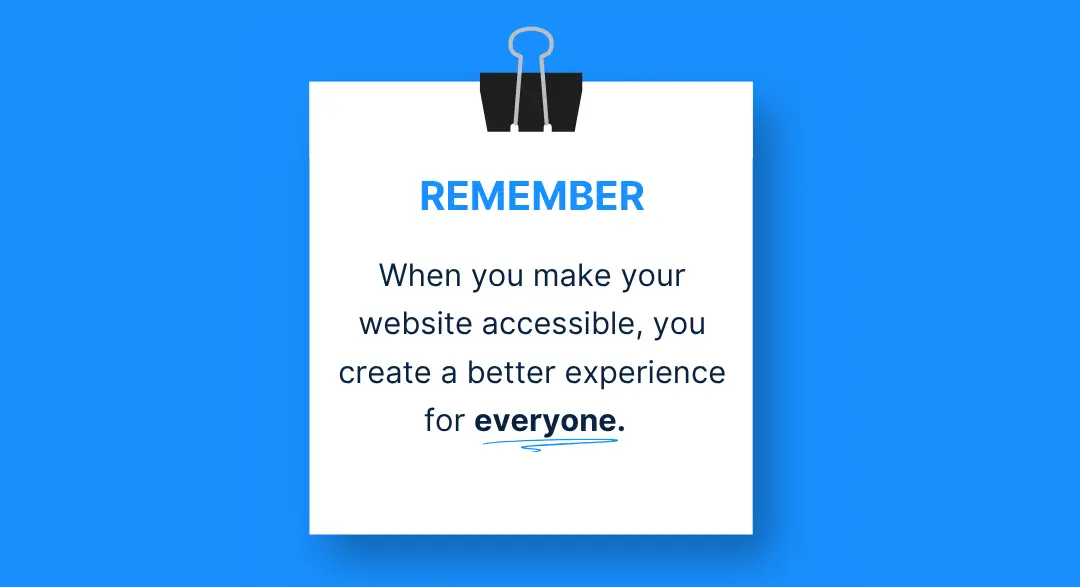
When your website works for more people, it shows that you’re thoughtful, trustworthy, and ready to meet your audience where they are.
And the best part is that with easy-to-use tools from LOGO.com x Wix, accessibility becomes part of how you build, not something extra you have to figure out later.
Start with the basics.
Keep going.
Your website will be better for it, and so will the people visiting it.
Recent posts
Oct 19, 2026 by: Sean Baker

Oct 14, 2026 by: Vanessa Lam
Oct 12, 2026 by: Sean Baker
Oct 5, 2026 by: Sean Baker