Small Business Social Media Without Burnout
Stop spending Sundays on Instagram. Build a 5 hour weekly system, batch your content, and grow your small business on social media without burning out.
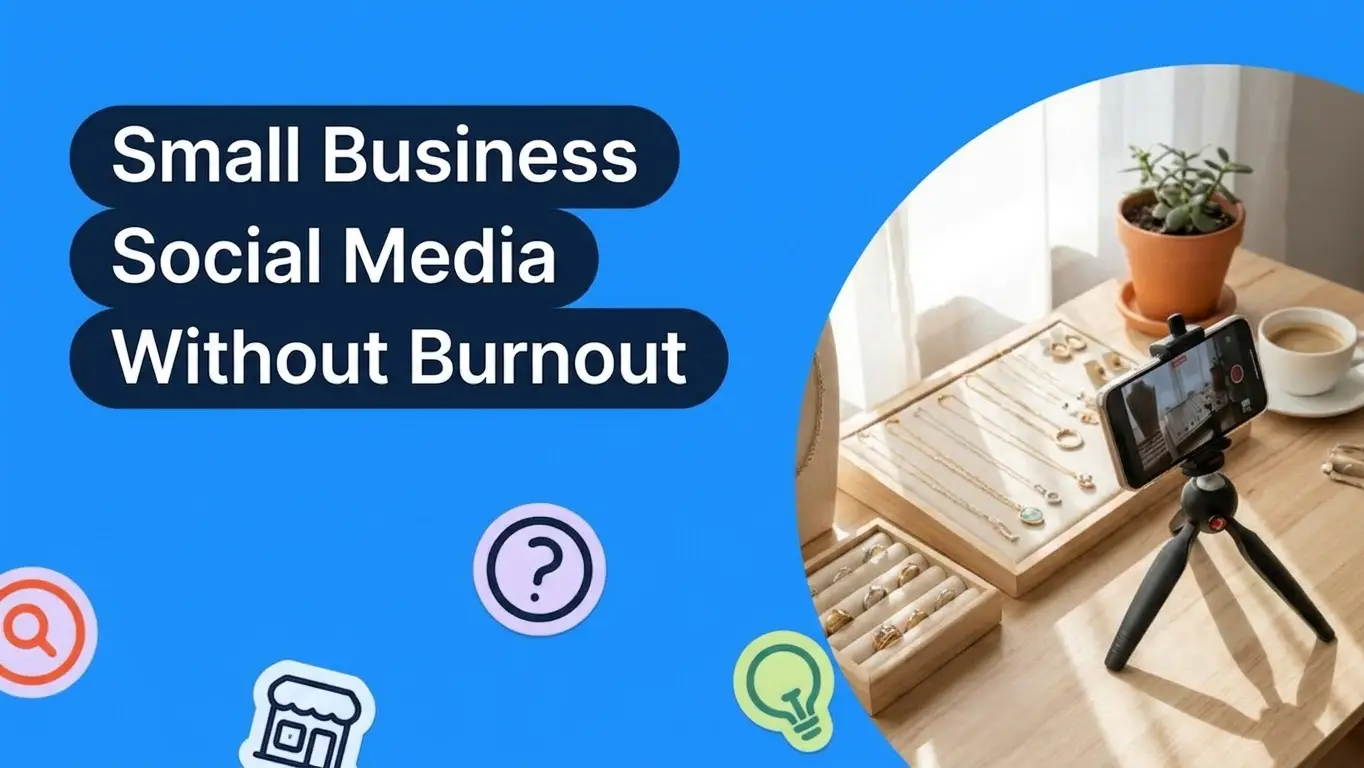
Run your small business social media without burning out by building a system that takes five hours a week instead of grinding daily. Pick one main platform, batch shoot photos and video once a month, and write captions in a single 60 minute session. Schedule posts ahead with a free tool. Repurpose every piece of content across formats and platforms instead of starting from scratch. Track only the metrics that drive sales, ignore the rest, and protect your weekends by setting a hard stop on social media each week.
Why Social Media Burns Out Small Business Owners
Social media looks like the cheapest marketing channel a small shop can use. The platforms are free, the audiences are huge, and every post you publish has the chance to reach a stranger who turns into a customer. That math hides a quiet cost. You become the photographer, the editor, the copywriter, the strategist, the community manager, and the customer service rep, all in the same Sunday afternoon.
One customer summed it up cleanly. His wife runs a handmade jewelry shop on Etsy. Making and shipping the jewelry feels fine. The part that wears her out is Instagram. She loses her whole Sunday shooting product photos, editing them, writing captions, and finding hashtags, and ends the day with one post to show for it.
That pattern repeats across every solo business owner you meet. According to LOGO.com data, fashion, technology, education, ecommerce, and restaurant make up the five most common industries among the small businesses building brands on the platform, and these are exactly the categories where social media is the main discovery engine. The owner is the brand. The owner is also the entire content team. The work expands until it eats every weekend, and the posts still feel inconsistent.
Burnout happens because most small business owners treat social media as a daily to do list rather than a system. You wake up feeling like you should post something, and that single feeling drives an hour of scrolling, planning, and second guessing before any actual content goes out. Stop running it that way and you free up entire weekends without losing reach.
The good news for any owner reading this is that you do not need to post more, hire a content team, or learn a new platform to get out of the burnout loop. You need a system that decides for you what to post, when to post it, and when to stop. The rest of this guide builds that system in plain steps you can apply this week. Treat each step as a switch you can flip on or off depending on the size of your shop, your category, and how much energy you have to give the channel right now.
Pick One Platform and Forget the Rest
The single biggest energy leak in solo social media is trying to be present on Instagram, TikTok, Facebook, Pinterest, LinkedIn, and YouTube at the same time. Every platform is a different format, a different audience expectation, and a different content rhythm. Six platforms means six rituals, six learning curves, and six places where you feel guilty for going quiet.
Pick one. The right platform depends on what you sell and where your buyers already spend time. If you sell visual products like jewelry, candles, baked goods, or apparel, Instagram and Pinterest are usually strongest. If short video matches your style, TikTok works. If you sell to other businesses, LinkedIn is the lane. If your customers find you through search, focus your energy on a blog and let social be a quieter side channel.
The argument against picking one is that you might miss out on reach. The argument for picking one is that consistent presence on a single platform beats scattered presence across six every time. When you concentrate your effort, you start to understand the algorithm, the captions that work, and the posting times that hit. You build pattern recognition, and pattern recognition is what stops the work from feeling random.
If you sell on Instagram, set up the account properly from day one. Add a clear bio, a profile photo that reads at thumbnail size, a link to your shop, and a story highlight for FAQs. The choice between a personal account and a creator or business account is worth getting right early since switching later resets some of your insights. Our business Instagram guide covers the tradeoffs in full.
Build a Weekly System That Takes Five Hours
Social media for a small shop should never take more than five hours of focused time per week. That budget is enough to publish three to four quality posts, respond to comments, and engage with your community. Anything more than five hours and you are subsidising the platform with your weekend.
Split the budget like this. Spend two hours each month on a single content shoot. Spend one hour each week on caption writing and scheduling. Spend 30 minutes each weekday on community responses. Add it up and you land at roughly four to five hours per week. The shoot is monthly because a single batch produces enough raw material for the next four weeks. The scheduling is weekly because plans drift and small adjustments are useful. The engagement is daily because comments and direct messages decay fast if you ignore them.
Put these blocks on your calendar and treat them like client meetings. The block is the discipline. Without a fixed slot, social media expands to fill the rest of the day. Owners who shrink the work to a defined window almost always say their content quality went up, not down, because the constraint forced them to stop overthinking.
Batch Your Content Creation in Two Sessions
Batching is the highest leverage habit you can adopt for social media. The Etsy seller from earlier loses her Sunday because she runs the entire content pipeline, from setup to posting, every single time she wants to post. Batch the pipeline and the same time investment produces four times the output.
Run two batches each month. The first batch is a photo and video shoot. The second batch is caption writing and scheduling.
For the photo and video batch, set up your space once. Use natural light from a window, a clean white surface, and a phone tripod. Shoot 20 to 30 product photos in one sitting, including detail shots, in use shots, flat lays, and behind the scenes clips. If you make jewelry, shoot every new piece against the same backdrop with the same lighting so the grid stays cohesive. If you sell baked goods, shoot a fresh tray, an in store moment, and a slow motion clip of frosting going on. Stop trying to come up with creative concepts on the fly. Use the same shot list each month and let your products do the work.
For the caption batch, sit down for one hour with a coffee, your photo library, and a content calendar template. Write four captions back to back. Each caption follows the same structure. Open with a hook, deliver one useful idea or a behind the scenes detail, and close with a soft call to action. Add three to five hashtags relevant to your niche. Move on. The trick is to stop editing each caption like a press release. Done is the goal, not perfect.
If creative block hits during the caption batch, prompt yourself with five repeatable post types. Show the product. Show the maker. Show a testimonial. Answer a customer question. Tease a new launch. Cycle through them so you never start a caption from blank.
Repurpose Every Post in Three Places
Every piece of content you create should work in at least three places. Most solo owners produce a beautiful Instagram photo, post it once, and never use it again. That is leaving 70 percent of the value on the table.
A single product flat lay can become an Instagram feed post, a Pinterest pin, and an email header. A single behind the scenes reel can become a TikTok, an Instagram Reel, and a YouTube Short. A single caption can become a tweet thread, a LinkedIn post, and three story slides.
Repurposing only feels like cheating until you watch how every large brand does it. The platforms reward distinct content per format, but the underlying idea, the hook, and the asset can carry across every channel. You do the thinking once. You do the publishing many times.
A simple way to systemise this is to keep a social media templates library. A templates library is a folder of reusable post formats, story slides, and caption skeletons. Drag a new product photo into a template, swap the copy, and the post is ready in three minutes instead of 30. The first month you build the library is the slow month. Every month after, your output goes up while your hours go down.
Schedule Everything With a Free Tool
You should never be on Instagram in real time looking for a post to publish. Schedule everything in advance using a free tool. Meta Business Suite is free and schedules to Instagram and Facebook. Buffer offers a free plan that covers most platforms. Later has a free tier focused on visual planning. Pick one and stick with it.
Scheduling solves three problems at once. It forces you to write captions when you have energy rather than when you feel obligated. It enforces consistency since posts go out even when you are sick, traveling, or busy with orders. It removes the dopamine loop of opening the app to check on a post you published 12 minutes ago.
According to research from Buffer, brands that schedule posts in advance publish significantly more consistently than those that post in real time. Consistency beats brilliance on every platform. The post you actually publish is always better than the post you almost finished.
Set up your scheduler once with your time zone, your linked accounts, and a default posting cadence. From then on, your weekly hour of caption work ends with everything queued. Close the app. The platform takes over.
If you sell on Instagram, Meta Business Suite is the path of least resistance because it lives inside the same family of apps you already use. Open the app on your laptop, link your Instagram and Facebook pages, and you can drag images from a folder into the planner, write the caption, pick a date, and forget about it. If you sell across more platforms, Buffer or Later make the workflow cleaner because they preview every channel side by side. The rule is to pick a tool, run it for 90 days, and only switch if the tool is genuinely the bottleneck.
What to Post When You Have Nothing to Post
Most small business owners hit a creative wall around month two. The new product photos are used up, the obvious captions are written, and the feed starts to feel repetitive. The fix is not more inspiration. The fix is a fixed list of post types you cycle through.
Keep five repeatable formats on a sticky note next to your laptop. The product photo. The maker portrait. The customer story or testimonial. The behind the scenes clip. The educational tip from your craft.
Each format answers a different question your potential buyer is silently asking. Is this real? Who makes this? Do other people love it? How is this made? What can I learn from this?
You can rotate these five formats forever, and the audience will not get bored, because the formats are the skeleton, not the content. The maker portrait this month is different from the maker portrait three months ago. The product photo for a new collection is different from the product photo for an old one. The structure repeats. The story does not.
Owners who run on a five format rotation almost never run out of ideas, because the question is no longer what to post, but which format is up next.
Track the Three Metrics That Actually Matter
The biggest trap in social media is the dashboard. You can spend hours each week analysing impressions, reach, follower growth, and engagement rate, and almost none of it changes how you run the business. Stop tracking everything. Track three numbers.
The first is profile or shop visits from social media. This is the click that leaves the platform and lands on your store. It is the closest thing to intent you can measure for free. Both Instagram Insights and Meta Business Suite show it inside the native analytics tab.
The second is new customers attributed to social media. Add a single question to your checkout page. How did you hear about us? The free text answers are messy but the patterns become obvious within 30 days. You will see whether Instagram, word of mouth, Pinterest, or Google sends most of your buyers, and you can double down on whichever channel actually drives revenue.
The third is content energy cost. Track how long each batch took and how you felt about it on a scale of one to five. If the energy cost climbs above what the channel returns in revenue, that is the signal to cut a platform, drop a post format, or simplify your shoots.
Ignore vanity metrics. Likes feel good. Likes do not pay rent. Followers without buyers are an ego boost, not a business. Owners who cut their tracking down to these three numbers consistently report that the channel feels lighter and produces more revenue, not less.
Protect Your Weekends With a Hard Stop
The Etsy seller's real problem was that her social media work had no end. Sundays became infinite. Set a hard stop and the work shrinks to fit the time you give it.
Pick a finish line. For most solo shops, three hours on a Sunday morning, plus 30 minutes each weekday for engagement, is enough. Set a timer. When the timer ends, walk away even if a caption is half written. The world keeps spinning. Half written captions get finished next week. Imperfect posts still drive sales.
A hard stop also prevents the worst burnout pattern, which is when social media starts to feel emotionally heavier than the actual product work. Making jewelry, baking, or designing is what brought you to the business. Posting about it should not consume more energy than producing it. If your social media work consistently feels heavier than your craft, that is a signal that the system is wrong, not that you are lazy.
One final habit helps. Turn off notifications from your social apps outside your engagement window. The endless drip of likes, comments, and direct messages is what stretches social media into a 14 hour day. Without notifications, the work fits inside its block, and the rest of your week is yours.
Frequently Asked Questions
How often should a small business post on social media?
Three to four times per week on your main platform is enough for most small shops. Daily posting is not required and often hurts quality. The brands that grow fastest are the ones that post consistently for 12 months, not the ones that post every day for two weeks and then disappear.
What is the best social media platform for a handmade or product business?
Instagram and Pinterest are the strongest for visual product businesses like jewelry, candles, apparel, and home goods. Pinterest in particular keeps driving traffic months after you publish since pins behave more like search results than feed posts. If you make video easily, add Instagram Reels to the mix.
Do solo business owners need to be on TikTok?
Only if your customers are there and you enjoy short video. TikTok rewards volume and authenticity, both of which are expensive in time. Most solo product owners get more reliable returns from a single Instagram Reel and a Pinterest pin than from chasing TikTok trends every week.
How long should I stick with one platform before changing strategy?
Give a platform 90 days of consistent posting, scheduled in advance, before you judge it. Most platforms compound slowly and you cannot read signal from two weeks of posting. If 90 days of effort produce zero shop visits, change platform or change format.
How do I handle social media when I go on holiday?
Schedule three weeks of posts before you leave, switch off comment notifications for the trip, and set a vacation auto reply on your direct messages. Your audience does not need to hear from you in real time. They need consistency, which scheduling delivers.
Is paid advertising worth it for a solo small business?
Boost a top performing organic post for a small daily budget after you have at least 30 days of consistent content and a clear best seller. Paid ads amplify what already works. They do not fix bad organic content.
Build the System, Then Get Off the Phone
Social media for a small business does not have to eat your weekends. It needs a system, a single platform, a content batch, a scheduling tool, three honest metrics, and a hard stop. Once that system is in place, you walk away and the channel runs in the background while you actually make the products people want to buy.
Try one change this week. Pick the single platform you will commit to. Block two hours next Saturday morning for a content shoot. Block one hour next Sunday for caption writing. Schedule four posts. Then close the app, walk away, and watch what happens. You will probably feel weirdly free, and your shop will keep selling, because consistency on one channel always beats inconsistency on six.
If you are setting up your shop and need a logo, brand colours, social media templates, and matching graphics ready to drop into your scheduler, build them in minutes on LOGO.com. The brand kit gives you everything you need to start posting without losing another Sunday, and you can have the whole package ready before your next batch shoot.
Recent posts
Oct 19, 2026 by: Sean Baker
Oct 14, 2026 by: Vanessa Lam
Oct 12, 2026 by: Sean Baker
Oct 5, 2026 by: Sean Baker