How to Build a Brand Kit That Keeps You Consistent
Learn what to include in a brand kit and how to use it across your website, social media, email, and more. Stay consistent, save time, and make your small business look polished with a brand kit built for real life.
Branding often starts with a logo, but things can get messy fast. A different font here, a new color there…and suddenly, nothing really matches.
It’s easy to overlook branding when you’re focused on keeping your business running. But it shows up everywhere. Whether you realize it or not, every design choice is shaping how people see your business.
Keeping all of that consistent takes work. Even if you have help, it’s often quicker to do it yourself than to explain which font to use or where to find the right logo file. And when things don’t match, your brand can start to feel scattered, even if what you’re offering is great.
This is exactly what a brand kit is for. It keeps your logo, colors, and fonts in one place so everything you make—from flyers to Instagram posts—actually feels like it came from the same business. No digging for files. No guessing what’s “on-brand.” Just a clear, simple way to keep things consistent.
Here’s what to include in a brand kit and how to create one that saves you time.
What Is a Brand Kit?
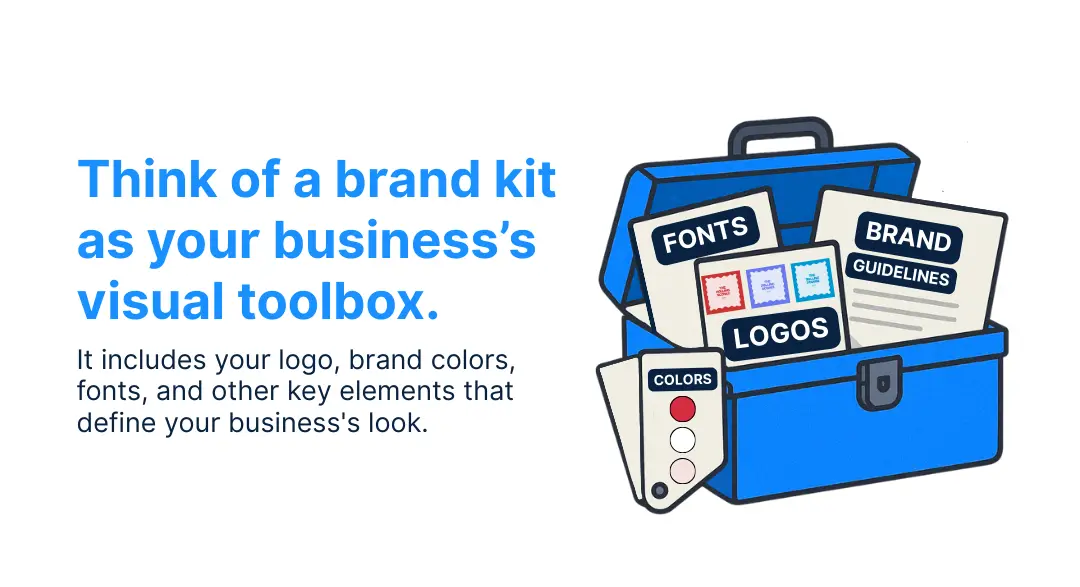
Think of a brand kit as your business’s visual toolbox. It includes your logo, brand colors, fonts, and other key elements that define your business's look.
Instead of tracking down files or guessing what color you used last time, everything is right there, completely organized, and ready to go. You can open up your brand kit and know exactly what to use anytime you need to create something new.
The biggest benefit of a brand kit is consistency. Your look will be the same wherever your brand appears, from social posts and email graphics to signage, product tags, or packaging. That consistency makes your business easier to recognize and trust.
If design tasks feel like a constant game of “find the right version,” your brand kit is how you simplify the process and keep things looking like they belong together.
5 Elements of a Small Business Brand Kit
You may be feeling a bit overwhelmed with the thought of creating a brand kit, and that’s okay. Your brand kit doesn’t need to be over the top. It just needs to work. The goal is to have your core visual elements in one place so you can use them quickly, confidently, and consistently.
These are the essentials every small business should have on hand:
- Logo files
- Brand colors
- Fonts
- Brand board
- Templates
With these five pieces in place, you’ll have everything you need to create content that looks consistent and feels like your brand.
Signs It’s Time to Get Your Branding Organized
If you’ve ever opened a design tool and found yourself thinking, “What font did I use again?”, you probably need a brand kit.
The truth is, most small businesses hit a point where branding starts to feel scattered.
You start with a logo and some colors that feel right, but as things grow and shift, it can get harder to keep everything looking consistent across all of your marketing materials and digital platforms. What used to feel clear starts to feel messy. And when your visuals are all over the place, it can make your business feel that way, too.
If any of this sounds familiar, here are a few signs your business might be ready for a brand kit:
- You’re reusing old files because it’s faster than finding the “right” one.
- Everything looks slightly different across your website, socials, and marketing materials.
- You’re doing it all yourself because it’s easier than explaining your brand to someone else.
- You’ve hired help, but they keep asking for your logo, colors, or fonts.
A brand kit won’t solve every design challenge, but it will give you a solid foundation to work from. It saves time, reduces second-guessing, and helps your business show up like it’s put-together, even when things behind the scenes are moving fast.
How to Create a Ready-to-Use Brand Kit With LOGO.com
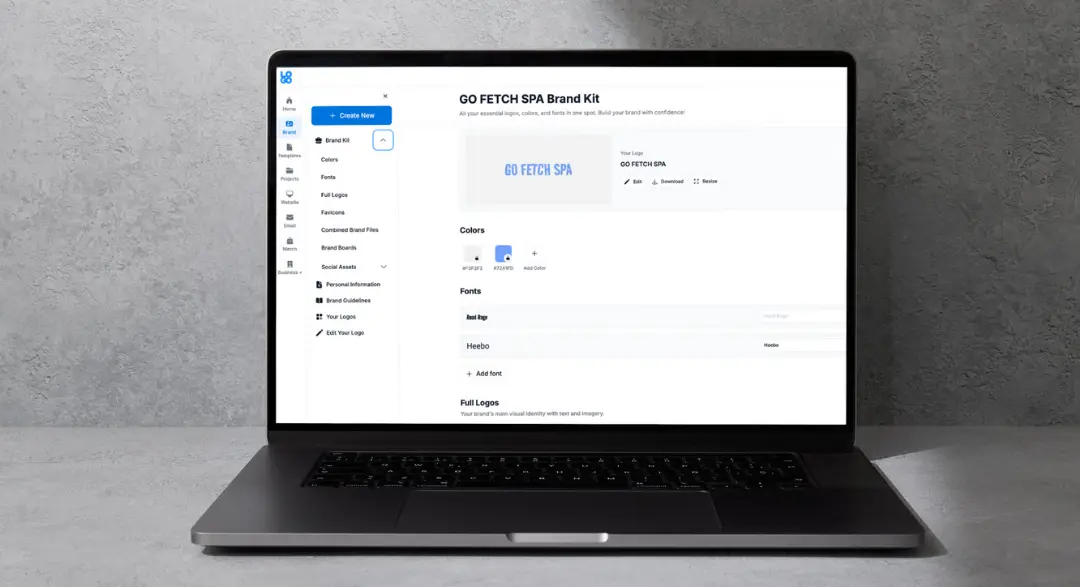
Once you know what goes into a brand kit, the next step is pulling it all together, and LOGO.com makes that part simple.
You don’t need to have anything designed ahead of time. Just enter your business name, and LOGO.com will help you build a complete brand kit with a logo, color palette, font pairings, and more.
Here’s how to get started:
1. Enter Your Business Name: LOGO.com generates logo designs based on your name and preferences. You can explore different styles and customize one to match the look you want.
2. Customize Your Assets: Once you pick a design, you can adjust the colors and typography to reflect your brand’s personality.
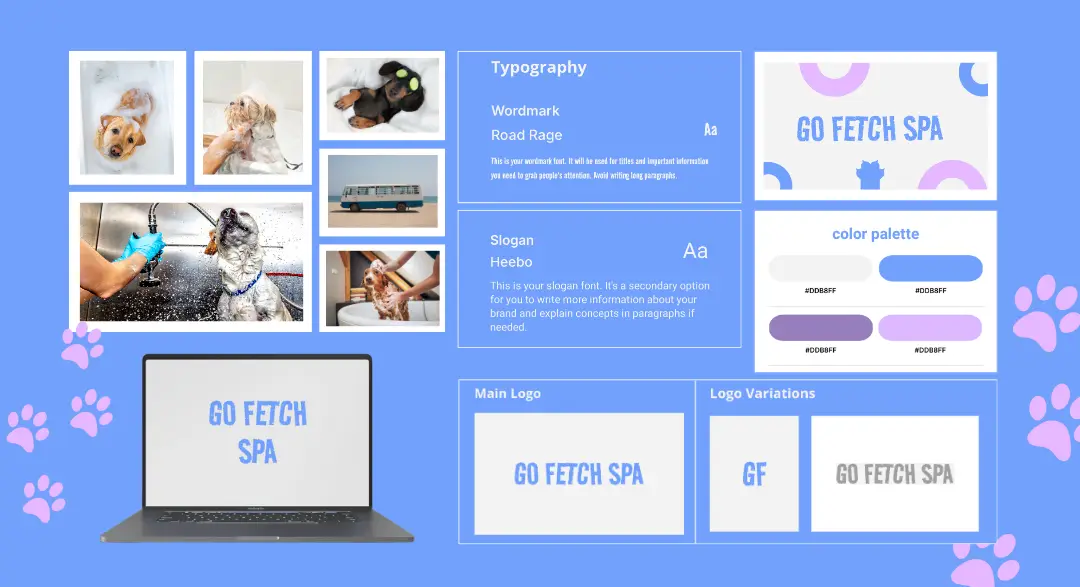
3. Get Your Brand Kit: After you create your logo, LOGO.com generates a complete brand kit, which includes your logo files in multiple formats, your color palette with HEX codes, font pairings, and a visual brand board.
4. Access Templates and Brand-Ready Tools: You’ll also get access to templates for social posts, business cards, emails, and more, already styled to match your new brand.
How to Use Your Brand Kit: A Simple Plan for Small Business Owners
Once your brand kit is in place, the real value comes from using it often. The more consistent your visuals are, from your website to your packaging, the easier it is for people to recognize your business and feel confident engaging with it.
Here’s a simple plan to help you start using your brand kit right away:
Use Your Brand Kit to Keep Every Page Consistent
Your website is one of the first places people interact with your brand, so you’ll want to make a good first impression.
Here’s how to use your brand kit to bring it all together:
- Add your logo to key spots like the header, footer, and favicon (the small icon that shows up in browser tabs).
- Use your brand colors across buttons, navigation menus, link highlights, and background sections. This keeps the website feeling connected from top to bottom.
- Apply your brand fonts to page titles, headings, and body text for a consistent reading experience.
If your website builder has a design or theme panel, set your brand colors and fonts there first. This way, as your website grows, every page you build will automatically stay on-brand.
Make Your Brand Instantly Recognizable in the Feed
Social media is where your brand shows up the most, and it’s often where people discover you for the first time. This is where your brand kit will really shine. The more you are consistent with your branding, the more people will start to recognize your business.
Here’s how you can use your brand kit on your social media platforms:
- Add your logo to your profile picture.
- Use your brand colors and fonts in your graphics and templates.
- Create a few go-to post styles, such as tips, testimonials, or product highlights, that follow the same aesthetic.
If you’re not sure where to start, try creating three simple post templates you can rotate through. When the foundation is already set, it’s much easier to stay active and consistent.
Create Branded Emails That Feel Professional and Familiar
When your emails match the rest of your branding, your business feels more put-together and professional.
Here’s how to bring your brand kit into your emails:
- Add your logo and brand colors to your email signature.
- Use the same fonts and colors in your newsletters and announcements.
- Keep the tone and layout consistent with your website and social content.
Even the smallest of touches can make a big difference in how polished and on brand your emails feel.
Make Your Brand Look Just as Good Offline
If you’re using things like business cards, product packaging, or thank-you notes, your brand should show up there too. When your printed materials match your digital presence, your business feels more cohesive and more professional.
Use your brand kit to:
- Add your logo to business cards, postcards, or shipping inserts.
- Match your colors and fonts across printed materials and product labels.
- Keep things simple but consistent, so everything looks like it belongs together.
If you’re working with a local printer or using an online design tool, having your logo files, HEX codes, and font names ready makes the process faster and keeps you from making design decisions that don’t align with your branding.
Make It Easy for Others to Stay on Brand, Too
Even if you’re the one handling most things right now, chances are you’ll eventually ask someone else to help, whether it’s a freelancer, a part-time assistant, or a friend lending a hand.
Your brand kit makes that handoff a lot easier. Instead of explaining your brand from scratch, you can simply send over:
- Your logo files (with clear file names for different versions).
- Your brand colors with HEX codes.
- Font names and where to download them.
- A brand board or quick-reference file that shows how it all fits together.
Remember to include your brand guidelines, too. They give whoever’s helping you a clear picture of how to use your branding assets the right way, like where to place your logo, which colors to use, and what not to change. As you start sharing brand assets across different tools, it’s also important to keep an eye on security, not just organization. AI security posture management (AI-SPM) helps you understand how your data and assets are being used across apps, especially as you rely more on AI tools for design or content. It’s a simple way to stay in control as your setup grows.
If you have a LOGO.com Pro account, you’ll find your brand guidelines already built for you in your dashboard.
Ready to Create Your Brand Kit?
You’ve already put time and energy into building your business. Now it’s time to make sure your brand reflects that same level of care.
A strong brand kit helps your business look more polished, stay consistent, and feel easier to manage, whether you’re designing your website, posting on social media, sending emails, or creating packaging. It keeps everything aligned, even when things are moving fast behind the scenes.
With LOGO.com, you don’t have to piece it all together. Just enter your business name, choose a logo, and get a complete brand kit that’s ready to use everywhere your business shows up.
It’s one simple step that helps take your brand from start to success.
Recent posts
Oct 19, 2026 by: Sean Baker

Oct 14, 2026 by: Vanessa Lam
Oct 12, 2026 by: Sean Baker
Oct 5, 2026 by: Sean Baker