How Business Owners Can Use AI to Make Better Branding Decisions
Build a polished brand without a big budget. Learn how AI tools can help small businesses create logos, websites, and more—no design experience needed.
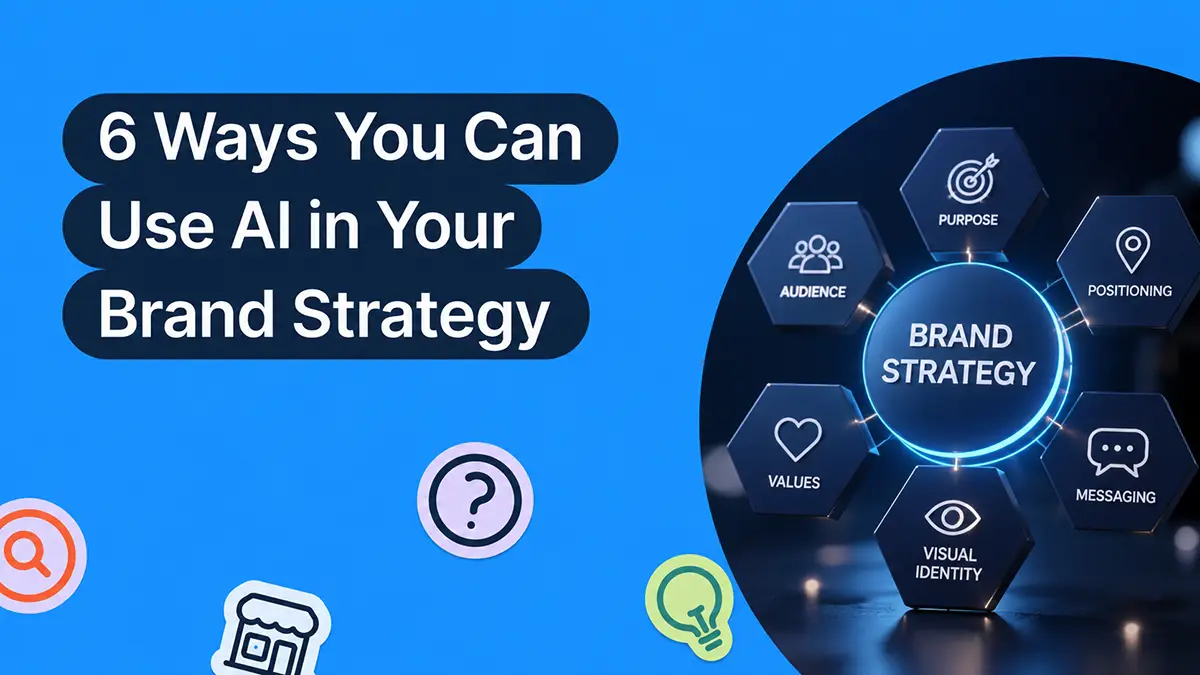
You’ve got the idea. The name. Maybe even your first few customers. But when it comes to branding? That’s where most small business owners get stuck.
You know you need a logo that doesn’t look DIY. A website that works on mobile. A style that feels consistent, not cobbled together. But hiring a designer or branding agency? Out of budget. Doing it all yourself? Out of time.
Here’s the good news: You don’t need a big budget or a creative background to look like a real brand.
Thanks to AI tools built for small business owners, you can create a logo, pick colors that make sense, launch a clean website, and show up online with confidence—all in a fraction of the time.
Why Your Brand Matters (Even If You’re Just Starting Out)
Your brand isn’t just your logo. It’s how people recognize you. It’s how they feel when they see your product, visit your website, or read an email from you.
Think about the businesses you trust. Chances are, they have:
- A clean, consistent look
- A website that’s easy to use
- Messaging that sounds like it came from a real human
That’s what we’re aiming for.
The goal isn’t perfection—it’s consistency. And consistency builds trust. When your brand looks like it has its act together, people are more likely to buy, follow, and recommend.
6 Ways AI Can Help You Create a Professional-Looking Brand
One of the biggest advantages of using AI is how much time it saves. Tasks that used to take hours—like researching ideas, drafting copy, or testing design options—can now be handled in minutes. It’s like having a creative assistant who never sleeps, always has ideas, and doesn’t charge by the hour. Reviewing what AI agents for small businesses actually handle end to end, from drafting a weekly post batch to sorting enquiry emails and pulling competitor pricing, helps you decide which jobs are worth handing over first.
Instead of staring at a blank page or getting lost in endless design decisions, AI gives you a starting point—and smart suggestions that help you move faster and make stronger choices.
However, it’s important to remember that it’s a tool for you to use. AI can speed up the process, but it can’t define what your brand stands for. That part’s yours.
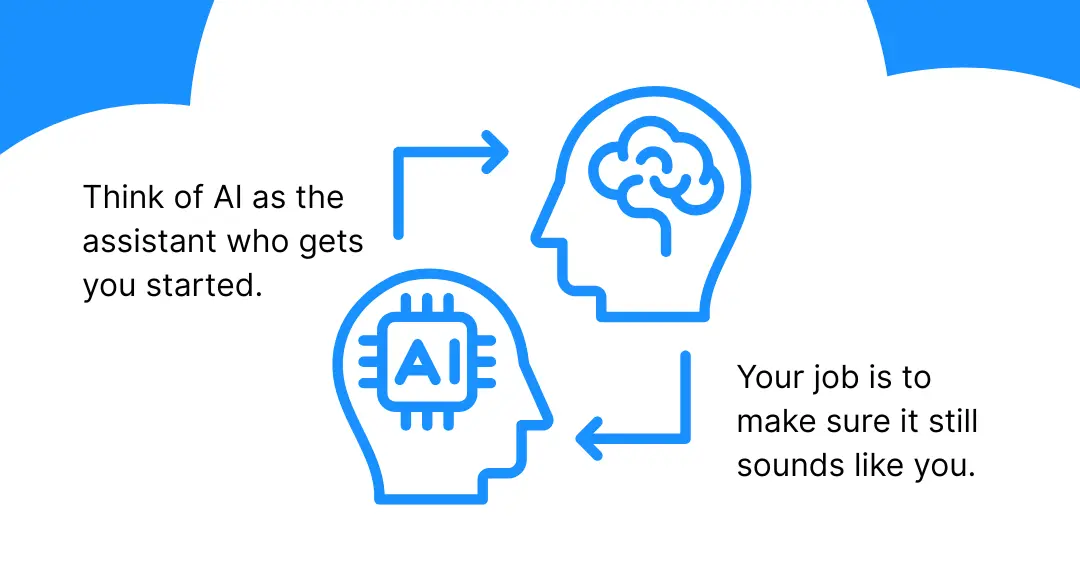
Here are six ways to use AI to build a brand that feels consistent, clear, and confidently yours:
- Logo creation: Generate professional logo options based on your business name and industry
- Color palettes: Instantly explore brand-friendly color combinations that match your style and personality.
- Font pairing: Get smart recommendations for fonts that work together and reflect your vibe.
- Website design: Use AI-powered site builders to create a branded website layout with your colors, fonts, and logo already built in.
- Content support: Let AI help with writing your About page, product descriptions, or social captions—then personalize it to sound like you.
- Brand consistency: Keep your look aligned across social, web, email, and print without reinventing the wheel every time.
In short, AI can speed things up, reduce decision fatigue, and help you look put-together without needing a design degree or a marketing budget.
When you pair AI with the right tools, you can build a brand that looks and feels professional, even if you’re doing it between client calls, school pickups, or late-night bursts of motivation.
Let’s break down how to make it happen.
1. Design a Logo That Feels Professional—Without Starting From Scratch
Your logo is one of the first things people notice. It’s on your website, your social media, your business cards, your merch—everywhere.
And yes, you can create one yourself that looks professional.
You don’t need to start from a blank screen.
You don’t need design skills.
You just need a direction and the right tool to get there.
How AI Helps You Design a Logo That Works
You don’t need to be a designer to end up with a great logo. You just need a starting point that makes sense for your business, and a tool that helps you make decisions without overthinking every detail.
This is where AI becomes surprisingly useful.
Instead of sorting through endless options, you get focused, thoughtful suggestions based on what works for your industry, style, and goals.
Here’s how AI helps you land on a logo that looks and feels right:
AI Can Suggest Logo Styles That Match Your Business
If you’ve ever opened a design tool and been hit with 500 template options, you know the overwhelm is real.
AI skips that noise. And some AI tools are better than others.
LOGO.com’s AI logo generator uses your business name and category to surface designs that make sense for what you do, not just what’s trending or generic.
It narrows the field in a smart, intentional way, so you’re not spending hours tweaking your color palette or swapping icons that were never a good fit to begin with.
You get designs that are aligned from the start, which means less guesswork and a lot more momentum.
AI Can Give You Flexible Versions From the Start
Your logo needs to look good on a website header, but also as a tiny profile pic. You’ll eventually want to print it on something, add it to an email signature, or turn it into a sticker.
Most AI tools can give you horizontal, stacked, and icon-only variations up front, so you’re not rebuilding the whole thing every time you need a different layout.
That’s not just convenient, it’s a time-saver that keeps your brand feeling consistent no matter where it shows up.
Save yourself some time: Pick one version of your logo and use it everywhere, such as your website, social media, and merchandise. Repeating it consistently does more for brand recognition than constantly tweaking it.
2: Choose Colors That Tell the Right Story—and Stick With Them
Color does a lot of heavy lifting, and AI can help carry that load.
Before anyone reads a word or clicks a link, it’s already saying something about your brand—calm, bold, playful, classic, offbeat, trustworthy.
You get to shape that first impression.
But the trick isn’t finding the perfect shade. It’s choosing a palette you won’t second-guess later—something you can build around again and again.
Here’s a simple structure that works:
- One core color to be your anchor. The one that shows up the most.
- One or two accents for buttons, highlights, and variety.
- One neutral to let everything else breathe.
Once you’ve got a direction, the right tools can help you shape it into something usable, not just once, but across everything you build.
LOGO.com gives you curated palettes when you generate your logo—options that already work with your design and don’t require tweaking unless you want to. You can adjust the feel, shift the balance, or lock in something that already clicks.
If you want to explore on your own, tools like Khroma or Coolors use AI to suggest color combinations that work well together.
One less thing to think about later: Lock in your brand colors early and use them everywhere. You’ll avoid redesign spirals and stay recognizable.
3: Find Fonts That Match Your Vibe (and Actually Work Together)
Most people know when a design feels off, but they don’t always know why. More often than not, it’s the fonts.
Choosing fonts that match your brand and work well together can feel frustrating, especially when you’re staring at endless options with no real guidance.
That’s where AI can help you make a confident and fast decision that complements your branding.
Tools like LOGO.com’s font suggestions or FontJoy offer font pairings that are already balanced, readable, and made to work side-by-side.
The AI tools take things like spacing, hierarchy, and tone into account, so you’re not stuck cobbling something together on your own.
Once you’ve landed on a font pairing you love, keep it simple with these go-to best practices:
- One font for headlines, one for body text.
- Make sure both are easy to read, especially on mobile.
- Stick to the same fonts across your logo, website, social posts, and graphics.
AI gives you a solid starting point, so you're not stuck second-guessing or adjusting fonts every time you create something new.
Make this part easy: Choose fonts that are simple and clear. You’ll save time now and avoid redesign headaches down the line.
4: Launch a Website That Looks Pulled-Together from Day One
Knowing you need a website is one thing, but figuring out how it should look, what to include, and how to make it all feel consistent is another, which is why most people get stuck at this step in their branding.
This is where AI can help out a lot. Not by taking over building your entire website, but by giving you something solid to react to. Instead of starting your website from scratch, you just answer a few quick questions.
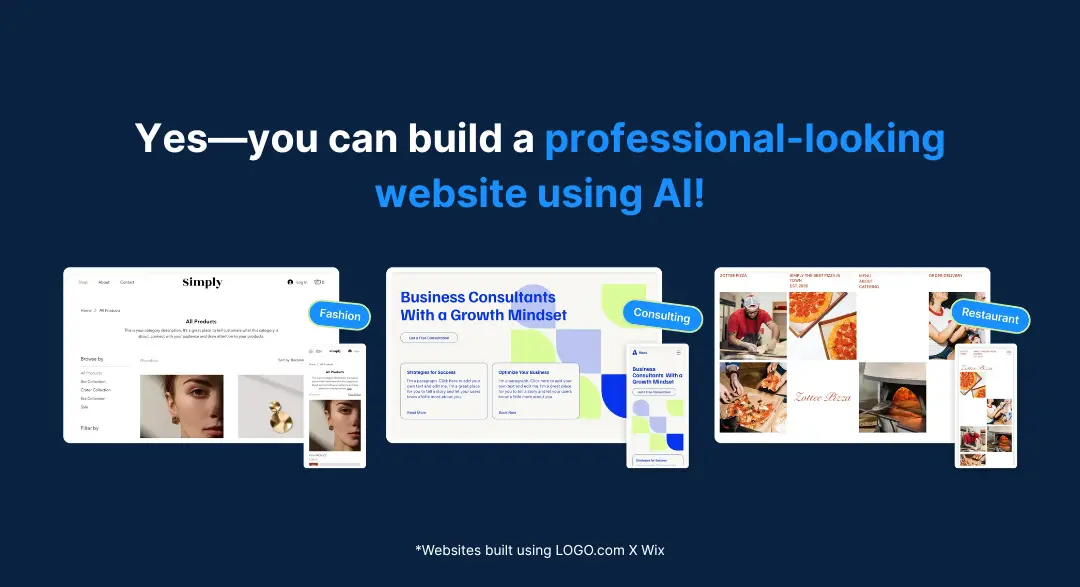
These tools can build a layout that fits your type of business—sections in the right order, styled to match your logo if you already have one.
Then, you can update the layout, swap out sections, or tweak the design, but you don’t have to decide everything upfront. The first version doesn’t need to be perfect. It just needs to exist.
Once the basics are there, it’s easier to focus on what matters:
- A homepage that explains what you do and who it’s for.
- A short about section that feels like you.
- Contact info that’s easy to find.
- A simple breakdown of your services or offerings.
Getting your website live—without overthinking every detail—can help you move forward with confidence.
You can always fine-tune later, but having a clear, functional site gives people a place to learn more and take the next step.
LOGO.com x Wix helps make that possible. You don’t need to worry about layout or design rules—Wix’s Artificial Design Intelligence (ADI) builds a starting point based on a few quick answers about your business. It even carries over your brand fonts and colors if you’ve already created a logo on LOGO.com, so everything feels consistent from the start.
Don’t hold back: Get your website online, then check it on your phone. If it reads clearly and works smoothly, you’re ready to share it.
5: Write Like You Talk—With AI’s Help Behind the Scenes
You don’t need to write everything from scratch. But you do need it to sound like it came from you.
AI writing tools like ChatGPT or Jasper are great for getting the ball rolling, especially when you're staring at a blinking cursor and have no idea how to describe what you do.
Let the AI take the first pass at things like:
- Turning messy thoughts into a first draft.
- Filling in your website’s About page.
- Summarizing a service without sounding robotic.
- Writing a caption when your brain is done for the day.
But do you know what AI can’t do?
It can’t sound like you.
AI tools don’t know your voice, your values, or what makes your business different.
That’s the part only you can bring.
How to Use AI for Writing Without Sounding Like a Robot
AI tools are great for getting past a blank screen, but what they give you usually needs a little cleanup.
Here’s how to turn a rough AI draft into something that sounds real, polished, and true to your brand.
1. Use AI to Get Something on the Page
Let’s say you ask ChatGPT to write an “About” section for your dog grooming business.
AI might give you:
“At Paws & Shine, we are passionate about delivering exceptional grooming services tailored to your beloved pet’s needs. Our mission is to provide a luxurious grooming experience in a warm and welcoming environment.”
Not bad… but not you.
2. Cut the Fluff and Rewrite It in Your Voice
Read it out loud. Would you actually say that?
If not, you’ll want to rewrite it with more of your personality and voice.
Your voice might sound more like:
“We’re Paws & Shine—a small grooming studio that treats your dog like our own. No gimmicks. Just calm, clean care from people who genuinely love pets.”
This version still says what you do, but with way more personality. That’s what people connect with.
3. Keep It Short, Real, and Clear
Don’t try to impress. Try to connect. Keep sentences short. Skip jargon. Say what you mean.
Instead of:
“Our holistic, customer-centric approach ensures that each client receives unparalleled service.”
Try:
“We focus on clear communication, quick turnarounds, and work that actually works.”
Shorter. Stronger. More believable.
4. If It Sounds Like a Sales Pitch You’d Never Say Out Loud—Scrap It
AI tends to default to marketing speak. You know the tone: vague, polished, and kind of annoying.
Cue the cringe, the example below is a tall-tale sign of using AI and NOT incorporating your brand voice:
“Unlock your brand’s full potential with our dynamic suite of cutting-edge solutions.”
Would you ever say that to a friend? No! So don’t say it on your website.
This sounds more natural:
“We help small businesses build a brand that looks legit from day one—without the overwhelm.”
That’s the difference between sounding like a business and sounding like a human.
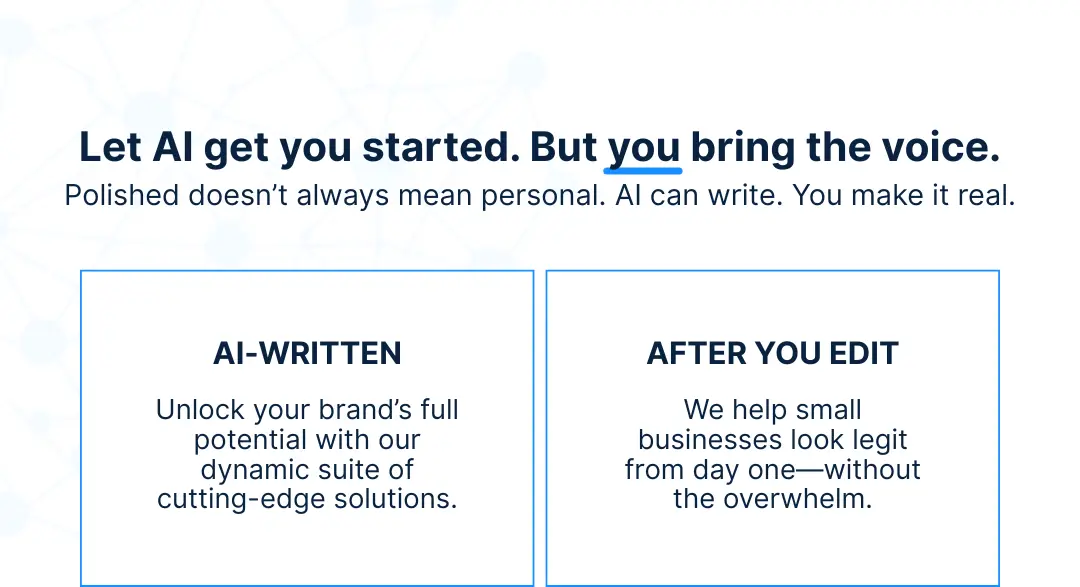
Save editing time later: Let AI give you the raw material, but then take a minute to shape it. If it doesn’t sound like something you’d say in real life, rewrite it now. Use an AI humanizer tool to smooth out stiff phrasing so the draft already sounds closer to how you’d say it. The more “you” it feels, the less you’ll need to fix down the line.
6: Stay Consistent Everywhere—Without Doing It All Manually
One of the biggest branding challenges is staying consistent without spending your whole week on design decisions. And the reality is, most small business owners don’t have hours to double-check that every post, page, and piece of packaging lines up with their brand.
Most people don’t realize that branding isn’t just visual—it’s mental.
Once you’ve picked your logo, colors, and tone, the hardest part is carrying those decisions forward across everything you do.
And that’s where most people get stuck—not because they don’t care about consistency, but because they’re tired.
Tired of rewriting the same lines. Tired of choosing the same colors.
Tired of second-guessing whether a post or page still “sounds like them.”
This is one of those moments where AI earns its keep. It won’t build your brand for you, but it makes it a lot easier to stay consistent without overthinking every move.
Here’s how:
- AI remembers what you set. Design tools like LOGO.com’s Brand Kit save your visual decisions so you don’t have to reapply them every time you make a graphic.
- It gets you past the blank page. Tools like ChatGPT can take your half-thought-out idea and shape it into a caption, headline, or description, so you’re not starting from zero.
- AI reduces repeat work. Whether you’re writing a product description using Wix SEO tools, formatting a blog post, or drafting a social caption, AI gives you something to react to, instead of reinventing it from scratch.
You still steer the brand. You still make the calls.
But with the right tools, you're not carrying the full creative weight of your business every single day.
Time-saver alert: Batch your branding tasks by letting AI draft a few posts or social media templates, then fine-tune them all at once. It’s way more efficient than starting fresh every time.
4 Common Mistakes to Avoid (Because AI Isn’t a Branding Shortcut)
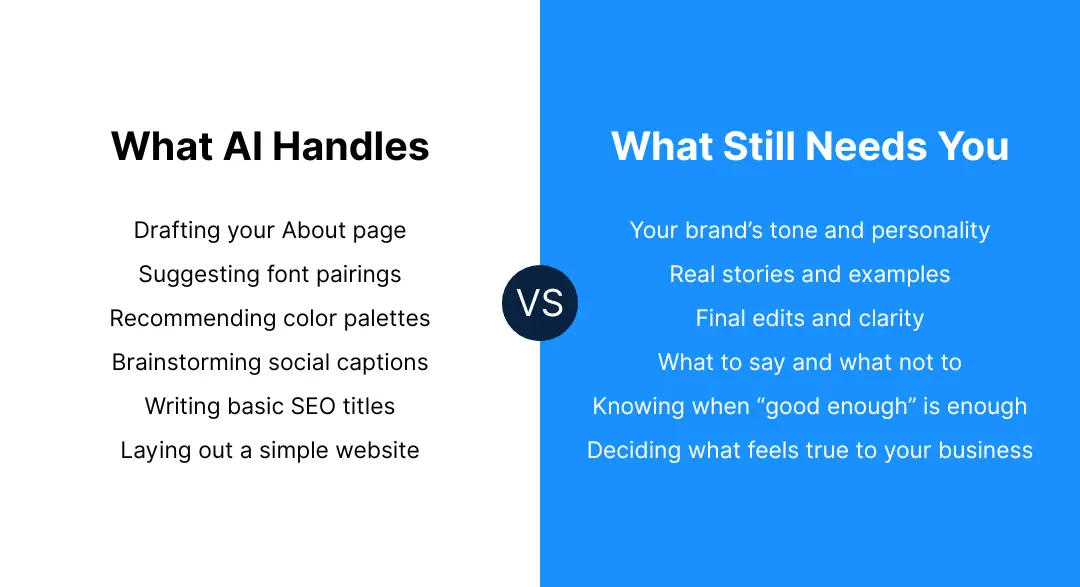
AI can be incredibly helpful—but it’s not magic. It’s still up to you to make sure your brand feels clear, consistent, and real.
Here are a few common missteps to watch for:
1. Using Too Many Styles At Once
Jumping between fonts, colors, or logo versions across platforms makes your brand feel scattered. Choose a visual style and stick with it.
Consistency builds trust faster than clever design.
2. Letting AI Write Everything
AI can help you get words on the page, but your brand still needs a human voice. Don’t skip the edit. Review everything with your audience in mind and make sure it sounds like something you’d say.
3. Overcomplicating the Basics With AI Tools
AI can suggest complex layouts, flashy templates, or overly stylized logo designs—but more isn’t always better. If you say yes to everything it generates, you can end up with a brand that looks busy and hard to recognize.
Use AI to explore ideas, but keep the final result simple, readable, and easy to reuse.
4. Forgetting to Sound Like You
AI tools can help you find your voice by analyzing what you already write or mimicking common tones (like “friendly,” “professional,” or “bold”). But your real voice comes from what you believe, how you talk to your customers, and what makes your business feel human.
You Don’t Need a Big Team to Build a Real Brand
AI can’t replace your instincts, your taste, or your story. But it can take the edge off the repetition, the second-guessing, and the never-ending blank pages.
You don’t need to over-design, over-write, or overthink to look like a real business. You just need to set the tone—and keep showing up.
Start by creating a logo using LOGO.com’s AI-powered logo generator. It gives you dozens of smart, usable options in seconds, so you’re not stuck staring at a blank screen.
Pick one that fits, adjust it, and start building everything else around it.
It’s a small first step. But it sets the whole brand in motion.
Recent posts
Oct 19, 2026 by: Sean Baker
Oct 14, 2026 by: Vanessa Lam
Oct 12, 2026 by: Sean Baker
Oct 5, 2026 by: Sean Baker