Is using Gmail as a freelancer a red flag in 2026?
Is Gmail hurting your freelance credibility? Learn when you need a custom domain email, how to set one up, and what clients actually notice in 2026.
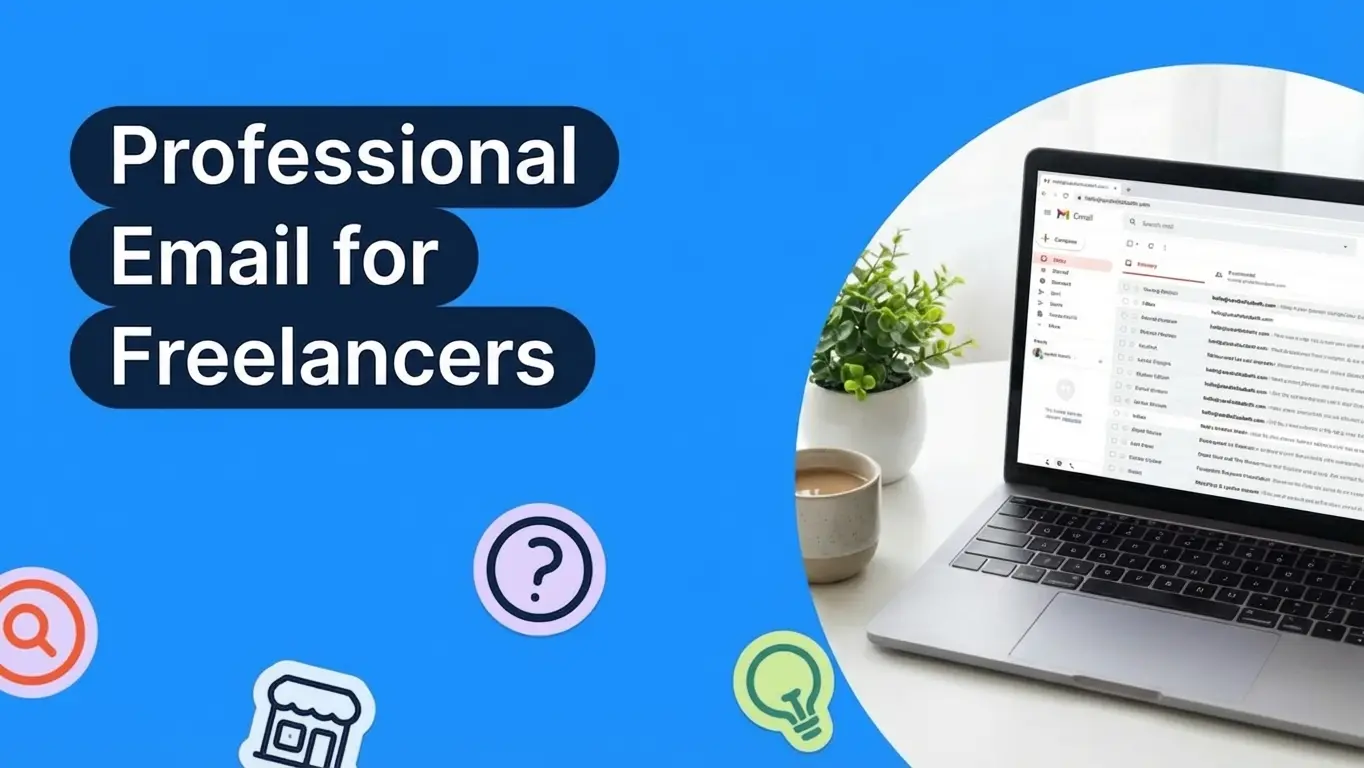
A Gmail address won't automatically cost you clients, but a custom domain email builds trust faster and makes your freelance business look established. According to LOGO.com data, nearly 88% of new users signed up with a Gmail address, showing just how common free email providers remain among business owners building their brand for the first time. This guide covers when to upgrade, how to set it up affordably, and the branding details that actually matter to clients.
Why Your Email Address Matters More Than You Think
Your email address is often the very first thing a potential client sees before they even open your message. It shows up in their inbox preview, on your invoices, in your proposals, and on every piece of communication you send. And whether you like it or not, people form snap judgments based on small details like this.
Think about it from your client’s perspective. They are comparing two freelance designers. One sends a proposal from sarah@sarahkimdesign.com. The other sends it from sarahkim2847@gmail.com. The work inside might be identical, but the first email instantly feels more polished and intentional. That is the power of a professional email address.
This does not mean Gmail is a dealbreaker. Plenty of successful freelancers use Gmail every day. But when you are competing for higher paying projects or working with corporate clients who forward your emails internally, a custom domain email removes one small reason for someone to hesitate.
Your email address is part of your brand identity, just like your logo, your website, and the way you present yourself on social media. It either reinforces the impression that you are a professional or quietly undermines it.
When Gmail Is Perfectly Fine for Freelancers
Before you rush to buy a domain and set up a custom email, it is worth understanding that Gmail works just fine in many situations. Not every freelancer needs a branded email address right away.
If you are just starting out and testing whether freelancing is right for you, Gmail lets you get going without any upfront cost. You can always upgrade later once you have steady clients and income to justify the expense.
Gmail also works well if your clients come primarily through referrals. When someone recommends you to a friend or colleague, the referral itself carries more weight than the email address in the "from" field. Your reputation does the heavy lifting, not your domain name.
Freelancers working on platforms like Upwork, Fiverr, or Toptal communicate mainly through the platform itself. In those cases, your email address rarely comes into play during the sales process. Clients on these platforms care about your portfolio, your ratings, and your proposal quality far more than your email provider.
And honestly, a clean Gmail address like sarahkim.design@gmail.com looks perfectly respectable. The issue is not Gmail itself. The issue is when your email address looks random, unprofessional, or unrelated to your business name.
When You Need a Custom Domain Email
There are clear signals that it is time to move beyond Gmail and invest in a custom domain email. If you recognize any of these situations, upgrading should be a priority.
You are sending cold pitches or outreach emails to potential clients who do not know you yet. In these cases, your email address is doing the heavy lifting because there is no referral, no prior relationship, and no portfolio link they have already clicked. A branded email immediately establishes that you are running a real business, not sending mass emails from a throwaway account.
You are working with corporate or enterprise clients. Larger companies often have procurement and vendor management processes. When your invoice comes from a Gmail address, it can raise questions internally. A branded email makes it easier for your point of contact to justify hiring you to their finance team or manager.
You are raising your rates. As you move into higher price brackets, clients expect a more polished experience across the board. A custom email address is a small detail, but it contributes to the overall perception that you are worth what you charge.
You have a website already. If you have invested in a domain for your portfolio site, setting up a matching email address is a natural next step and often costs very little extra. It would actually look strange to have sarahkimdesign.com as your website but still send emails from a Gmail account.
You are building a team. Even if you are hiring your first subcontractor or virtual assistant, using branded email addresses like hello@yourbusiness.com and support@yourbusiness.com creates a consistent experience for your clients and makes your operation look more established.
How to Set Up a Professional Email on a Budget
Setting up a custom domain email is much simpler and more affordable than most freelancers expect. Here is the basic process.
First, you need a domain name. If you already have a website, you already have one. If not, you can register a domain through providers like Namecheap, Google Domains, Cloudflare, or GoDaddy. A .com domain typically costs between $10 and $15 per year.
Next, you need an email hosting provider. You have two main paths here. You can use Google Workspace, which gives you a Gmail interface with your custom domain, starting at $7 per month. This means you keep the familiar Gmail experience but your address shows as you@yourdomain.com instead of you@gmail.com. Alternatively, you can use a more affordable provider like Zoho Mail, which offers a free plan for up to five users with a custom domain, or Fastmail, which starts at $5 per month.
The setup process involves updating your domain’s DNS records, which sounds technical but usually takes about 15 minutes. Every email provider has step by step guides and most domain registrars have customer support teams that can help.
If budget is your primary concern, here is the most affordable path. Register a domain through Namecheap for around $10 per year, then use Zoho Mail’s free plan. Your total cost for the first year would be roughly $10. Compare that to the cost of losing even one client because your email did not look professional enough.
One thing worth noting is that many freelancers overthink the domain choice. If your business name is taken as a .com, consider alternatives like .co, .design, .studio, or .io depending on your industry. A clean domain with a less common extension looks far more professional than a cluttered .com with extra words crammed in. For example, sarah@kimdesign.co is cleaner and more memorable than sarah@sarahkimdesignstudio.com.
Once your email is set up, take ten minutes to configure your email signature. Include your full name, your title or specialty, your website URL, and optionally your phone number. Skip the social media icons, animated banners, and motivational quotes. A minimal signature looks more confident and takes up less space in email threads.
Choosing the Right Email Provider
The email provider you choose depends on your priorities, your budget, and how you already work. Here is a quick breakdown of the most popular options for freelancers.
Google Workspace remains the most popular choice because it is essentially Gmail with your own domain. You get 30 GB of storage, access to Google Drive, Docs, Sheets, and Calendar, and the same interface you already know. At $7 per month per user, it is not the cheapest option, but the convenience factor is hard to beat.
Microsoft 365 Business Basic starts at $6 per month and gives you Outlook email with your custom domain, plus access to Word, Excel, PowerPoint, and OneDrive. If you already work in the Microsoft ecosystem or your clients send you Word documents regularly, this could be a natural fit.
Zoho Mail offers a free tier for up to five users with a custom domain, making it the most budget friendly option. The interface is clean and functional, though it lacks the deep integration with tools like Google Docs. For freelancers who primarily need email and nothing else, Zoho is an excellent starting point.
Fastmail is a privacy focused email provider starting at $5 per month. It does not scan your emails for advertising purposes, and it offers excellent speed and reliability. If data privacy matters to you or your clients, Fastmail is worth considering.
For most freelancers, the decision comes down to Google Workspace if you want the full Google ecosystem, or Zoho Mail if you want to minimize costs. Both will give you a professional email address that works reliably.
What Clients Actually Notice About Your Email
While your email address matters, it is important to understand what clients actually pay attention to when they receive your messages. This helps you prioritize the details that make the biggest impact.
Your email signature is often more noticeable than your email address itself. A clean signature that includes your name, your title, your website link, and your phone number signals professionalism instantly. Avoid cluttered signatures with multiple fonts, inspirational quotes, or oversized logos. Keep it simple and functional.
Consistent branding across touchpoints matters more than any single element. When your email address, your website, your invoice header, and your social media profiles all share the same business name and visual style, you create a cohesive impression that feels trustworthy. If your email says one business name but your website says another, that inconsistency erodes confidence.
Response time and communication quality will always outweigh your email address. A freelancer who responds within a few hours from a Gmail account will win more repeat business than someone with a custom domain who takes three days to reply. Your email address opens the door, but your professionalism keeps clients coming back.
The format of your email address also matters. Use something simple and memorable like hello@, your first name@, or contact@yourbusiness.com. Avoid overly long or complicated addresses. The goal is that someone could remember your email after seeing it once.
Attachment quality is something most freelancers overlook entirely. When you send a proposal as a well formatted PDF with your logo and brand colors, it reinforces the same professionalism as your email address. A proposal pasted directly into the body of an email or sent as an unformatted Word document works against the polished impression your custom domain email is trying to create. Every touchpoint in your communication should tell the same story about the quality of your work.
Finally, how you write your emails matters just as much as the address they come from. Clear subject lines, concise paragraphs, and a friendly but professional tone all contribute to the overall impression. An email from a custom domain that is riddled with typos or reads like a wall of text will not inspire confidence no matter how polished the address looks.
Common Email Mistakes Freelancers Make
Even after upgrading to a custom domain email, freelancers sometimes make avoidable mistakes that undermine the professionalism they are trying to build. Being aware of these pitfalls helps you get the most out of your new setup.
Using too many email addresses is a common trap. Some freelancers create info@, hello@, support@, billing@, and sales@ all at once, then struggle to monitor them all. When you are a solo operation, one primary email address is all you need. You can always add more addresses later as your business grows.
Forgetting to set up SPF, DKIM, and DMARC records is another mistake that causes real problems. These are email authentication records in your domain’s DNS settings that prove your emails are legitimate. Without them, your carefully crafted proposals might land in your client’s spam folder. Every email provider includes instructions for setting these up, and skipping this step can make your new professional email less reliable than your old Gmail account.
Neglecting your old email address after switching is a risk. Set up automatic forwarding from your Gmail to your new address and keep it active for at least a full year. Clients, platforms, and services you signed up for years ago still have your old address on file, and missing an important email because you shut down your old account too quickly can cost you money and relationships.
Mixing personal and business communication on your new email dilutes its purpose. Once you have a branded email, use it exclusively for business. Keep your personal subscriptions, social media logins, and shopping accounts on your Gmail. This separation makes your inbox more organized and keeps your business communication focused and searchable.
Finally, not updating your email everywhere at once creates a fragmented experience. When you switch, go through every platform, profile, and document that displays your email address. Update your LinkedIn, your freelance platform profiles, your website contact page, your invoice templates, your proposal templates, and your email signature all at the same time. A thorough switchover takes about an hour and saves you months of inconsistency.
Beyond Email: Other Branding Details That Build Credibility
Upgrading your email is just one piece of the puzzle. If you want to build a freelance brand that clients trust from the first interaction, there are several other quick wins that work alongside a professional email address.
A simple logo and consistent color palette go a long way. You do not need to spend thousands on a branding agency. Tools like LOGO.com let you create a professional logo in minutes and give you a complete brand kit with colors, fonts, and social media assets that all match. When your logo appears on your email signature, your proposals, and your invoices, everything feels intentional.
A one page website or portfolio site gives your email address somewhere to point. When a potential client receives your pitch, the first thing many of them will do is visit your website. Even a simple landing page with your services, a few work samples, and a contact form is enough to establish credibility.
Professional invoice and proposal templates reinforce your brand at critical moments in the client relationship. The point where you send a proposal is when the client is deciding whether to hire you. The point where you send an invoice is when they are deciding whether to pay you promptly. Both should look polished.
Social media profiles that match your business name and visual identity create consistency. If a client Googles your business name after receiving your email, they should find profiles that look established and active. Even if you only post occasionally, having branded social profiles creates a more complete picture.
Frequently Asked Questions
Is Gmail unprofessional for freelancers?
Gmail itself is not unprofessional. Millions of businesses use Google’s email infrastructure through Google Workspace. The issue is specifically with free @gmail.com addresses, which can make a freelance business look less established to certain clients. For casual work and referral based clients, Gmail is perfectly acceptable. For cold outreach and corporate clients, a custom domain email creates a stronger first impression.
How much does a professional email address cost?
The most affordable option is around $10 per year for a domain name combined with Zoho Mail’s free tier. Google Workspace, the most popular option, costs $7 per month plus the domain registration fee. Most freelancers can expect to spend between $10 and $100 per year depending on their provider and needs.
Can I use my Gmail account with a custom domain?
Yes. Google Workspace lets you use the Gmail interface with your own domain name. Your emails will show as you@yourdomain.com, but you will still have the same inbox, search, and filtering features you are used to from Gmail. This is the most common setup for freelancers who want to keep their Gmail workflow while looking more professional.
Should I use my name or my business name for my email domain?
This depends on your branding strategy. If your freelance brand is built around your personal name, using yourname.com makes sense. If you have a business name that you use consistently across all platforms, use that instead. The key is consistency. Whichever domain you choose should match your website, your social profiles, and your other business materials.
What email address format should freelancers use?
The simplest and most professional formats are hello@, your first name@, or contact@yourdomain.com. Avoid numbers, underscores, or anything that looks randomly generated. If your name is common and the simple version is not available, try adding your profession like sarah@sarahkimdesign.com rather than adding numbers.
Will changing my email address confuse existing clients?
Temporarily, yes. But you can minimize confusion by setting up email forwarding from your old Gmail address to your new custom domain email. This way you will never miss a message sent to your old address. Send a brief note to your active clients letting them know about the change, and update your email signature, invoices, and profiles. Most clients will adjust within a week or two.
Build a Brand That Goes Beyond Your Inbox
Your email address is one small piece of your freelance brand, but it is the kind of detail that compounds over time. Every email you send is a tiny reminder of who you are and how seriously you take your work. When that reminder looks polished and intentional, it reinforces every other branding decision you have made.
If you are ready to level up your freelance brand beyond just your email address, LOGO.com gives you everything you need to look established from day one. Create a professional logo, build a complete brand kit with matching colors and fonts, and get social media assets and business card designs that all work together. Your email, your website, your invoices, and your social profiles should all tell the same story. LOGO.com makes that easy.
Start building your freelance brand at LOGO.com today.
Recent posts
Oct 19, 2026 by: Sean Baker
Oct 14, 2026 by: Vanessa Lam
Oct 12, 2026 by: Sean Baker
Oct 5, 2026 by: Sean Baker