How to Update Logo Colors Like a Pro
Ready to refresh your brand's look? Learn how to update your logo colors like a pro with LOGO.com's intuitive tools. From testing vibrant palettes to maintaining brand consistency, we make it simple for anyone to create a polished, professional logo design.
Your logo is one of the most important parts of your brand—it’s what customers see first and remember most. But what happens when your logo colors start feeling outdated or no longer match your brand’s personality?
If you feel like you need a new look, you could always freshen up your logo colors. Just like a new haircut can make you feel like a whole new person, a color revamp can work wonders for your branding.
If you’re wondering how to change the colors of your current logo design, you’re in luck.
LOGO.com’s easy-to-use design tools make the process straightforward. Want to know the best part? You don’t have to be a professional graphic designer.
With features like a built-in color palette generator and real-time previews, you can experiment with logo color ideas and find the perfect look for your business.
2 Things to Think About Before You Change Your Logo Colors
Before jumping into the logo creator, you should consider changing the look of your logo carefully. The last thing you want to do is start rebranding your entire business without giving it much thought about how it could affect its future.
Ready to make your logo?
Will changing the color of your logo “ruin” your business? No.
Will changing the color of your logo make customers perceive your brand in a certain way? Yes.
This is why taking a thoughtful approach to your new logo color combination is the key to ensuring that it aligns with your brand and appeals to your customers.
Think about these two things:
1. What is the Reason for the Change?
What’s driving the need to change your logo color?
- Are you looking for a more modern or trendy aesthetic?
- Do you need better contrast for readability?
- Are you aligning with industry trends or redefining your brand’s identity?
For example, if you’re transitioning to an eco-friendly business model, you might want to explore green tones for a nature-inspired logo.
2. Review Your Current Logo
Take a close look at your current design. Ask yourself:
- Are the colors outdated or hard to read?
- Do they still represent your brand personality?
If your logo looks washed out on merchandise or doesn’t pop online, it’s time to change.
The Easiest Way to Update Your Logo Colors: LOGO.com’s Color Tool
Changing your logo colors with LOGO.com is simple and intuitive, thanks to its user-friendly logo maker.
Here’s how you can do it:
Get Started With LOGO.com
Begin by logging into your LOGO.com account and navigating to the "Brand" section on your dashboard.
Under "Your Logos," select the logo you want to edit and click "Edit Your Logo." This will take you directly to LOGO.com’s design editor, where the magic happens.
Access the Color Tool
In the design editor, click on the "Color" option to view your current color palette.
If you like your existing colors but want a slight refresh, try shuffling the palette for a new take on your current scheme.
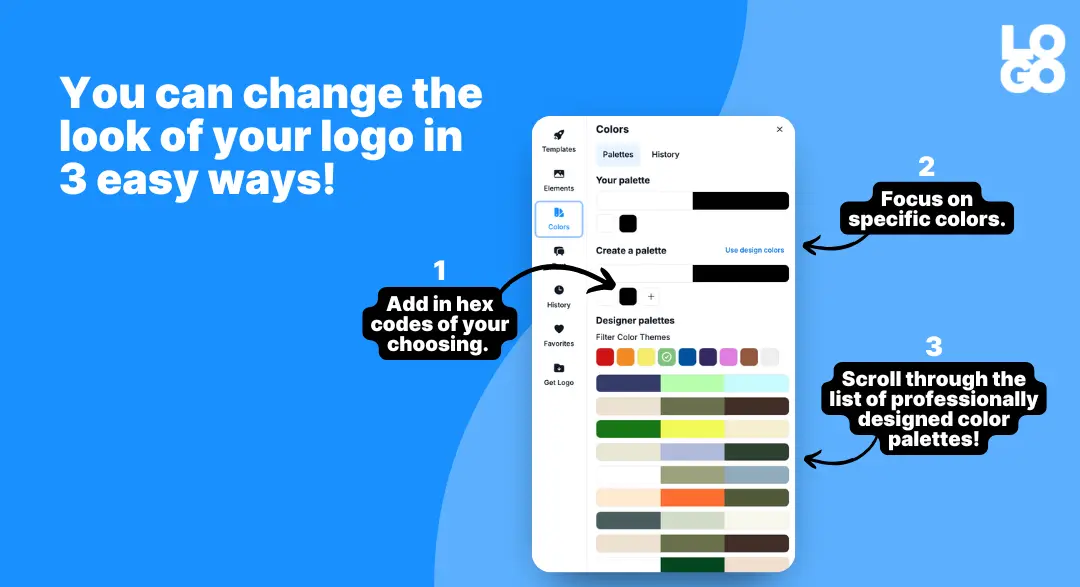
For more specific adjustments, you can manually input hex codes to align with your brand guidelines, ensuring precise customization.
Experiment with the Color Palette Generator
LOGO.com’s built-in color palette generator offers a wide selection of professionally curated palettes.
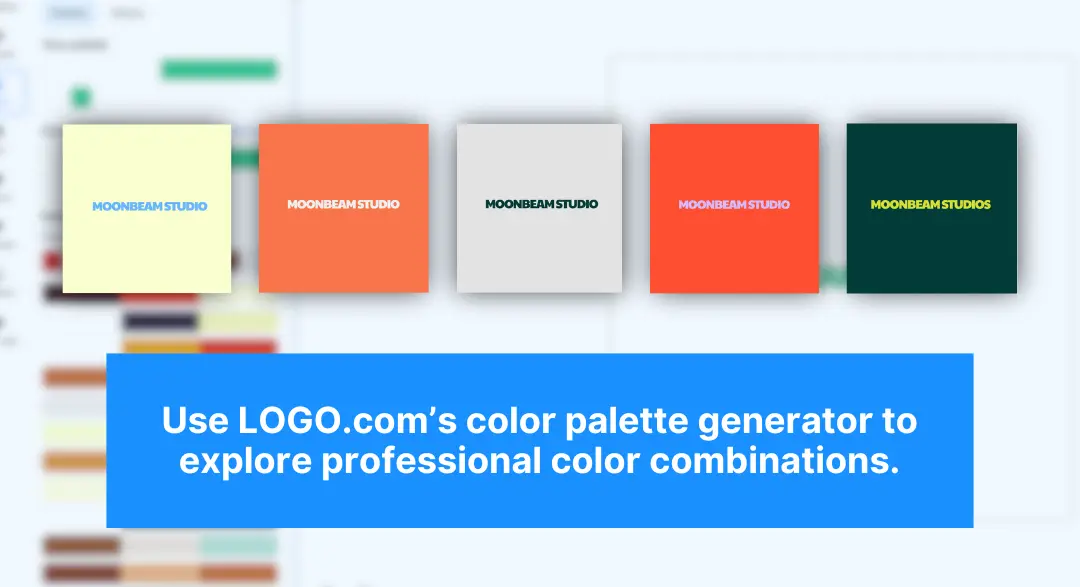
You can browse through these options to find logo color combinations that resonate with your brand’s personality. Once you find one you love, you can shuffle through the combinations to find the look you love the most.
With real-time previews, you can instantly see how your new colors will look across different platforms, helping you make confident choices.
Test Out Your New Logo Colors
Before rolling out your updated logo, test how it looks across different platforms and materials.
LOGO.com’s logo creator includes a mockup feature, allowing you to see how your design appears in real-world scenarios.
Be sure to preview your logo on:
- Websites and social media profiles.
- Business cards and flyers.
- Merchandise like T-shirts, mugs, and tote bags.
You can also share your new logo with trusted colleagues, friends, or even loyal customers. Their feedback will give you valuable insights and make sure your logo colors resonate with your audience.
Save and Download Your Updated Logo
Once your logo looks just right, save the changes to your account. After saving your new logo design, you’ll be taken back to your LOGO.com Dashboard.
From the "Brand" tab, you’ll find everything you need to maintain brand consistency, including:
- Brand Kit: All your brand assets, logos, colors, fonts, and social media essentials.
- Variations and Correct Uses: Ensure your logo remains consistent across platforms.
- Brand Guidelines: Share guidelines with your team to communicate your brand.
Share Your New Logo Across Platforms
Download high-res files for digital and print use so your new logo looks great everywhere—on your website, social media, merchandise, and more.
Follow these simple steps, and LOGO.com will keep your branding modern, professional, and on-trend with your business. If you want to change your logo color again at any time, you can simply log back in and get started. How easy is that?
Ready to try? Jump into the editor and see how your new logo colors come to life!
3 Tips to Make Sure Your Logo Makeover Has Maximum Impact
Choosing the right colors for logos involves more than just personal preference.
These tips will help make sure your updated logo looks polished and professional:
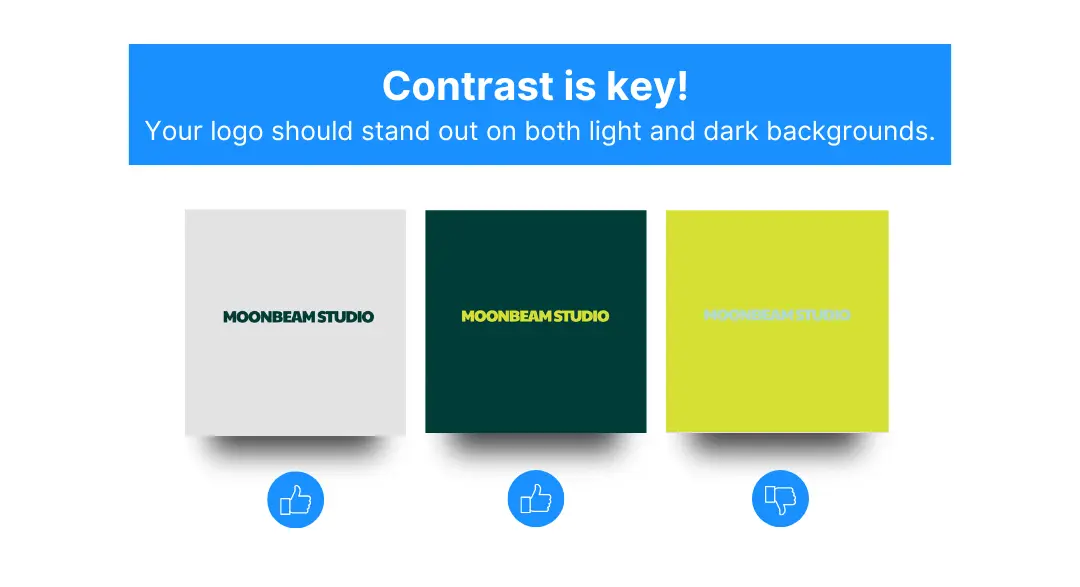
1. Test for Contrast and Readability: Your logo should be readable no matter where it’s displayed. Choose logo color combinations that contrast nicely and are clear on light and dark backgrounds.
2. Match Your Brand Personality: Think about your brand’s identity. For example, a bold red might work well for an energetic sports brand, while soft blues could suit a calming wellness business.
3. Stay Consistent Across Branding: Consistency is key. Make sure the new logo colors match other branding elements, such as your website, social media, and product packaging.
Pro Tip: Your Brand Guidelines in LOGO.com will help you stay consistent!
FAQ
Can I change my logo colors temporarily?
Ready to make your logo?
Yes, but only in specific situations.
Unexplained or frequent changes to your branding colors can confuse your audience and lead to a loss of trust. However, temporary color changes can be effective if done thoughtfully and for a good reason.
When is it appropriate to change logo colors?
Showing Support for a Cause
Switching up your logo to a specific color to support a cause or charity can resonate with your audience.
For example, during Breast Cancer Awareness Month, many brands incorporate pink ribbons into their logo or social media graphics. This type of change works because it’s temporary, well-communicated, and tied to a meaningful cause.
For a Special Occasion
Colors associated with holidays or special events can boost seasonal marketing efforts.
YouTube, Facebook, Google, and even Target are known for swapping out their regular logos to match the holidays—especially Christmas. Because these colors are tied to a well-known season, their customers embrace the temporary shift without confusion and usually join in on the fun.
Reaching a Milestone
Milestone anniversaries or other achievements can justify a temporary logo color change.
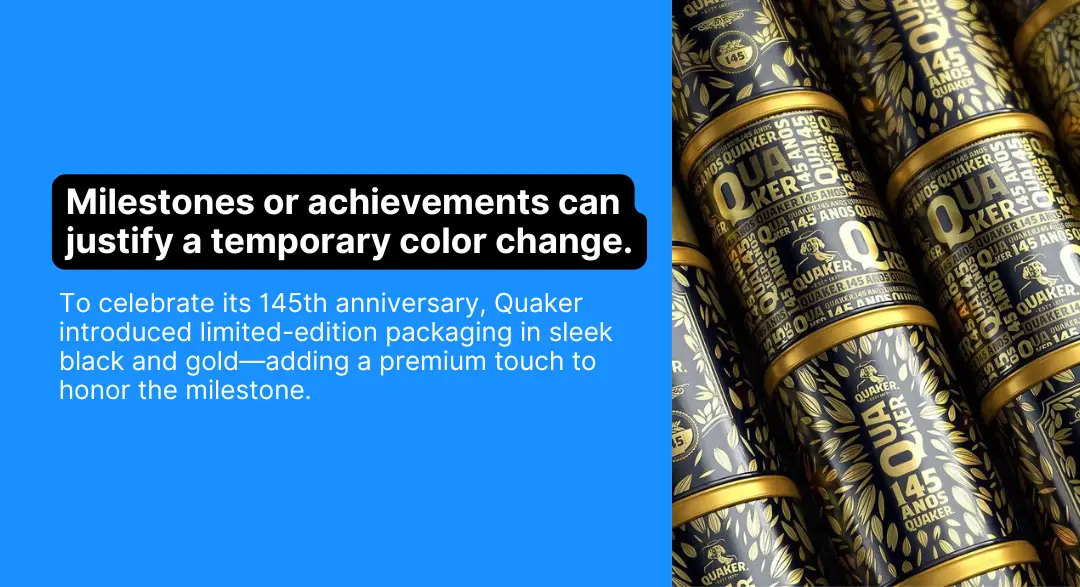
For example, Quaker celebrated its 145th anniversary with a limited-edition logo and packaging featuring black and gold, giving its brand a premium feel while marking the special occasion.
Should I change my logo colors on a whim?
No. Consistency is key in branding, and frequent, unexplained changes will confuse your audience. A major shift in brand colors should only happen during a rebranding process with careful planning and clear communication.
Bring Your Logo to Life with New Colors
Changing your logo colors is a quick and easy way to refresh your branding and stay current. With LOGO.com’s logo maker, it’s easy even for non-designers.
From logo color ideas to testing your design on real-life mockups, every step is designed to help you create a logo that stands out.
Ready to give your logo a makeover? Go to LOGO.com now and see how simple it is to update your logo with colors for logos that match your brand!
Ready to make your logo?
Recent posts

Oct 19, 2026 by: Sean Baker

Oct 14, 2026 by: Vanessa Lam
Oct 12, 2026 by: Sean Baker
Oct 5, 2026 by: Sean Baker