You’ve Got a Logo. Here’s How to Build the Rest of Your Brand With LOGO.com
If you’ve created a logo but don’t know what comes next, this guide breaks down exactly how to build a full brand identity using free and easy tools.
Imagine this: You just finished creating a logo for your business using a design platform you found online.
It looks great. The fonts are perfect, the design reflects your vision, and you’re ready to use it on your website, merch, social media—everywhere.
But then the problems start.
The colors don’t match across platforms. Your social posts feel off-brand. Invoices default to random fonts. Your profile pictures don’t look consistent. And that box of merch you were so excited about? The logo is stretched beyond recognition.
This is where a lot of small business owners start to panic.
That’s why LOGO.com created the Upload a Logo feature. You don’t have to start over. You just need a better way to bring everything together.
Upload your logo once, and LOGO.com will help you build out the rest: consistent brand assets, a matching website, custom merch, and ready-to-use marketing tools that feel like your business.
Because your brand should look as put-together as you are.
Why Upload Your Logo to LOGO.com?
You’ve already done the hard part. You made a logo that feels like you.
So why start over every time you need to create new marketing materials?
Uploading your logo to LOGO.com means you get to keep what you’ve already built, but finally make it usable everywhere.
No more resizing in Canva.
No more guessing hex codes.
No more stretched logos on mugs or off-center Instagram headers.
Instead, LOGO.com reads your logo and instantly pulls together your:
- Brand colors
- Fonts
- Icons
- Full logo and wordmark
- And a complete set of templates that match
It’s the fastest way to go from “I have a logo” to “I have a brand that actually looks professional on everything.”
How to Use LOGO.com’s Upload Feature to Build Your Brand
You already have a logo you love. Now, let’s turn it into a brand that feels polished, cohesive, and easy to manage without redoing anything from scratch using LOGO.com’s new Upload Feature.
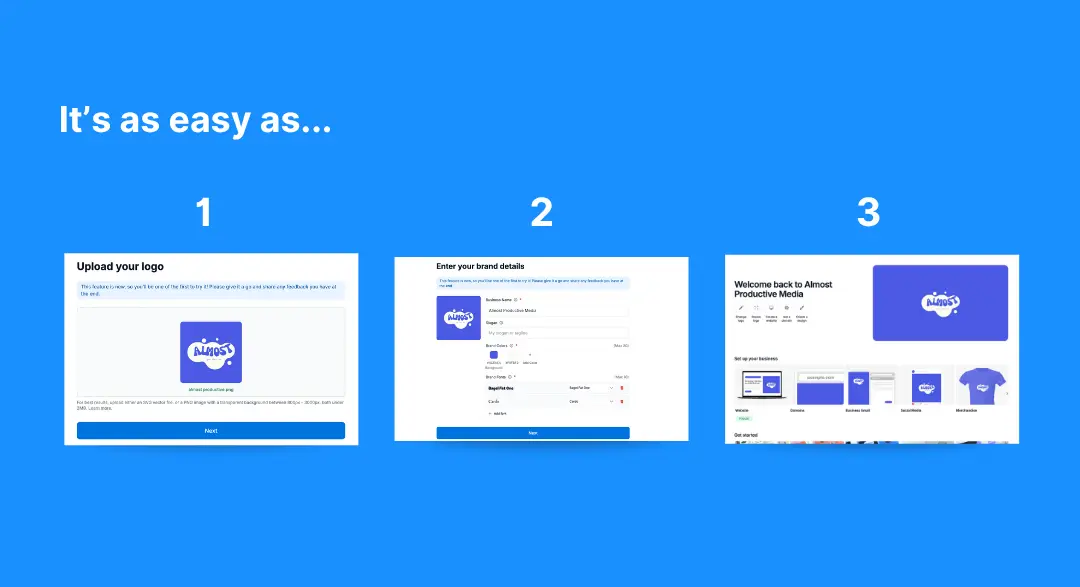
1. Upload Your Logo to Kick Things Off
Start with what you’ve already built. Upload your existing logo (SVG, PNG, JPG, AI, or PDF files all work), and LOGO.com will automatically pull the colors and fonts to create a personalized brand kit for you.
There’s no need to look up hex codes or remember which font you used that one time. The tool handles it for you and lays the foundation for everything that follows—from social templates to merchandise.
2. Preview and Customize Your Brand Kit
Once your logo is uploaded, you’ll see a preview of your brand kit, which is like a scrapbook of your brand’s identity. You’ll love how easy it makes keeping your branding consistent, clear, and easy for anyone to follow.
It includes your:
Full Logo: Your primary logo with text and imagery, ready in multiple formats (PNG, JPG, SVG, AI, PDF) for any use.
Wordmark: A clean, text-only version of your logo—great for websites, business cards, email signatures, and signs.
Icons: Compact visuals for favicons, app icons, profile pictures, or merch.
Colors and Fonts: Your brand’s color palette and type styles—automatically pulled from your logo and editable anytime.
Brand Board: A clear, visual snapshot of your brand identity, making it easy to stay on track and share with your team or vendors.
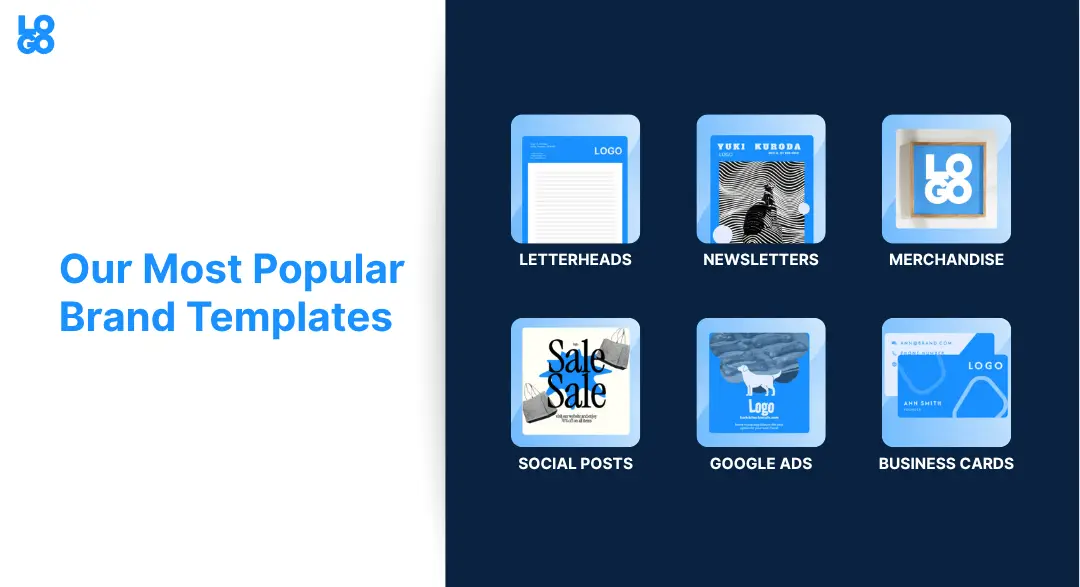
Design Templates: Take a look at over 1,200 customizable templates for social media, ads, letterheads, merch, and more—all tailored to your brand.
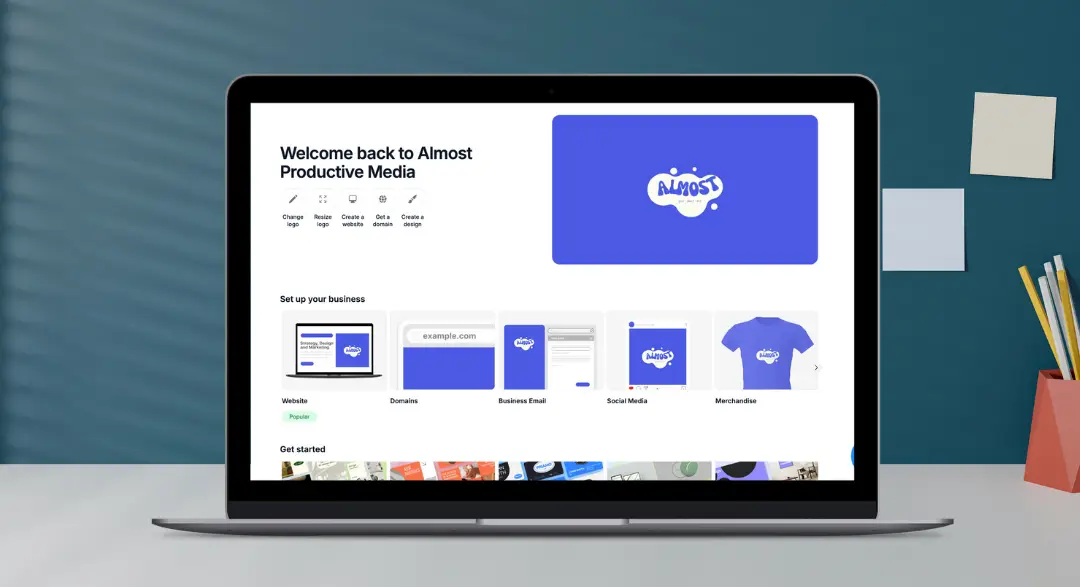
Don’t worry, you can make quick changes if something doesn’t feel quite right.
For example, do you want to swap in a new headline font or update your color palette?
You can do it all in the editor without completely reworking your logo design.
This is your brand’s new home base. Everything you create from here on out will pull from your brand kit, so it stays consistent across platforms.
3. Set Up a Website That Matches
Let’s be honest: a lot of small business websites don’t match the personality of the brand.
Maybe you picked a template that looked okay at the time, or maybe you didn’t have your brand colors saved from when you first created your logo, so you just picked something close enough. Whatever the case, your website design just feels… off.
With LOGO.com, your brand kit connects directly to a clean, easy-to-use website builder. That means your colors, fonts, and logo are already built in, and the final result looks like a natural extension of your business, not a placeholder. Plus, LOGO.com partners with Wix, so you can build a professional, mobile-friendly website using intuitive drag-and-drop tools or even let AI build it for you.
Imagine you run a local event-planning business and want a website that feels polished but personal. When you use the brand kit, your homepage header, button styles, and body text are already styled for you. All you need to focus on is plugging in your content.
Pro Tip: You can also purchase your domain name directly through LOGO.com, so you don’t have to bounce between platforms to get your website live.
4. Make Social Media Posts That Look Like Your Brand
Social media content is one of the easiest places to lose brand consistency. You’re trying to post regularly, but grabbing templates from different platforms or starting from scratch every time makes it hard to keep things looking aligned.
LOGO.com gives you access to over 1,200 pre-built templates, each customized with your logo, fonts, and colors.
These include everything from Instagram posts to Facebook cover photos, Pinterest pins, YouTube thumbnails, and more.
Instead of downloading a random “sale” graphic and pasting your logo on top, you can post a promotion that already fits your brand.
Here’s how it works:
- In your LOGO.com dashboard, head to “Brand Templates.”
- Choose from Instagram posts, stories, Facebook covers, LinkedIn banners, and more.
- Your logo and brand colors are already uploaded in every template, you just need to add your content.
- Download the finished graphics and upload them to your social platforms.
This saves time and keeps your feed feeling cohesive and professional.
5. Design Business Cards That Match Your Brand
Even in a digital world, business cards still matter. They’re tangible, make an impression, and they often lead to follow-ups—if they feel aligned with the rest of your business.
LOGO.com makes it easy to design business cards using your brand kit.
No dragging and resizing, no searching for fonts. Just pick a layout, and everything from your logo to your colors is already in place.
You can export print-ready files, send them to a printer, or order directly through LOGO.com if you want to keep it simple.
Pro Tip: If you’re handing out cards at a pop-up or local event, use the same design on your signage, flyers, or table setup. It’s the little details that help your business feel professional and trustworthy.
6. Add Branding to Invoices, Emails, and Everyday Tools
You don’t have to stop with the obvious stuff. Even your behind-the-scenes materials—like invoices, receipts, and email signatures—can carry your branding.
LOGO.com provides all the assets you need: icons for your email footer, logos for the top of your invoices, and fonts that match your voice.
Now, when someone sees your brand on every touchpoint, they will start to recognize your brand. That type of brand consistency builds trust quickly!
7. Create Merch, Packaging, and Stickers in Minutes
When you're ready to go beyond digital branding, LOGO.com has over 200 merchandise options you can customize directly in the platform.
Whether you’re customizing a water bottle or a hoodie, LOGO.com makes it easy to design your merch without any experience. The editor automatically pulls in your logo and brand kit, so all you have to do is choose your product and click “Start Designing.”
Keep Your Branding Consistent Without Starting Over
You don’t need to reinvent your business to get consistent, professional branding. If you already have a logo, LOGO.com will help you take it and turn it into everything else your brand needs: a full brand kit, matching social posts, a website that feels like your business, and even branded merch.
The Upload a Logo feature makes it easy to bring your existing design into the platform and use it everywhere that matters. No more scattered files or spending hours guessing the correct assets.
It’s all in one place, ready to go when you are.
Start with what you’ve already built and take your brand from logo to full identity in minutes.
Upload your logo to LOGO.com and get your full brand kit today! Still need a logo? Our AI logo maker can create a custom icon for you.
Recent posts
Oct 19, 2026 by: Sean Baker

Oct 14, 2026 by: Vanessa Lam
Oct 12, 2026 by: Sean Baker
Oct 5, 2026 by: Sean Baker